Screw the cap back
clockwise.
NOTE: e salt container must only be relled
when the rell salt indicator light
illuminates. Depending on how fully
the salt dissolves, the rell salt indicator
light may still be on even though the
salt container is lled.
Using the Rinse Aid and Detergent Dispensers
e rinse aid helps the dishes
dry faster and prevents
the formation of scale
deposits and staining. Itis
automatically added to the
water during the nal rinse cycle.
e detergent and rinse aid dispensers are
located on the innerpart of the door: the
detergent dispenser is on the left, and the rinse
aid dispenser is on the right.
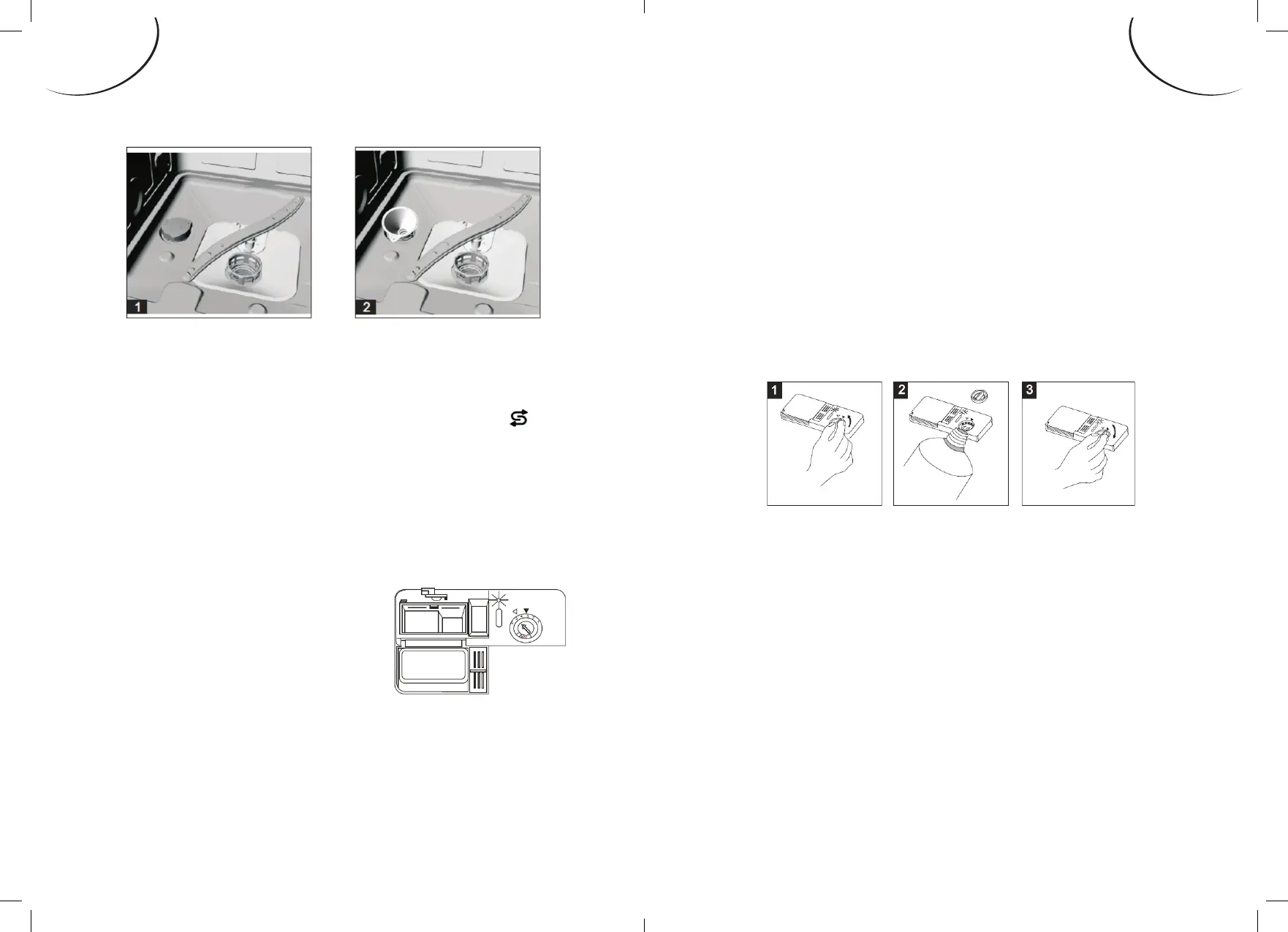
Adding the rinse aid
1. Rotate the dispenser cap anticlockwise and
remove it.
2. Add the rinse aid until the container is full.
• e optical level indicator on the side of the
cap should be completely dark.
3. Replace the cap and turn it clockwise.
NOTE: Rell the rinse aid when the optical
level indicator becomes clear again,
or when the rinse aid indicator light
illuminates.
GB-21GB-20
ENGLISHENGLISH


 To Next Page
 Loading...