22.2 Timer (fig. 29a) (if fitted)
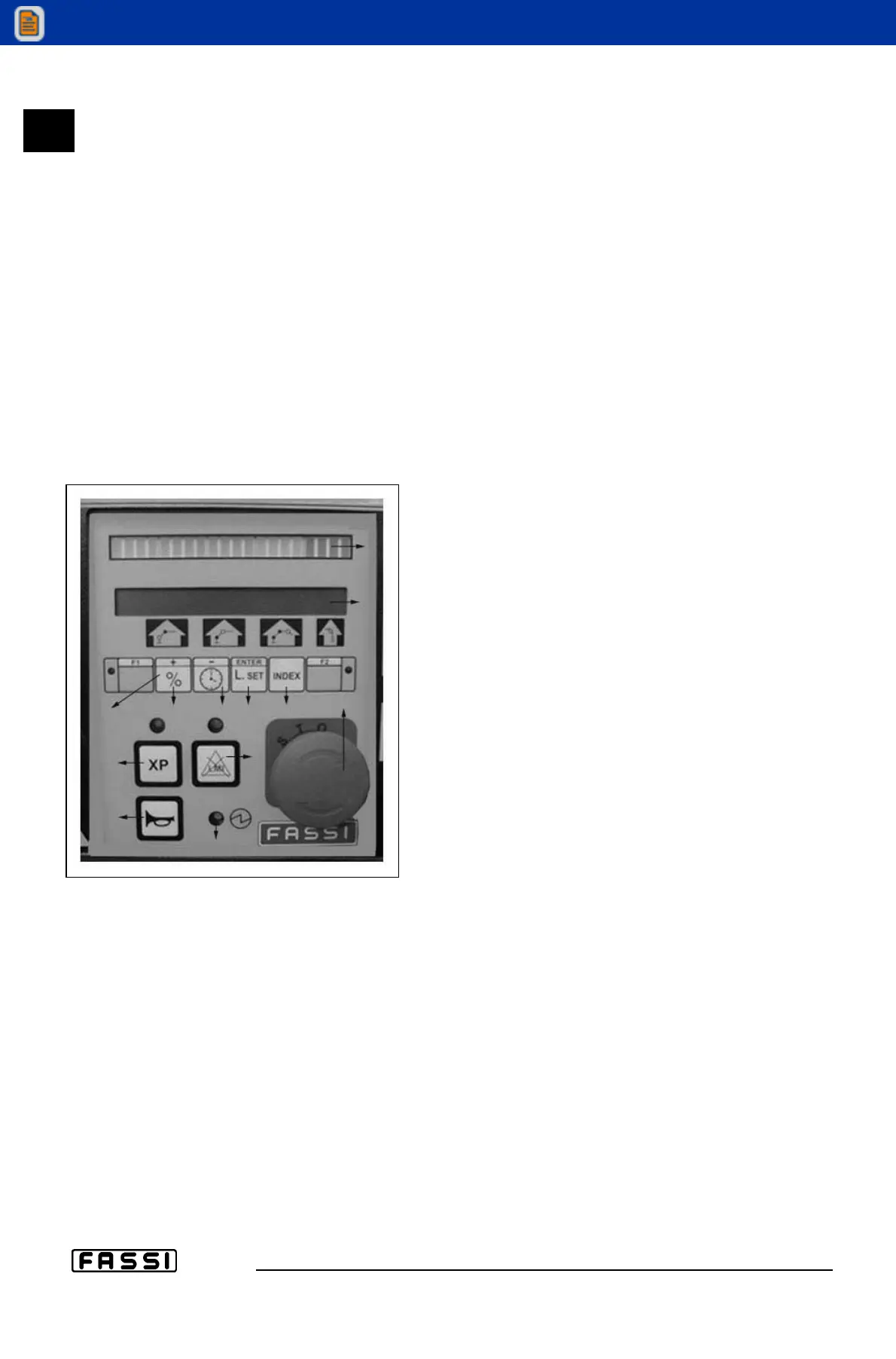
The control panel of the “electronic” lifting moment limiting device, placed next
to the distributor of the crane, features an alphernumeric readout for displaying
the date, the activation time expressed in hours-minutes of the electric control
panel ("Partial Time" and "Total time") or the working time of the crane whilst
being operated via the control levers ("Work Time").
How to view the date
Press button C2 (clock/-) to have the current date visualized on display B. Fig.
29.
Partial time
How to view the partial time of the electric panel; which can be reset.
- Keep button C2 (-) pressed until you read “Time” on display B.
- Press button C1 (+) until you see "Partial time".
- Press button C3 (enter) to view the time.
How to reset the "Partial time".
To start a new count perform the following:
- Keep button C2 (-) pressed until you read
"Time" on display B.
- Press button C1 (+) to read "Partial time" on
the display.
- Press button C1 (+) again to read "Total time"
on the display. fig. 29a.
- Press button C1 (+) again to read "Work time"
on the display.
- Press button C1 (+) again to read "Reset partial"
on the display.
- Press button C3 (enter) to read "Enter to confirm"
on the display.
- Press button C3 (enter) again; the timer is reset
and it will start recording again.
Total time
How to view the total activation time of the electric
panel; this cannot be reset.
- Keep button C2 (-) pressed until you read
"Time" on display B.
- Press button C1 (+) to read "Partial time" on the display.
- Press button C1 (+) again to read "Total time" on the display.
- Press button C3 (enter) to visualize, for about 5 seconds, the total time
expressed in hours and minutes.
Work time
How to view the work time which is the actual time recorded whilst a crane
operating lever/function is being activated.
- Keep button C2 (-) pressed until you read "Time" on display B.
- Press button C1 (+) to read "Partial time" on the display.
- Press button C1 (+) again to read "Total time" on the display.
- Press button C1 (+) again to read "Work time" on the display.
- Press button C3 (enter) to view, for about 5 seconds the work time of the
crane expressed in hours and minutes.
22.2
MAINTENANCE
INSTRUCTIONS
GRU FASSI
fig. 29a
D
F
E
H
B
C
C1 C2 C3 C4
G
A


 To Next Page
 Loading...