5
6
7
1
9
11
2
3
4
8
10
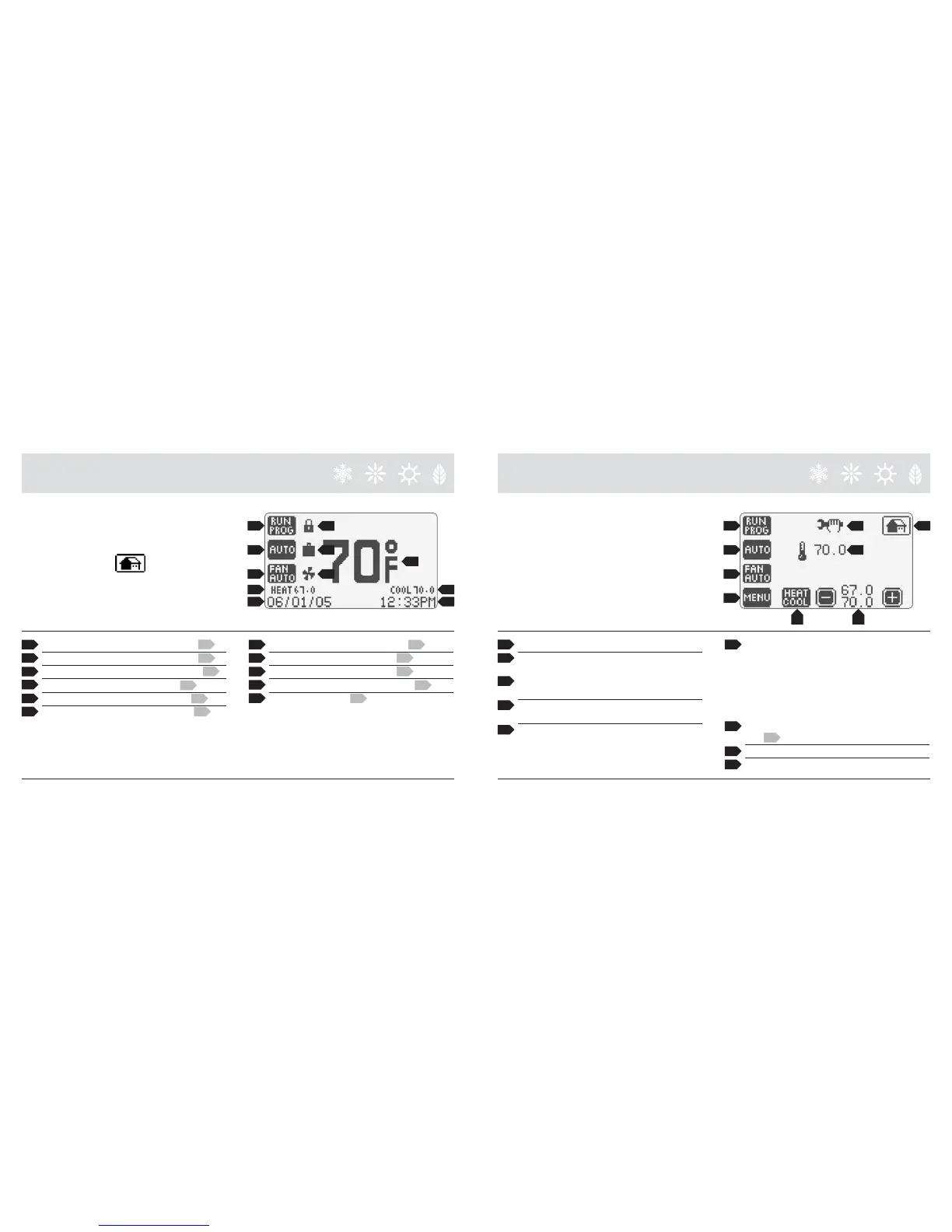
7 Security On Indicator; to change, go to 31.
8 Heating set point; to change, go to 13.
9 Cooling set point; to change, go to 13.
10 Date (Month/Day/Year); to change, go to 20.
11 Time; to change, go to 20.
1 Room Temperature; to change ºF/ ºC, go to 30.
2 Thermostat Control Mode; to change, go to 15.
3 Temperature Control Mode; to change, go to 14.
4 Fan Operation Mode; to change, go to 16.
5 Fan Operation Indicator; to change, go to 16.
6 Vacation Mode Indicator; to change, go to 24.
TO RETURN TO THE HOME PAGE,
SIMPLY TOUCH ICON
AT ANY TIME!
12 Current Room Temperature.
13 Heat and Cool temperature set points; to change, raise
or lower set point as desired. In “Auto” mode touch
Heat/Cool button (Heat or Cool will flash once
selected), then raise or lower set points as desired.
14 Temperature Control Mode; select between Heat / Cool
/ Auto / Emergency Heat.
15 Thermostat Operation Mode: Select between “Run
Program” mode (for details, see 21 ) or “Hold
Temperature” mode.
*
TO ACCESS THE CONTROL PAGE,
SIMPLY TOUCH THE HOME PAGE
SCREEN… ANYWHERE!
18
12
17
15
14
16
19
*
13
16 Fan Operation Mode: select between Fan Automatic-
where the fan will turn on only when there is a demand
for heating or cooling. Fan Continuously On – the fan
runs continuously/ Fan Intermittent.
In the fan inter-
mittent mode the fan will run for 10 minutes per _
hour which is a convenient way to filter the air and
conserve energy.
17 Displays Installer Message; to enter a message,
go to 33.
18 Return to Home Page.
19 Access the Menu Page.
HOME PAGE CONTROL PAGE


 To Next Page