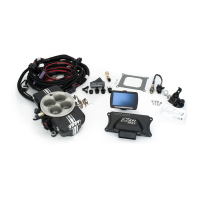
FAST4-271
Revised 3.16.16
FAST
®
3400 Democrat Rd.
Memphis, TN 38118
Phone: 901.260.3278
Toll Free: 1.877.334.8355
www.fuelairspark.com
GM 8 Cylinder Distributor
1. Refer to Fig. 3. Use the supplied hardware. Check the orientation of the adapter bracket, it will only fit
one way.
2. Apply thermal grease to the bottom side of the XR-i module. Install the 6-32 hardware by hand to
secure the module to the adapter plate. The module will be positioned to adjust the air gap later.
3. Apply thermal grease to the bottom of the adapter plate. Install the module and adapter plate in the
location that the breaker points were removed from. Firmly tighten the 8-32 supplied hardware to
secure the adapter plate to the distributor.
4. Route the wires as shown in Fig. 4. Be sure that the wires do not interfere with the vacuum advance
mechanism.
5. Install the supplied grommet over the wire harness and insert into the cable exit of the distributor. A
lubricant such as WD40
®
is helpful in installing the grommet. Install the cable clamp as shown in Fig.
4 using the supplied 8- 32 screw.
6. Loosen the 6-32 hardware to allow the XR-i module to slide on the adapter plate. Push the module as
close to the points cam as possible without touching the points cam lobe. Tighten the hardware to
secure the module in place.
Ford 8 Cylinder Distributor
Remove distributor from vehicle. Ford distributors require removal of original points plate assembly. Refer to
Fig. 5 to perform the following steps:
1. Remove the e-clip holding the vacuum linkage arm to the points plate with a small screwdriver.
2. Remove the 2 screws and the vacuum mechanism from the distributor body and set aside.
3. Carefully remove the 2 screws holding the points plate assembly to the inside of the distributor. Use
WD40
®
or similar solvent to lubricate these screws to avoid damage to threads in the distributor body.
4. Remove the points plate assembly from the distributor. This assembly should be saved since
replacements are not available.
Refer to Fig. 6 to perform the following steps for installation of adapter plates and the XR-i ignition:
1. Press the nylon center ring into the bottom plate and ensure it is fully seated.
2. Test fit the top adapter plate on the center ring. If it does not rotate smoothly, polish the inner diameter of the
top adapter plate with fine emery cloth until it rotates smoothly.
3. Press the four supplied nylon slides into the top plate from the bottom side.
4. Assemble the adapter plates and the center ring. Align the two small cut outs in the top plate with the
mounting holes in the bottom plate. If they do not align, flip the bottom plate over.
5. Place the adapter plate assembly into the distributor and align the holes in the bottom plate with the
holes in the distributor body.
6. Place the larger ring terminal of the jumper wire on one of the supplied 8-32 screws with the flat side of
the ring terminal facing away from the head of the screw.
7. Secure the adapter plate assembly to distributor with the 8-32 screws, plastic washers, and aluminum
spacers as shown. It is recommended to apply a thread lock compound such as Loctite™ to the screw
before installing them in the distributor.
8. Route the XR-i wire harness through the hole in the distributor as shown.
9. Install the supplied grommet over the wire harness and insert into the cable exit of the distributor. A
lubricant such as WD40
®
is helpful in installing the grommet.
10. Apply thermal grease to the bottom side of the XR-i module. Install the 6-32 hardware but do not tighten.
The jumper wire must be installed on the XR-i mounting ear with the metal pad. The flat side of the ring
terminal should contact the XR-i mounting ear.


 To Next Page
 Loading...