18
Usage
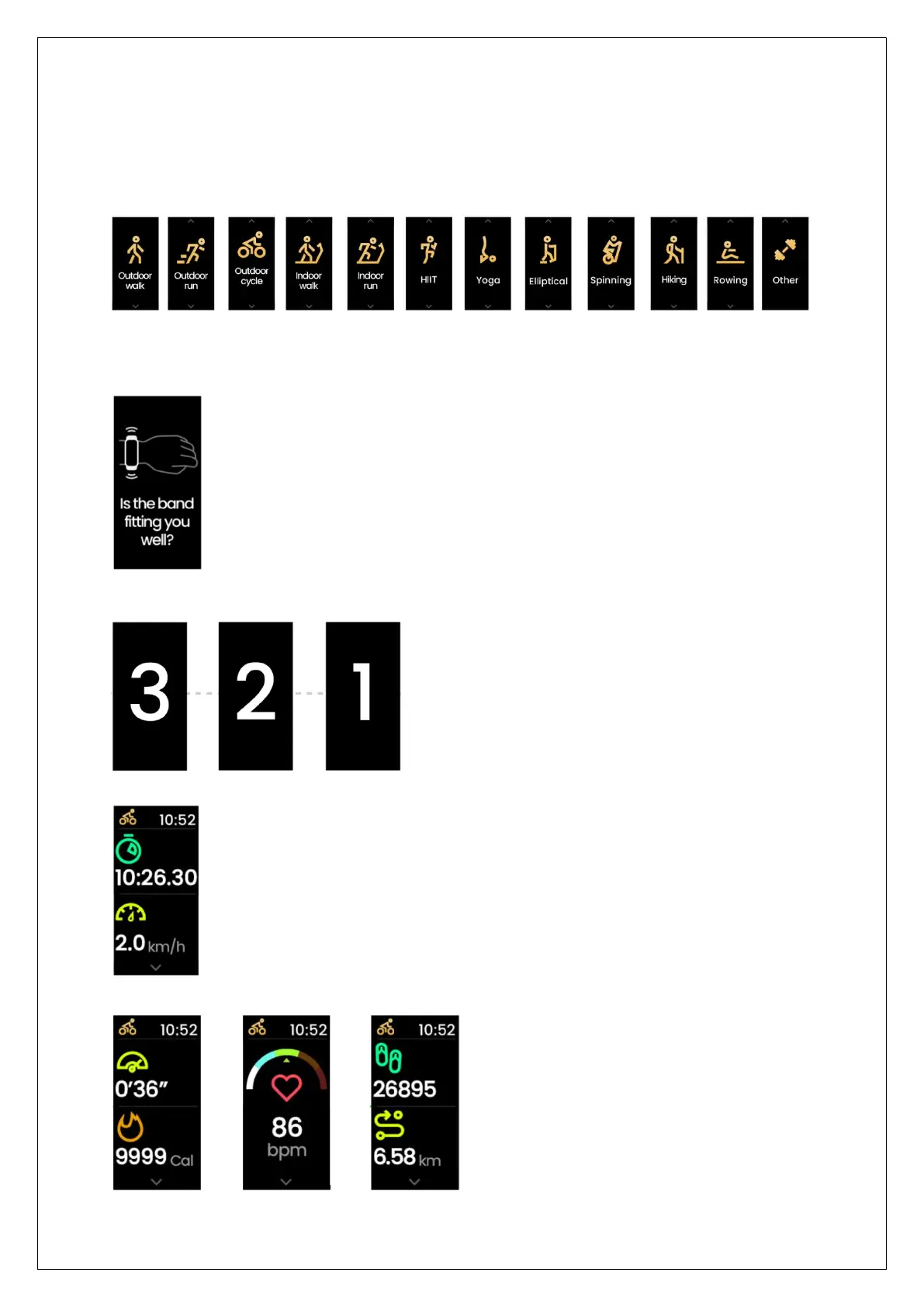
To start working out with Reflex, select Multisport from the Main Menu.
Scroll down to find all the activities monitored by Reflex one after the other.
Single tap the preferred Activity.
When you select an activity for the first time in the morning, you will see the
below message.
Make sure the band is fitting you well. Tap, wait for the countdown to end and
start the activity.
Tap the Home button to view your performance metrics during the activity.
Scroll down to view other metrics.


 To Next Page