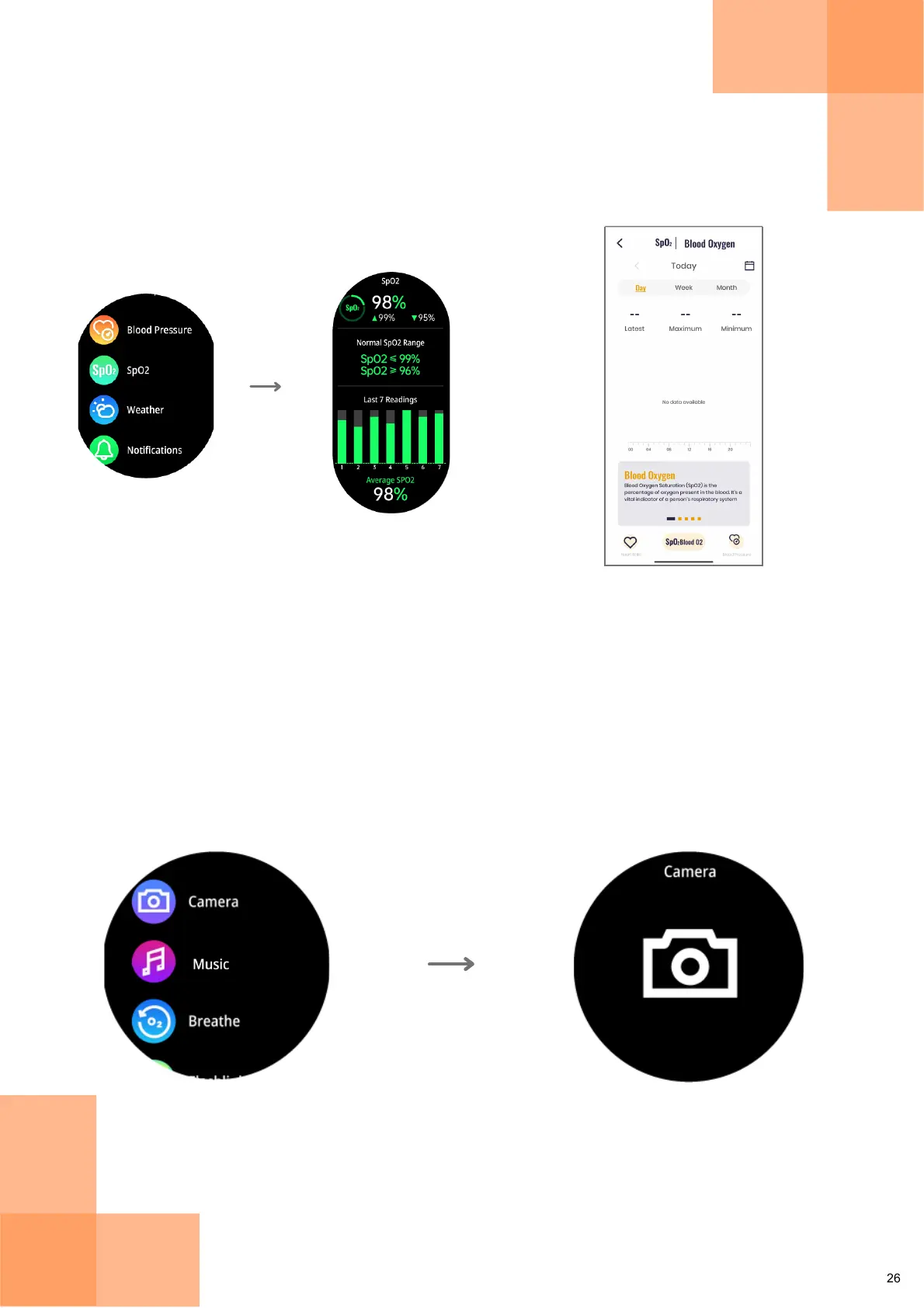
Check out detailed SpO2 analytics and
access daily/weekly/monthly data on
the Fastrack Reflex World App
Tap on SpO2
Check out
SpO2 Readings
Tap on Camera
SpO2
Capture Image
Camera
To capture images, tap on "Camera" option from the Main Menu. Tap on the
Camera icon to capture an image.
The Fastrack Reflex World App has to be open on your phone in order to take a photo.
Note:
Tap on "SpO2" after swiping from the Main Menu to check your oxygen saturation level.
You can compare your SpO2 readings with the normal SpO2 range, and access detailed
data on the Fastrack Reflex World App.


 To Next Page