FIGHT TIMER
User manual
INSTALLATION
FUNCTIONING
Fix FIGHT TIMER (wall version - art. 150) to
the wall with two screws or wall anchors.
Before inserting the plug to the power point,
control that the
is compatible with the mains
distribution.
Turning the timer on and off
Visualizations
Start and stop of a visualized Timer
Timer booking
Start and stop of a Blind Timer
Timers status
Turn on and off with the key. When
turned off, one separation point between
the minutes and the seconds remain lighted
up, indicating the presence of the feeding
current.
If the time to be visualized is less than
10':00”, it appears entirely on the right
display and the number of cycles appear on
the left display, otherwise the minutes are
visualized on the left display instead of the
number of cycles.
To begin the count of one of the five Timers,
press the key of the desired Timer (Timer-x)
followed by the key When
the key of this Timer is pressed twice, the
starting time is charged and visualized; the
key must then be pressed to
begin the count. The time count can be
stopped and then started again with the
key.
A Timer can be booked in order to start a
count automatically at the end of a Timer
that is visualized. If the Timer in use is
programmed on an infinite cycle, the
booked Timer will begin at the end of the
first pause of the working Timer.
To make a booking, press the key of the
Timer-x to be booked and then the
key.
It is possible to activate any one of the five
Timers so that they only issue the audio
signals of start/end of the various cycles
without being visualized: press the key of
the Timer-x chosen and then the
key.Thetimecount
can be stopped and then restarted with the
same key.
Since the count of the “Blind Timer” works
with different sounds, it can function
contemporaneously with the “Visualized
Timer” without the risk of creating confusion:
this allows to time 2 activities simultaneously
in the same place, such as a meeting
between two boxers and training exercizes
performed by other athletes.
With the key, the number of
active Timers are visualized for 4 seconds
(seeFig.1);thetimerinuseisindicatedwitha
flashing number, whereas inactive timers are
indicated with fixed lighting.
If the key is pressed within 4 seconds, the
“Visualized Timer” and the “Blind” functions
will be exchanged; in this way it is possible to
visualize the Timer that was only present
through a sound signal.
With , instead of , the possible booking
will be deleted.
ON-OFF
START-STOP .
START-STOP
START-STOP
Timer-
Booking
Blind-
Timer START-STOP
Timers-status
F1
F2 F1
data on the power supply
plate
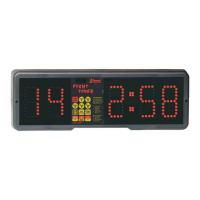
FIGHT TIMER is ideal to show the time of
one or more cycles, composed by an action
followed by a pause, and to signal with a
sound of different length the various events:
start Action, end Action, end of the
complete cycle (0.7 - 1.4 - 2.4 seconds).
The device is particularly indicated for
competitions and training sessions in boxing,
martial arts,gymnasium activities, etc..
Five different Timers can be programmed
separately. The timers are easily activated by
five associated keys, each one with the
following four parameters: Time of Action,
Time of Pause, Number of Cycles, Time of
Final Pause.
ENGLISH
4


 To Next Page