PROGRAMMING
Press the key to access
programming: “H1” will appear on the left
display indicating the first parameter to be
programmed, and on the right display the
respective value will appear, which can be
modified with the keys (+) and (-). Press
PROG once again to pass to the following
parameters or to end the
programming.
(forward,
backward) [up - do]
This modality defines the direction of the
count. With the keys (+) and (-) select: “up” for
forward counting, or “do” for backward
counting.
Press to pass to the following
parameter or to end the
programming.
(Trilling or Continuous)
[1-2]
This modality defines the suond type of
start/end for the various times. With the keys
(+) and (-) select: “1” for a trilling sound, and “2”
for a continuous sound.
Press to pass onto the following
parameter or to end the
programming.
(High-Medium-Low-Off)
[3-2-1-0]
This modality defines the sound intensity; with
the keys (+) and (-) select: “3” for High, “2” for
Medium, “1” for Low, “0” for Off
Press to pass onto the following
parameter or to end the
programming.
PROG
START-STOP
PROG
START-STOP
PROG
START-STOP
PROG
START-STOP
H1 - Counting modality
H2 - Type of sound
H3 - Sound volume
PROGRAMMING THE TIMERS
For each one of the 5 Timers, there are 4
programming parameters for a total of 20
parameters. Each one is identified by the
number of the timer (1,2,3,4,5) and by the
letter of the parameter (A,P,C,F):
for Timer-1
for Timer-2
for Timer-3
for Timer-4
for Timer-5
These 20 parameters can be accessed with
the key, and can be modified with the
(+) and (-) keys.
Immediate access to the first parameter (xA)
of the chosen Timer occurs by pressing
and then the desired key.
Programming is terminated with the
key.
The 4 parameters (A,P,C,F) concerning the 5
Timers (x) are described as follows:
(from 0':05” to 90':00”)
Modify the value with the keys (+) and (-);
press continuously to vary quickly. There are
time steps of 1 second for values from 0':05” to
1':00”, time steps of 5 seconds for values from
1':00” to 10':00”, time steps of 1 minute for
values from 10':00” to 90':00”. Please note
that, for over 10 minutes the seconds are no
longer visualized.
(from 0':00” to 90':00”)
Determines the Time of Pause following the
Action.
Modification of the value is regulated as for
parameter xA.
(from 0 to 99)
This parameter defines the number of cycles
by Action+Pause; with xD=0 the number of
cycles is infinite and they can be interrupted
only by the key. Modify the
value with the keys (+) and (-); press
continuously to vary quickly.
(from 0':00” to
90':00”)
This parameter sets the Final pause that
follows the last Action. After the Final pause
the entire cycle is repeated; with xF=0 the
Final pause does not occur and the cycle is
performed only once.
Modification of the value is regulated as for
parameter xA.
1A- 1P - 1C - 1F
2A- 2P - 2C - 2F
3A- 3P - 3C - 3F
4A- 4P - 4C - 4F
5A- 5P - 5C - 5F
xA- Time ofAction
xP - Time of Pause
xC - Number of Cycles
xF - Time of Final Pause
PROG
PROG
Timer-x
START-
STOP
START-STOP
ENGLISH
5
ENGLISH
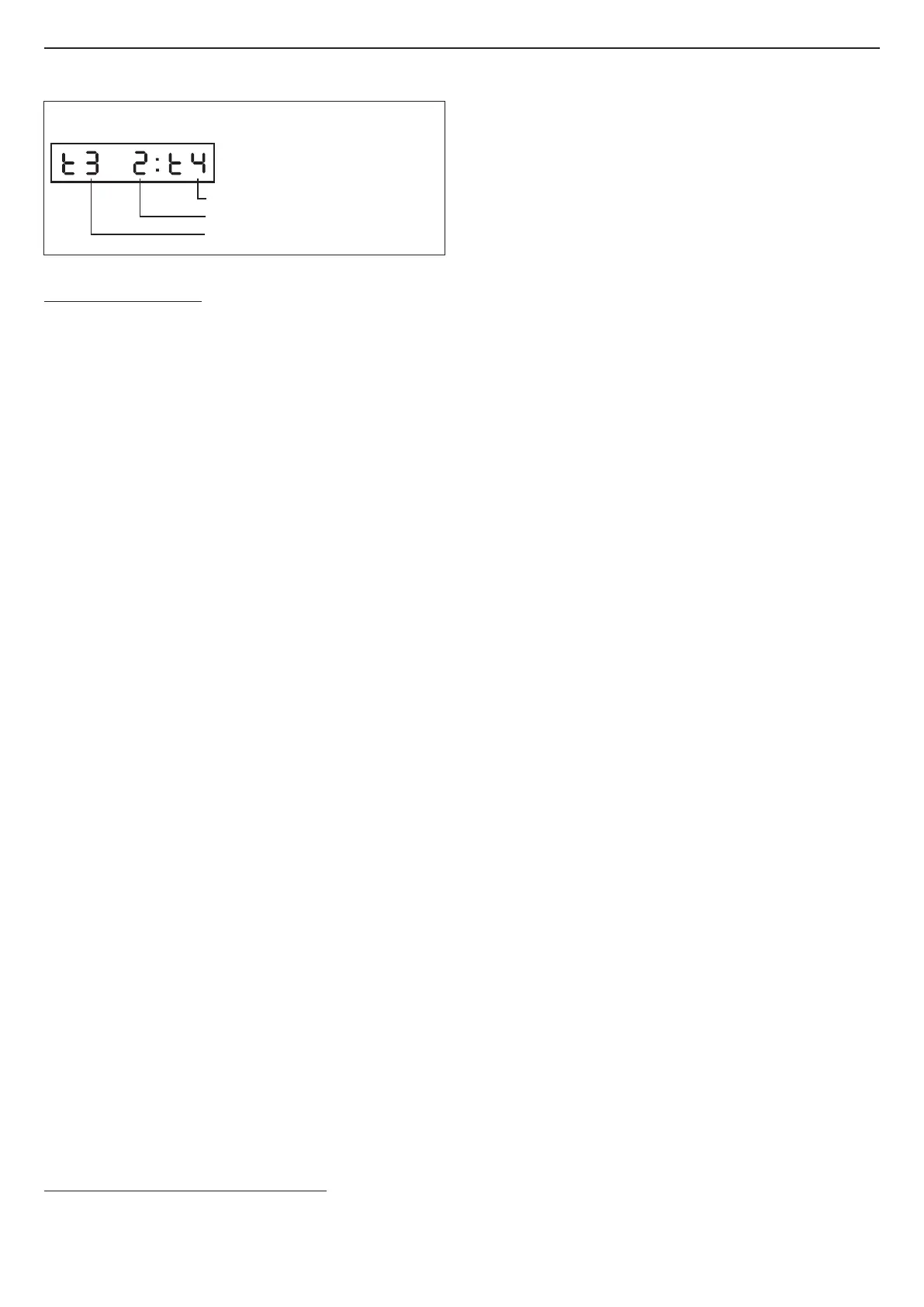
Number of the “Visualized Timer”
Number of the “Booked Timer”
Number of the “Blind Timer”
Fig.1 Status of the Timers (Timers-Status key)


 To Next Page
 Loading...