VEHICLE USER GUIDE —
IF EQUIPPED
VEHICLE USER GUIDE
Access your Owner’s Information right
through your Uconnect 4C or 4C NAV touch-
screen system (if equipped).
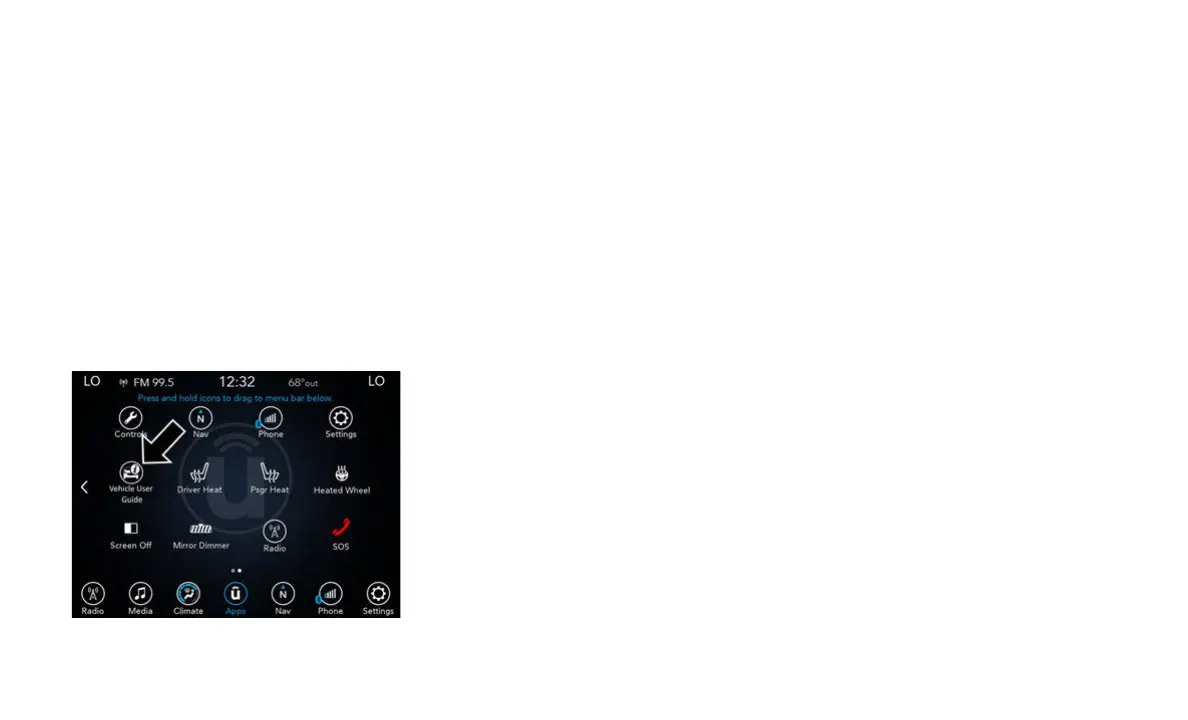
To access the Vehicle User Guide on your
U
con
nect touchscreen, press the Uconnect
Apps button. From there, press the Vehicle
User Guide icon on your touchscreen. No
Uconnect registration is required.
Uconnect 4C NAV With 8.4–inch Display Vehicle
User Guide Touchscreen Icon
NOTE:
Vehicle User Guide features are not available
whil
e the vehicle is moving. If you try to
access the features while the vehicle is in
motion, the system will display: “Feature not
available while the vehicle is in motion”.
Pre-Installed Features
• Your User Guide — Updated in real-time
• Tou
chscreen convenience
• Mai
ntenance schedules and information
• Com
prehensive icon & symbol glossary
• Ava
ilable when and where you need it
• Cus
tomizable interface
• Mul
tilingual
NOT
E:
Uconnect screen images are for illustration
purp
oses only and may not reflect exact soft-
ware for your vehicle.
For further information, and applicable warn-
ings and cautions, please refer to the
O
wne
r’s Manual at www.mopar.com/en-us/
care/owners-manual.html (U.S. Residents)
or www.owners.mopar.ca (Canadian Resi-
dents) for further information.
KEYLESS ENTER-N-GO —
PASSIVE ENTRY
INTRODUCTION TO
KEYLESS ENTER-N-GO
The Keyless Enter-N-Go — Passive Entry
system is an enhancement to the vehicle’s
key fob. This feature allows you to lock and
unlock the vehicle’s door(s) without having
to push the key fob lock or unlock buttons, as
well as starting and stopping the vehicle with
the push of a button.



 To Next Page