Send & Go
Send & Go allows you to search for a destina-
tion on your mobile device and then send the
route
to your vehicle’s built-in navigation
system. To send a navigation route to your
vehicle:
1. Press the Location tab on the Uconnect
Mobile App bottom bar.
2. Either type in the destination you would
l
i
k
e
to navigate to, or search through one
of the categories provided.
3. Select the destination you want to route
to f
rom the list that appears.
4. Press the Send To Vehicle button, and
then
confirm the destination by pressing
the Yes button to send the navigation
route to the Uconnect Navigation in your
vehicle.
5. Finally, confirm the route inside your
vehi
cle by pressing the Go Now option on
the pop-up that appears on the touch
-
screen when the vehicle is started.
ANDROID AUTO™ AND
APPLE CARPLAY® — IF
EQUIPPED
ANDROID AUTO™
INTEGRATION
Android Auto™
With easy touchscreen navigation and voice
recognition, Android Auto™ brings you
useful information and organizes it into
simple cards that appear just when they are
needed. To use Android Auto™ follow these
steps:
1. Download the Android Auto™ app from
the
Google Play store on your Android™
powered smartphone.
2. Connect your Android™ powered smart-
phon
e to one of the media USB ports in
your
vehicle. If the Android Auto™ app
was not downloaded, the first time you
plug your device in, the app will begin to
download.
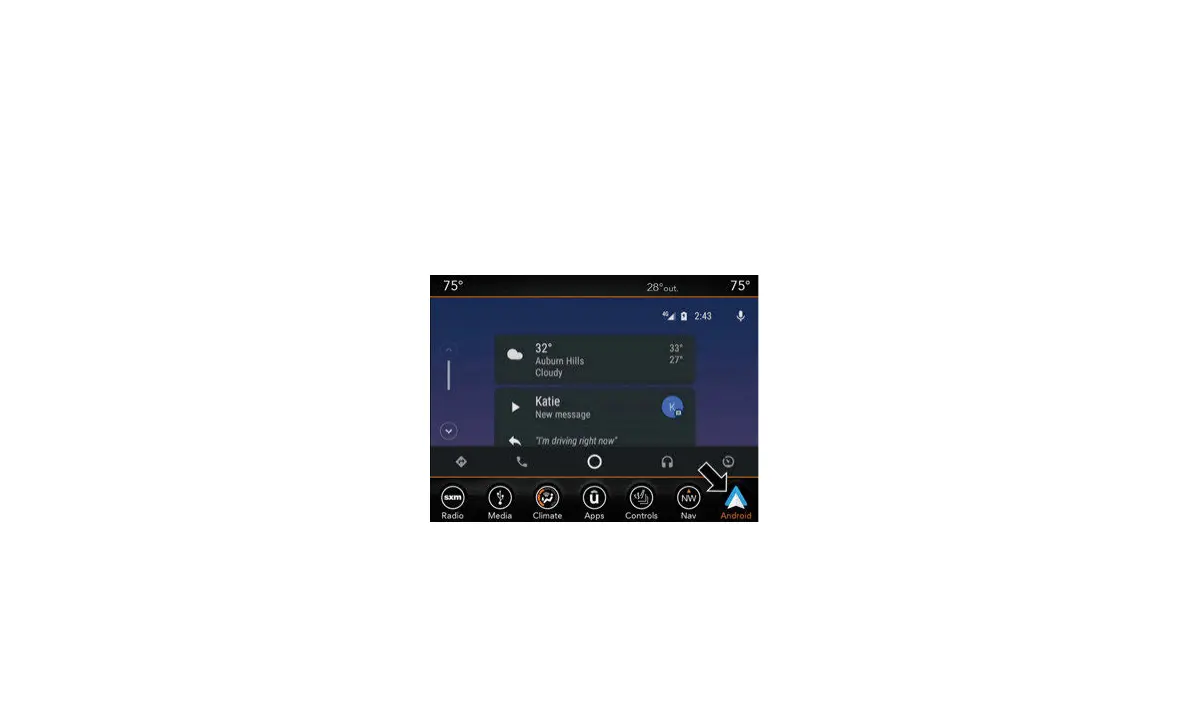
3. Once the device is connected and recog-
nize
d, the “Phone” icon on the personal-
ized menu bar will automatically change
t
o th
e Android Auto™ Icon.



 To Next Page