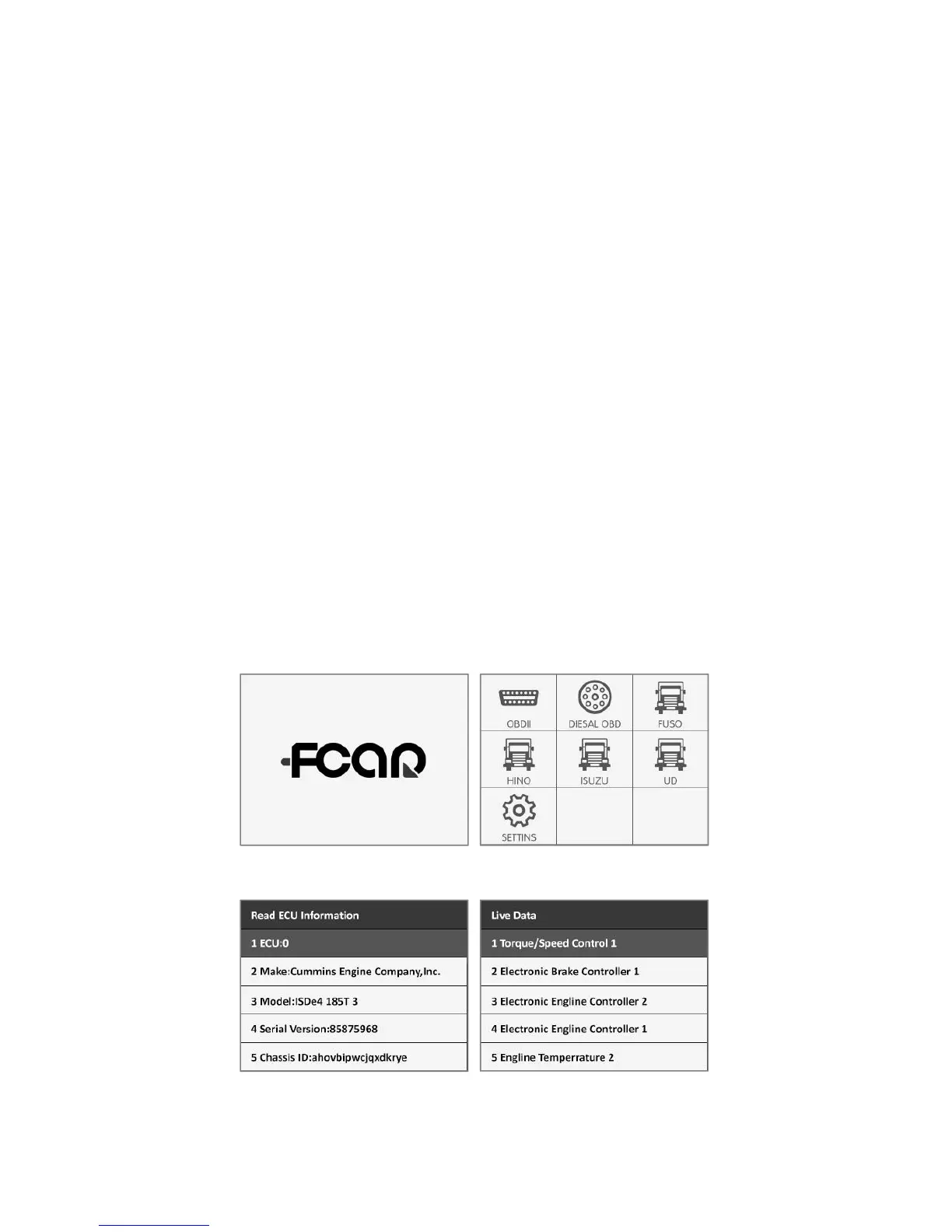
DIAGNOSTIC & OPERATING INTERFACE
DIAGNOSE
Select Menu: Select the [DIESEL OBD] and press (OK)
button; The HD Code Ⅱ includes categories of the
software: SAE J1939, SAE J1708
Select Menu: Select the [CAT] and press (OK) button;
The F506 includes categories of software: CAT Truck/Bus,
CAT Construction, CAT Power Equipment, CAT
Agricultural, CAT Industrial, CAT On/Off Highway
Select the [OBDII] and press (OK) button; The F506
includes categories of software: IS0 14230, IS015765,
SAE J1850, IS0 9141-2, IOS 15765-4
OPERATING INTERFACE
(Fig.1: Boot Screen) (Fig.2: Main Interface)
(Fig.3: Read ECU Info) (Fig.4: Live Data View)


 To Next Page