Ethernet-I/P Fieldbus Expansion Unit
PAGE 25
PLC Setting Example
This procedure is written for using Rockwell Automation RXLogix5000 V15.02.00 and Allen Bradley
CompactLogix L32E. If the system is not the same as listed above, setup may be different. Please
contact to PLC manufacturer for detail as each PLC may be different
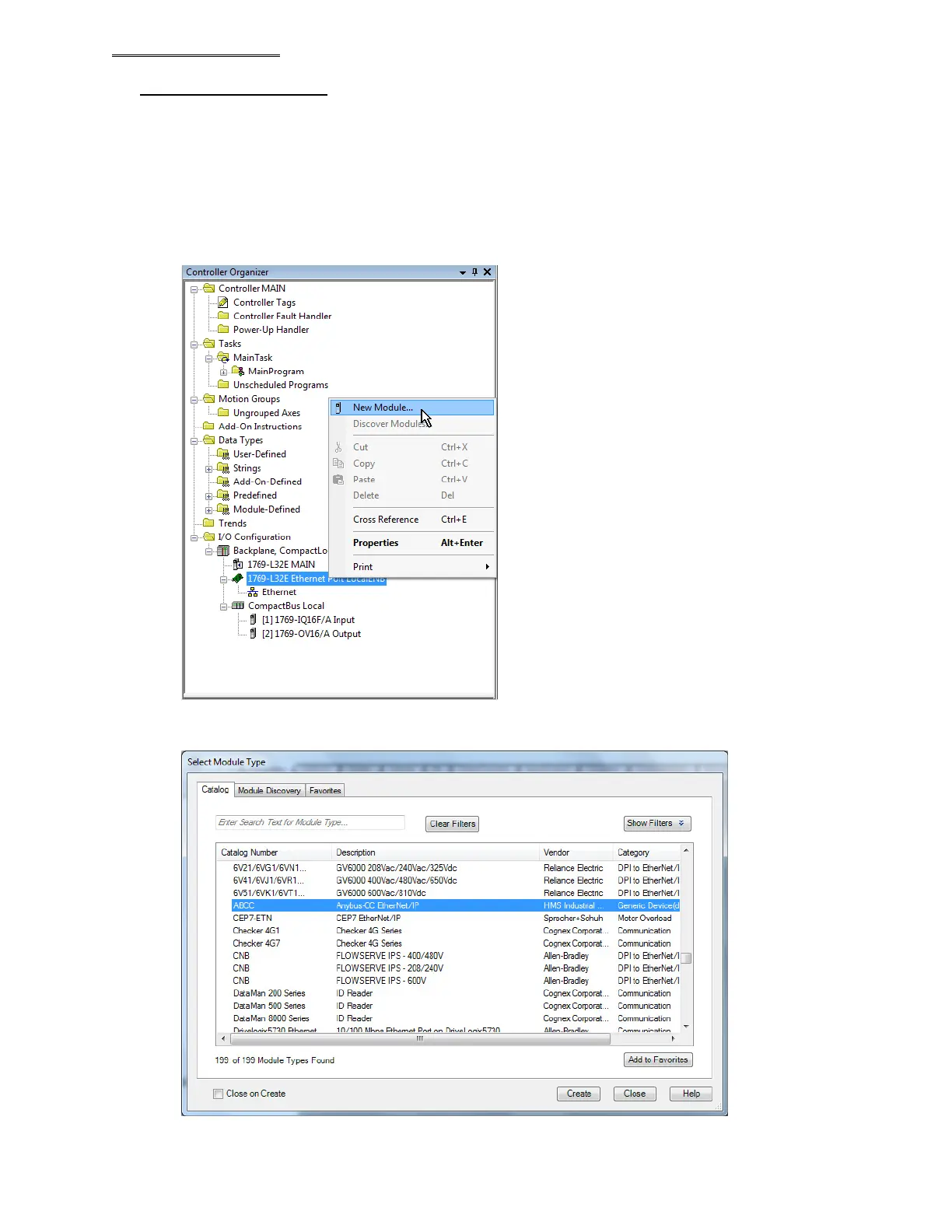
1. Register MASTER Spindle Fieldbus unit to network
In the PLC I/O configuration, right click on “Ethernet Port Local ENB” and select “New Module”
Select “ABCC” “Anybus-CC Ethernet/IP from “Select module Type” list and click the “Create” button.



 To Next Page