IMSS E3265
Electronic Expansion Valve (EEV) After 12/1/19
A traditional TXV uses springs and a temperature bulb to open and close a valve port that
controls the flow of refrigerant entering the evaporator coil. An electronic expansion valve
(EEV) controls the refrigerant flow much more precisely, increasing the performance and
efficiency of the refrigeration system. The EEV controls the flow of Refrigerant by opening and
closing the valve port based on the response to signals sent to the EEV by an electronic
controller. The electronic Control bases these signals by processing information provided from a
temperature sensor and pressure transducer located on the discharge side of the evaporator coil.
These sensors monitor the evaporator superheat and protects the compressor from any liquid
flood back under low superheat conditions.
EEV Controller Settings
The electronic expansion valve controller also allows the use of different types of refrigerants
without the need to change the expansion valve.
The controller is set from the factory to run on 449A refrigerant and will not need any changes to
the control unless another refrigerant is used.
Note: Check your State and Local regulations for approved refrigerants for your install
location. Federal Industries is not liable for any alternate refrigerants used.
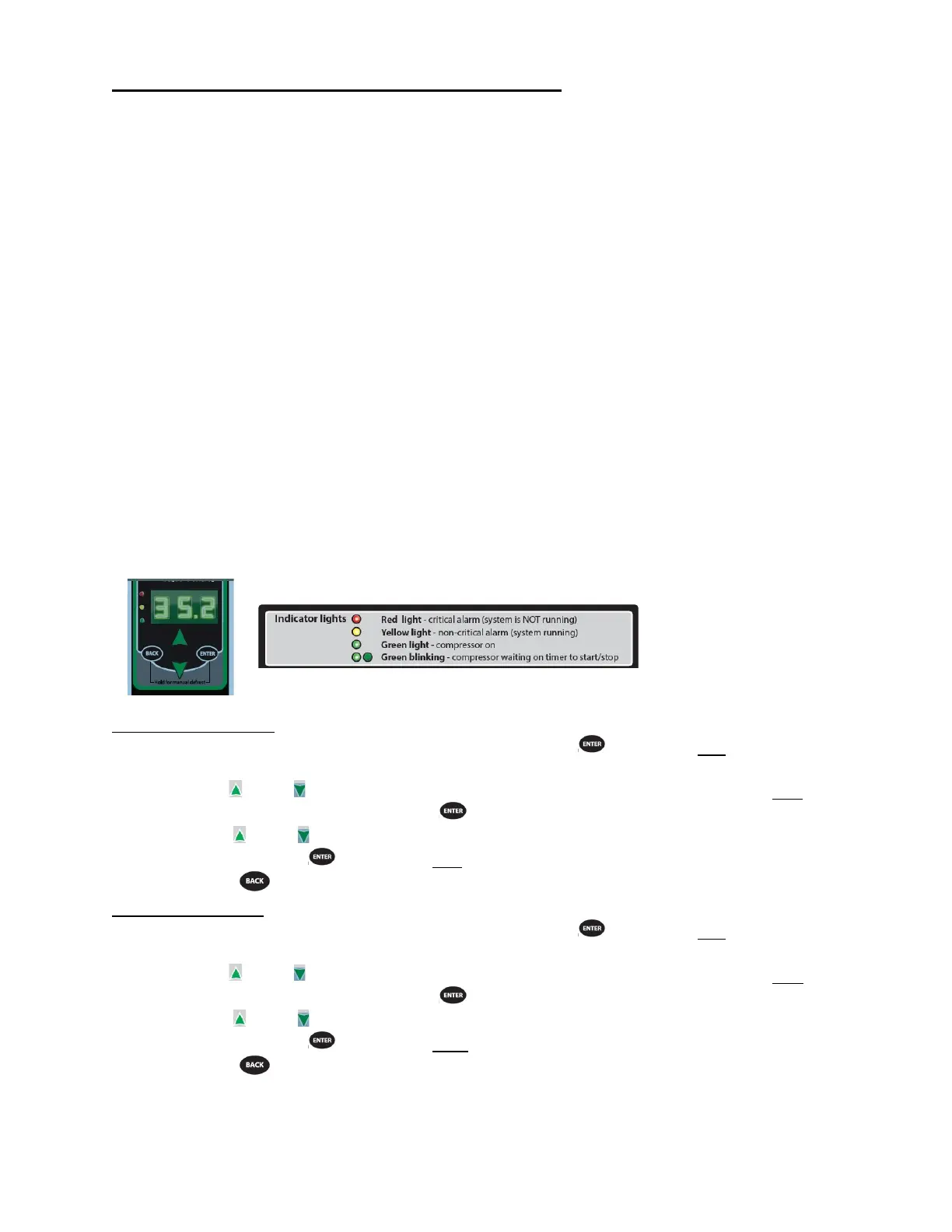
The control is located on the side of the case opposite the condo pump.
Note: Never change any of the other setting other than the refrigerant type. It may also be
necessary to change the superheat setting only when using a different refrigerant.
Changing Refrigerant
Access the set point mode by pressing and holding the button until Ctl displays on the
screen.
Use the up or down arrows to advance through the available set points until rFG
displays on the screen and press the botton.
Use the up or down arrows until the desired refrigeration displays on the screen and
press and hold the button until rFG once again displays on the screen.
Press the to return to escape the settings menue.
Changing Superheat
Access the set point mode by pressing and holding the button until Ctl displays on the
screen.
Use the up or down arrows to advance through the available set points until SSP
displays on the screen and press the botton.
Use the up or down arrows to set the desired superheat displays on the screen and
press and hold the button until SSP once again displays on the screen.
Press the to return to escape the settings menue.


 To Next Page