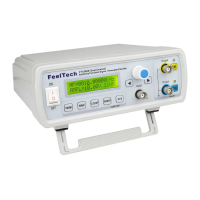
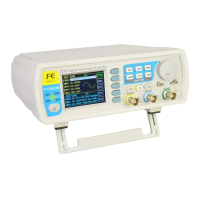
FeelTech
FY3200S Series User’s Manual 3
◆Follow function: Built-in parameter follow function covering frequency, amplitude, offset,
duty cycle, waveform etc. for user’s convenience.
◆Trigger output function: User can choose manual trigger, external trigger or CH2 trigger
to control the main output to output waveforms of specified periodicity. This periodicity can also
be defined by the user.
◆FSK frequency shift keying and ASK amplitude shift keying signal output.
●Button introduction
1. 【PARM】 button can be used to toggle the interfaces among Waveform,
Amplitude, Offset, Duty cycle and Phase.
2. 【WAVE】 button can be used to enter waveform selecting interface and
toggle the type of current output waveform.
3. 【COUNT】button is shortcut key for measurement and can be used to
switch between frequency measurement interface and counter interface.
4. 【SWEEP】button is shortcut key for sweep function and can be used to
enter sweep and sweep time interfaces.
5. 【SYS】button can be used to enter the interfaces of follow setting, save or
load.
6. 【CH1】Main waveform confirmation, Output/Stop.
7. 【CH2】Subsidiary waveform confirmation, Output/Stop.
8. 【◄】Cursor move to left.
9. 【►】Cursor move to right.
10. 【OK】ADJ confirmation(move downward)



 To Next Page