www.feiyu-tech.com 20
(3) The surrounding temperature changes abruptly.
Steps:
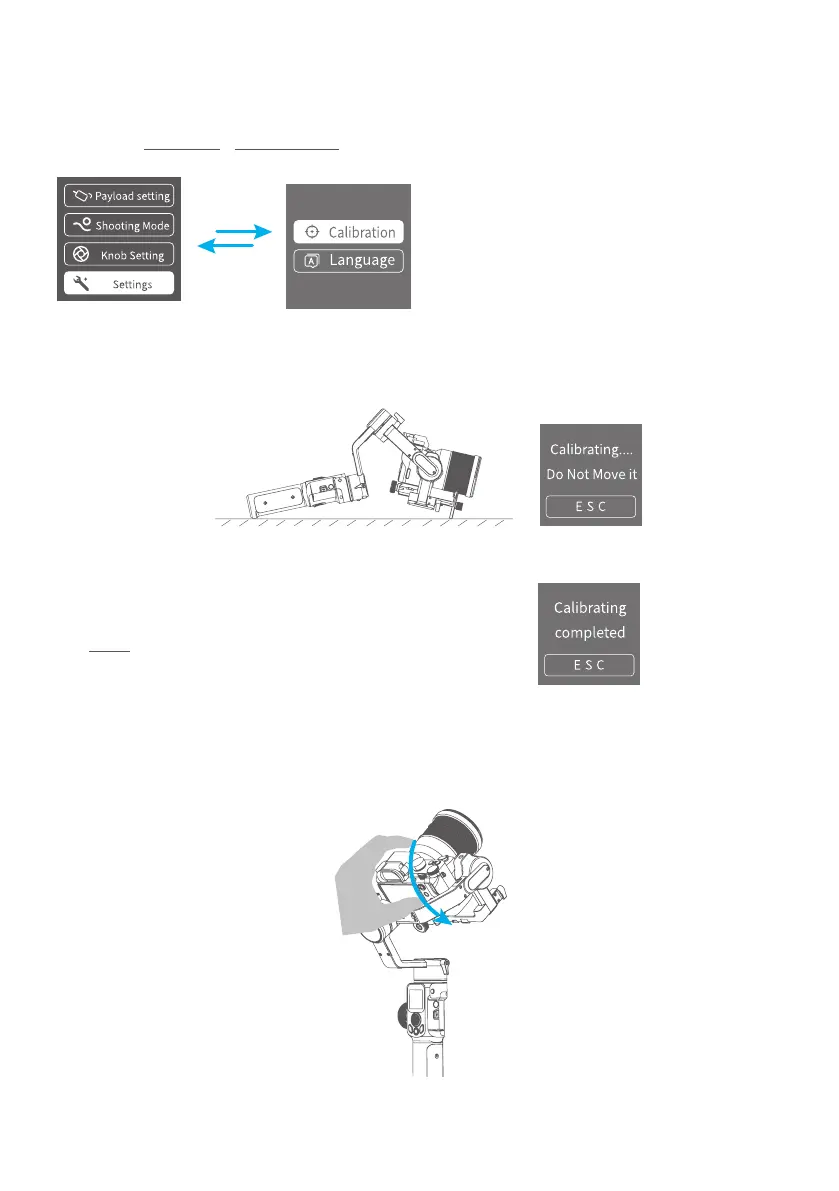
(1) Select Settings - Calibration on the display to enter the gimbal initialization.
(2) Place the gimbal on the table, and the gimbal automatically initializes. If the
touch screen prompts that the calibration is successful, the initialization ends,
otherwise the initialization fails.
(3) After the initialization is successful, slide the
touch screen interface to the left/right or click
the ESC on the screen to wake up.
3.8 Manual Lock
Manually move camera to desired position, and hold for half a second. New tilt
and/or pan positions are automatically saved.



 To Next Page