www.feiyu-tech.com 12
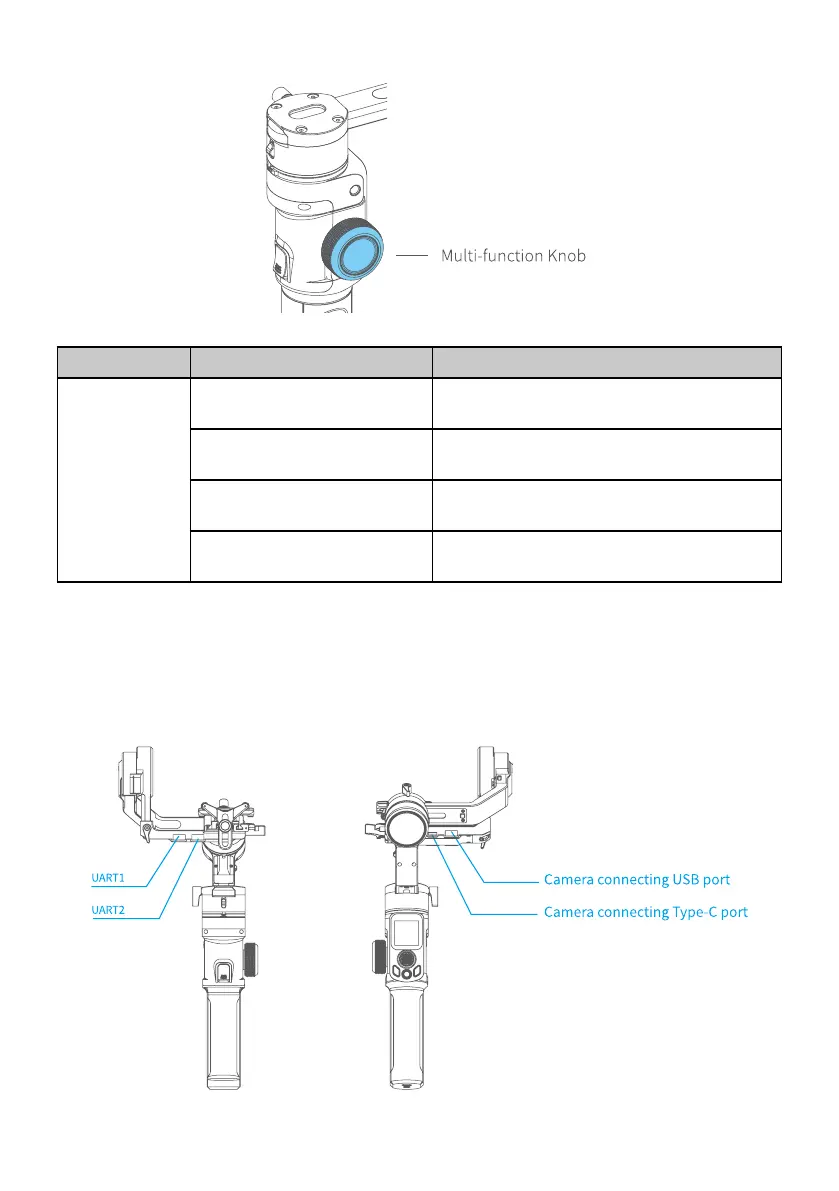
3.2.7 Multi-function knob
Button Function Description
Multi-function
Knob
1. Control the current axis
rotate direction
Rotate knob (default pan rotation mode)
2. Switch between follow
Focus/Zoom
Long press to switch
3. Switch axis rotate among
Tilt/Roll/Pan Axis
Single tap to switch (under the control of
the axis direction mode)
4. Switch between Follow
Focus/Zoom
Single tap to switch (under the control of
the follow focus or zoom mode)
3.3 USB Port
There are USB2.0 and Type C port at the xed plate, which enable to connect to
camera/follow focus and other devices.



 To Next Page