www.feiyu-tech.com 2726
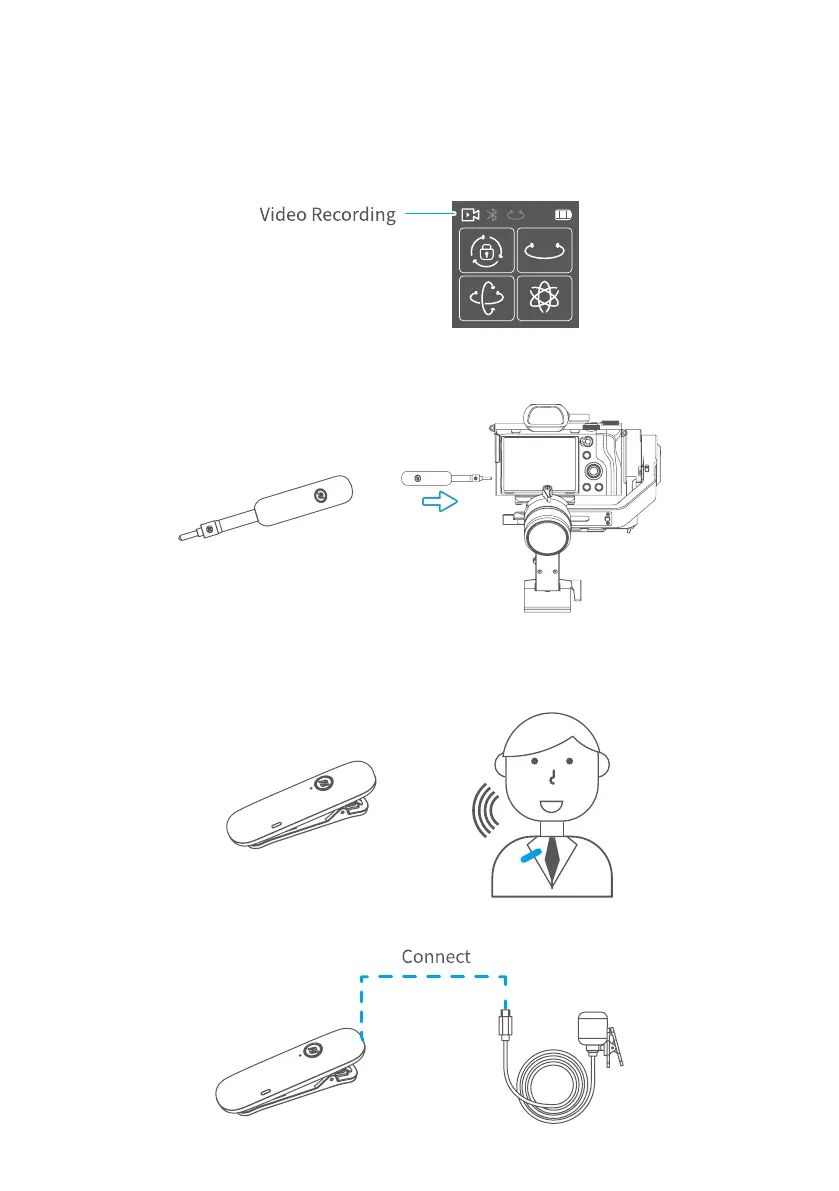
5.7.1 How to use
(1) Two way to enter video recording mode:
① Manually set video mode on camera.
② Single tap function button to switch to video recording mode on gimbal, after
it connected to camera via USB cable.
(2) Plug in the wireless microphone (receiver terminal) to camera MIC jack. Turn it on.
(3) Turn on the wireless microphone (transmitter terminal), it is available to use.
(To get a better effectiveness, please wear it as close to the sound source as
possible.)
(4) Plug the wireless clip-on microphone in the wireless microphone ( transmitter
terminal) mount.



 To Next Page