Guilin Feiyu Technology Incorporated Company
Guilin Feiyu Technology Incorporated Company www.feiyu-tech.com service@feiyu-tech.com
- 2 -
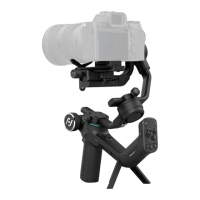
3. Double click on the icon to open the update software UPGRADE_V1.09D. If there are
updates both for gimbal and keypad board, please upgrade firmware of keypad board
first.
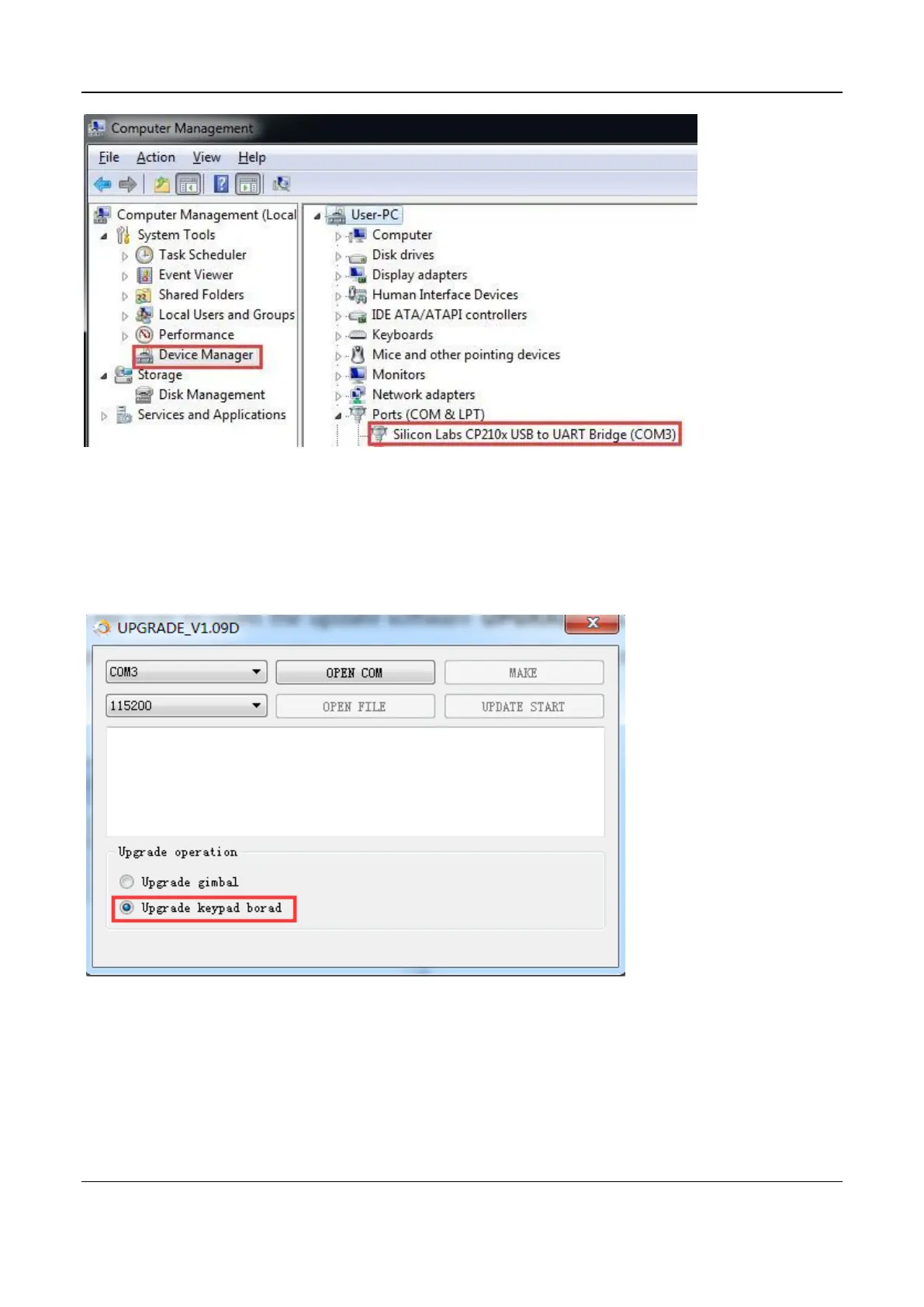
4. Choose right port number and baud rate as 115200, then click on OPEN COM button
to open COM port.


 To Next Page