Guilin Feiyu Technology Incorporated Company
Guilin Feiyu Technology Incorporated Company www.feiyu-tech.com service@feiyu-tech.com
- 4 -
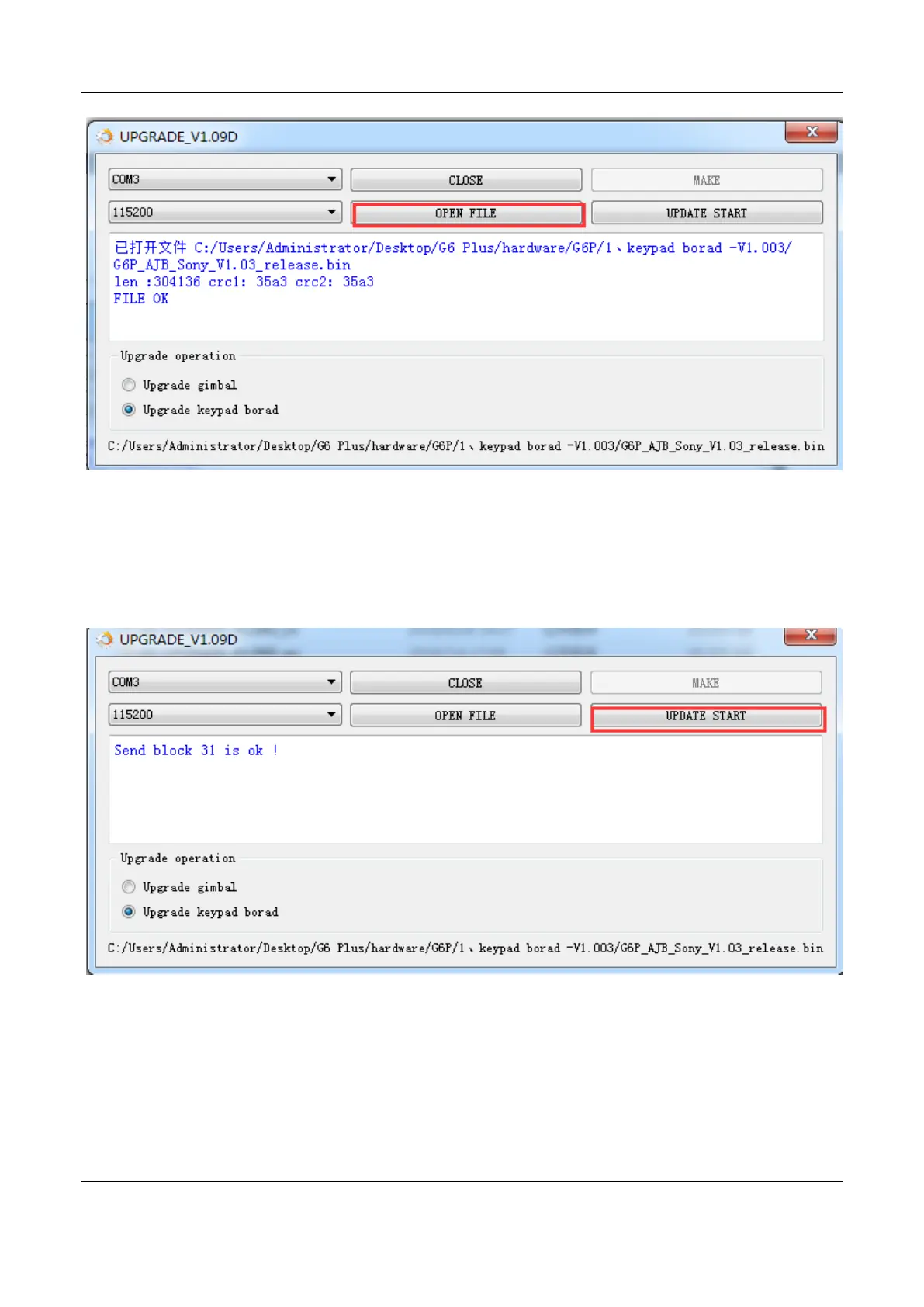
7. Click on UPDATE START button to start upgrading, the process will display on the
software.
8. When all the blocks of the firmware are sent, click on OK button to finish upgrade.
Next, click on CLOSE button then unplug USB cable.


 To Next Page