10
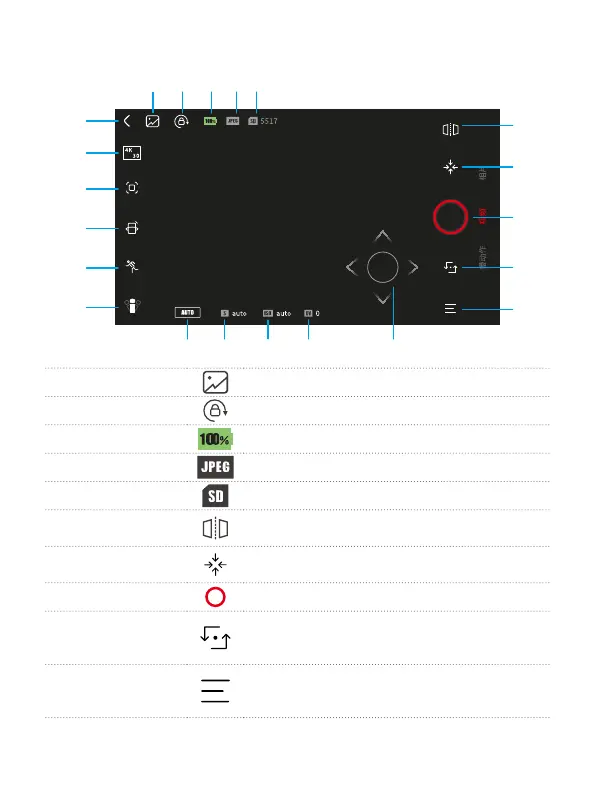
5.2 Camera Interface
[6]
[7]
[8]
[9]
[10]
[16]
[17]
[18]
[21]
[19]
[20]
[1] Album Enter album
[2] Lock
Screen orientation lock
[3] Battery indicator
Show battery level of Feiyu pocket.
[4] File format
Prompt the le format of the saved le.
[5] Storage spaces
Display remaining storage spaces.
[6] Mirror
Images from the camera are mirrored after turn
it on.
[7] Recenter
Lens return to center and keep towards front or
back as before.
[8] Shoot
Start recording or take photo.
[9] Camera turn
around
Camera horizontally rotate 180° to shoot, which
can be used
to take sele
[10] Camera settings
Set parameters of current shooting mode,
format microSD card,
view device information.


 To Next Page