
 Need help?
Do you have a question about the FEIYUTECH Pocket 2 and is the answer not in the manual?
Details all the items included in the Feiyu Pocket 2 package.
Instructions on how to charge the Feiyu Pocket 2 battery and indicator status.
Guidance on inserting and formatting a compatible microSD card for storage.
Learn how to turn the device on/off and switch modes using the power button.
Details on using the shutter button for taking photos, videos, and Wi-Fi control.
Instructions for using the function button to control gimbal axes and modes.
Explanation of touchscreen gestures for navigating menus and modes.
Settings and options for recording videos with various resolutions and frame rates.
Guide to capturing high-speed slow-motion footage.
Steps to create time-lapse videos with adjustable intervals and duration.
Instructions for capturing wide panoramic shots using different stitching modes.
Understanding and using different gimbal follow modes like FPV and Pan.
How to switch to selfie mode for capturing self-portraits.
Configuration of system parameters, including language and device information.
Adjusting the viewing angle for different shooting scenarios.
Enabling and using face tracking for automatic subject focus.
Applying beauty enhancements to photos and videos.
Adjusting image quality settings for photos and videos.
Customizing display options such as screen brightness and format.
Switching between professional and normal modes for manual control.
Adjusting screen brightness levels (High, Normal, Low).
Configuring how videos and photos are saved.
Explanation of the meaning of different indicator light colors and patterns.
Step-by-step guide to connect the Feiyu Pocket 2 to your smartphone via Wi-Fi.
Overview of the Feiyu Pocket 2 camera interface elements and their functions.
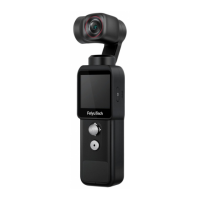
The Feiyu Pocket 2 is a portable and controllable HD camera designed for easy carrying and operation. It integrates a five-way joystick for intuitive control, a built-in speaker, and a 3-axis anti-shake gimbal to ensure stable and smooth footage. The camera supports various modes including photo, video, and timelapse, and can be remotely controlled via a dedicated app. It also features motion sensing capabilities for enhanced control.
The Feiyu Pocket 2 is a stabilized camera that captures high-definition photos and videos. Its core function is to provide stable imaging through its 3-axis gimbal, counteracting shakes and movements to deliver professional-looking content. The device supports multiple shooting modes, allowing users to switch between video, photo, slow motion, timelapse, and panorama to suit different creative needs. The camera lens is mounted on a gimbal that can be controlled to pan and tilt, offering flexible framing options.
The device's operation is primarily managed through a combination of physical buttons and a touch screen interface.
The touch screen is the primary interface for navigating menus and settings.
The app provides an extended interface for controlling the camera and accessing additional features.
 General
| Product color | Black |
|---|---|
| HD-Ready | Yes |
| Video resolutions | 1920 x 1080, 2720 x 1530, 3840 x 2160 pixels |
| Maximum frame rate | 120 fps |
| Video formats supported | MOV, MP4 |
| Maximum video resolution | 3840 x 2160 pixels |
| Resolution at capture speed | 1920x1080@120fps, 1920x1080@24fps, 1920x1080@25fps, 1920x1080@30fps, 1920x1080@48fps, 1920x1080@50fps, 3840x2160@23.98fps, 3840x2160@24fps, 3840x2160@25fps, 3840x2160@30fps, 3840x2160@60fps |
| Megapixel | 12 MP |
| Sensor type | CMOS |
| Optical sensor size | 1/2.3 \ |
| Image formats supported | DNG, JPG |
| Maximum image resolution | 4000 x 3000 pixels |
| Compatible memory cards | MicroSD (TransFlash) |
| Maximum memory card size | 512 GB |
| Battery voltage | 7.7 V |
| Battery capacity | 875 mAh |
| Operating temperature (T-T) | 0 - 40 °C |
| White balance | Auto, Custom modes |
| Fixed aperture | 2 mm |
| ISO sensitivity | 100, 125, 160, 200, 250, 320, 400, 500, 640, 800, 1000, 1250, 1600, 2000, 2200, 2250, 2500, 3200 |
| Field of view (FOV) angle | 130 ° |
| Fastest camera shutter speed | 1/8000 s |
| Slowest camera shutter speed | 16 s |
| Audio formats supported | AAC |
| Controllable pan range | -220 - 40 ° |
| Controllable roll range | 0 - 45 ° |
| Controllable tilt range | -95 - 50 ° |
| Maximum controllable speed | 180 °/sec |
| Frequency band | 2.4 GHz |

 To Next Page