6
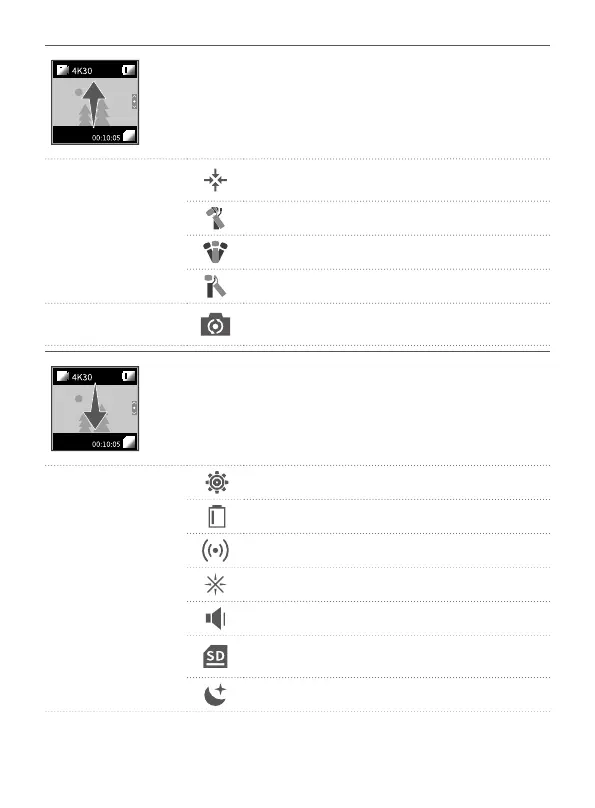
Slide upward:
·Enter gimbal control interface.
·Users can recenter gimbal / switch to sele mode /
modify follow sensitivity / switch working modes.
(1) Gimbal follow
mode setting
Tap to recenter, lens return to center and keep
towards front or back as before.
Follow mode
All follow mode(FPV)
Pan mode
(2) Sele mode
Camera horizontally rotate 180° to shoot,
which can be used to take sele.
Slide downward:
·Enter setting interface, slide upward to return the
previous menu.
·Slide to left / right to switch among dierent settings.
(1) System
Slide to left / right to get move settings.
Display battery level
Turn on/o camera Wi-Fi
Anti-icker setting
Key tone on /o
Display remaining storage spaces, tap to show
format option.
Auto power o setting


 To Next Page