Need help?
Do you have a question about the Fellow MEET STAGG EKG PRO and is the answer not in the manual?
Heat water to the degree, with optional half-degree Celsius adjustment.
Program your kettle to have water ready for your wake-up time.
Set a chime for readiness and use hold mode to keep water hot.
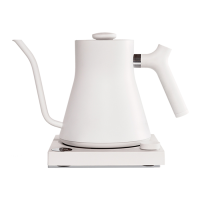
Pour with precision and finesse using the exclusive spout design.
Update kettle firmware through the Fellow app for the latest features.
Register your kettle to receive an additional year of warranty coverage.
Quick press for heat, long press for stopwatch. Turn to select temperature.
Access a diverse menu for setting up and brewing the perfect pour-over.
View heating progress in full color on the LCD screen.
Counterbalanced for easy pouring and an ergonomic grip.
Optimal pour-over flow rate offering to-the-drop precision.
Configure WiFi, language, and other basic preferences for the kettle.
Choose between Fahrenheit or Celsius for temperature readings.
Prevent over-boiling by setting altitude based on your location.
Sanitize water before heating to target temp; kettle smart enough to do both.
Enable or disable audio alerts for water readiness and adjust volume.
Program the kettle to reach a specific temperature at a precise time.
Maintain hot water temperature for 15, 30, 45, or 60 minutes.
Receive guidance on optimal temperatures for various coffee and tea brewing styles.
Download the app to connect to WiFi and keep firmware updated with latest features.
Heat water to the recommended temperature range of 200-205°F (93.5-96°C).
Weigh 20 grams of your favorite coffee beans using a scale.
Grind the coffee beans to a medium to medium-coarse consistency.
Wet the filter and warm the dripper/carafe with hot water, then discard water.
Add ground coffee to the dripper, level the bed, and place on the scale.
Press and hold the Stagg EKG Pro dial for 2 seconds to start the brew timer.
Pour 40g of water, wait 30-40 seconds for bloom to release CO2 and flavors.
Pour evenly in a circular path to 150g, from center outwards and back.
Pour again to 250g, then to 320g for an ideal 1:16 coffee-to-water ratio.
Aim for a total brew time between 2:45 and 3:30 minutes.
 General
| Capacity | 0.9 liters |
|---|---|
| Power | 1200W |
| Voltage | 120V |
| Display | LCD |
| Auto Shut-Off | Yes |
| Boil-Dry Protection | Yes |
| Material | Stainless Steel |
| Dimensions | 11.5 x 6.75 x 8 inches |
| Cord Length | 2.5 ft (76.2 cm) |
| Warranty | 1 year |
| Temperature Range | 60°C to 100°C (140°F to 212°F) |

 To Next Page