EasyManua.ls Logo

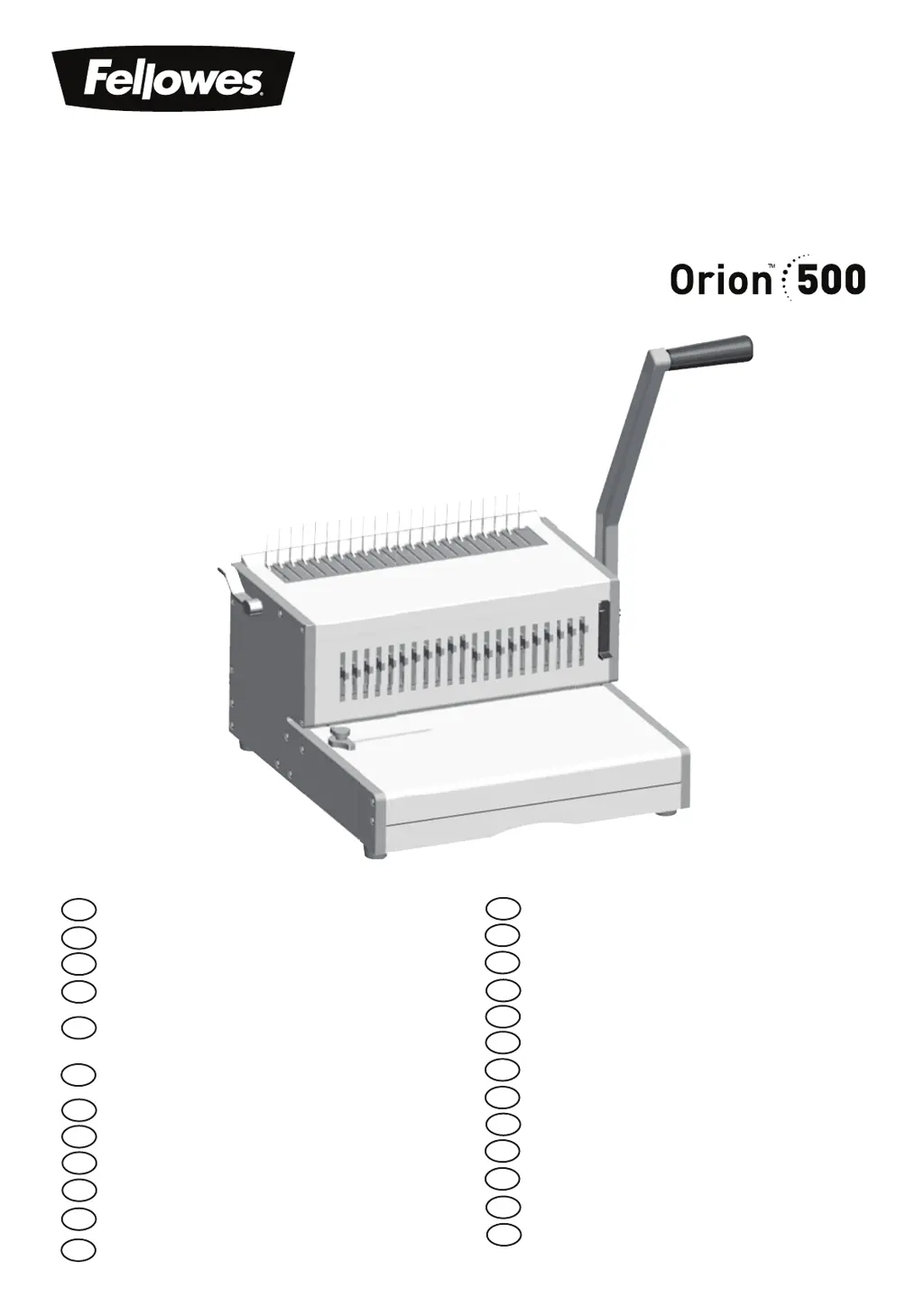
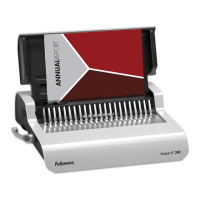
Fellowes Orion 500 - User Manual

Fellowes Orion 500
105 pages
Print Icon
To Next Page IconTo Next Page
Loading...
Heavy Duty Comb Binder
Please read these instructions before use.
Lire ces instructions avant utilisation.
Lea estas instrucciones antes de usar la máquina.
Diese Anleitungen vor Gebrauch genau durchlesen.
Primo dell’uso, si raccomanda di leggere questo manuale di
istruzioni.
Lees deze instructies zorgvuldig door voordat u de machine in
gebruik neemt.
Läs dessa anvisningar innan du använder apparaten.
Læs venligst denne vejledning før anvendelse.
Lue nämä ohjeet ennen käyttöä.
Vennligst les nøye igjennom denne bruksanvisningen før bruk.
Przed użyciem proszę zapoznać się z niniejszą instrukcją.
Перед эксплуатацией устройства ознакомьтесь с
содержанием данной инструкции.
Διαβάστε τις παρακάτω οδηγίες πριν από τη χρήση.
Kullanmadan önce lutfen bu talimatlari okuyen.
Pred použitím si pročtěte tyto pokyny.
Pred poużitím si prečítajte tieto pokyny.
Kérjük, hogy használat elött olvassa el az utasításokat.
Leia estas instruções antes da utilização.
Моля, прочетете инструкциите преди употреба.
Vă rugăm să citiţi instrucţiunile înainte de utilizare.
Pažljivo pročitajte ove upute prije korištenja.
Pred uporabo izdelka preberite ta navodila za uporabo.
Molimo da ova uputstva pročitate pre upotrebe.
FR
GB
DE
IT
ES
NL
SE
DK
FI
N0
PL
RU
GR
TR
CZ
HU
PT
BG
RO
HR
SI
SR
AR
ȲƾƵƯƄŴǽȚǚƃŻȝȚȢƾŵȤȁȚǟƴŸȬǾŶǽȚǟűǍƁ
HB
.ĴĠĩĤĴğ Ĥīįħ ğħě ĵĠěijĠğ ěĠijIJħ ěī
SK

Questions and Answers

  • H
    huntercynthiaAug 8, 2025
    What to do if my Fellowes Orion 500 Binding Machine will not punch?
    • T
      Timothy CochranAug 8, 2025
      If your Fellowes Binding Machine won't punch, there could be several reasons. First, check if the waste tray is full and empty it. Also, inspect the paper entry for any blockages. Debris stuck below the dies can also prevent punching; try sliding stiff cardboard into the paper entry and moving it sideways to dislodge any clippings into the waste tray. Ensure the sheets are correctly aligned by adjusting the edge guide and testing on scrap sheets. Confirm that the necessary dies are selected for punching by pushing the selector switch down at the front. Finally, you might be overloading the machine; try punching plastic covers with paper sheets or reduce the number of sheets being punched at once.
  • E
    Eric DanielAug 13, 2025
    Why are the punch holes not central on my Fellowes Binding Machine?
    • M
      Marissa SmithAug 13, 2025
      If the punched holes are not central, it's likely that the edge guide is not properly set. Adjust the edge guide until the hole pattern is correct.
  • J
    Jennifer HinesAug 18, 2025
    Why are the punch holes not parallel to the edge using my Fellowes Orion 500?
    • R
      Rebecca PayneAug 18, 2025
      If the punch holes are not parallel to the edge, it indicates that the edge guide is not properly set. You should adjust the edge guide until the hole pattern is correct.
  • B
    Brian MccarthyAug 23, 2025
    What to do if my Fellowes Orion 500 Binding Machine is making damaged hole edges?
    • J
      Jennifer SmithAug 23, 2025
      Damaged hole edges are possibly caused by overloading the machine. Try punching plastic covers with paper sheets or reduce the number of sheets being punched at once.
  • R
    rdayAug 28, 2025
    What to do if my Fellowes Orion 500 is creating partial holes?
    • B
      Betty JohnsAug 29, 2025
      If you're getting partial holes, the sheets may not be correctly aligned to the punch pattern. Adjust the edge guide and test punch scrap sheets until it's correct.
  • M
    Michael SmithSep 3, 2025
    Why are there missing holes when using my Fellowes Binding Machine?
    • K
      kevin65Sep 3, 2025
      Missing holes are likely due to selectable dies not being selected to punch. Check that the current dies are selected to punch holes by pushing the selector switch down at the front.

Summary

CAPABILITIES

Punching Capacity

Details the maximum number of sheets that can be punched by the machine.

Technical Data

Provides technical specifications like paper dimensions, slots, and weight.

Binding Capacity

Specifies the maximum comb size and document capacity.

IMPORTANT SAFETY INSTRUCTIONS

Need Help?

Offers assistance and directs users to customer service for solutions.

COMB DIAMETER & DOCUMENT SIZES

SET UP

Setup Process

Step-by-step instructions for setting up the machine.

BEFORE YOU BIND

Binding Preparation Steps

Instructions on selecting comb diameter, punch profile, and margin depth.

BINDING A DOCUMENT

Document Binding Process

Instructions for punching covers and sheets and assembling the document.

CORRECTING A BOUND DOCUMENT

REMOVAL OF WASTE CLIPPINGS

TROUBLESHOOTING

Problem and Solution Guide

Lists common problems, their causes, and suggested solutions.

Fellowes Orion 500 Specifications

General IconGeneral
BrandFellowes
ModelOrion 500
CategoryBinding Machine
LanguageEnglish

Related product manuals