EasyManua.ls Logo

Fellowes POWERSHRED 79Ci - User Manual

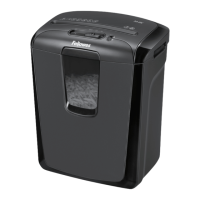
Fellowes POWERSHRED 79Ci
8 pages
Print Icon
To Next Page IconTo Next Page
Loading...
Quality Office Products Since 1917
©2015 Fellowes, Inc. Part No. 409109
POWERSHRED
®
79Ci
Canada +1-800-665-4339
Mexico +001-800-514-9057
United States +1-800-955-0959
Questions or Concerns?
www.fellowes.com
Troubleshooting
Registration
Manuals
Customer Service & Support
Troubleshooting
Replacement parts
General questions

Other manuals for Fellowes POWERSHRED 79Ci

Questions and Answers

  • J
    James GomezSep 2, 2025
    What to do if my Fellowes Paper Shredder waste bin is full?
    • J
      Jennifer DrakeSep 2, 2025
      If the Fellowes Paper Shredder waste bin is full, it needs to be emptied. For optimal performance, consider using Fellowes waste bag 36052.
  • M
    mcbridetiffanyAug 31, 2025
    How to fix diminished sheet capacity in my Fellowes POWERSHRED 79Ci?
    • R
      Ray BrownAug 31, 2025
      To fix diminished sheet capacity in your Fellowes Paper Shredder, oil your shredder each time you empty your waste bin.
  • P
    Patricia WrightAug 29, 2025
    What to do if my Fellowes POWERSHRED 79Ci Paper Shredder will not operate when the bin is open?
    • V
      Vincent HendersonAug 29, 2025
      If your Fellowes Paper Shredder will not operate when the bin is open, close the bin to resume shredding.
  • A
    Anna BerryAug 27, 2025
    Why won't my Fellowes POWERSHRED 79Ci start?
    • J
      Jennifer GilbertAug 27, 2025
      If your Fellowes Paper Shredder won't run, ensure that the bin is completely closed. The shredder is designed not to operate if the bin is open.
  • W
    Wayne ContrerasAug 26, 2025
    What to do if my Fellowes Paper Shredder motor keeps running?
    • G
      Gerald RichardsonAug 27, 2025
      If the Fellowes Paper Shredder's motor runs even without paper, the sensors might be blocked by paper dust. To fix this, gently wipe the paper sensors with a cotton swab to remove any contamination.
  • M
    mooreaaronAug 25, 2025
    How to clean the paper sensors on my Fellowes POWERSHRED 79Ci Paper Shredder?
    • G
      George JonesAug 25, 2025
      If your Fellowes Paper Shredder motor runs continuously, even without paper, the sensors may be blocked by paper dust. To resolve this, gently wipe the paper sensors with a cotton swab dipped in rubbing alcohol to remove any contamination.
  • D
    Devon VegaAug 22, 2025
    What to do if my Fellowes POWERSHRED 79Ci bin is open?
    • C
      Charles WrightAug 22, 2025
      If your Fellowes Paper Shredder isn't running, check to see if the bin is open. The shredder won't operate if the bin isn't closed properly. Just close the bin to resume shredding.

Summary

Customer Support and Contact Information

Shredder Components Key

Important Safety Instructions

General Safety Precautions

Essential warnings for safe operation, maintenance, and handling of the shredder.

Electrical and Fire Safety Guidelines

Guidelines regarding power connection, flammable products, and fire hazards.

Basic Shredding Operation

Advanced Product Features

Jam Proof System Operation

Explains how the Jam Proof system prevents jams and indicates paper thickness.

SafeSense Technology Operation

Details how SafeSense stops shredding when hands are detected near the opening.

Product Maintenance

Troubleshooting

Fellowes POWERSHRED 79Ci Specifications

General IconGeneral
Product colorBlack
Working width230 mm
Shredding size4 x 38 mm
Shredding typeParticle-cut shredding
Shredding paper clipsYes
Security level (paper)4
Dimensions (WxDxH)390 x 275 x 500 mm

Related product manuals