2
KEY
CAPABILITIES
ENGLISH
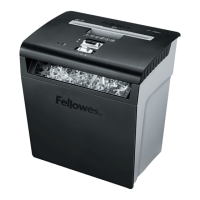
Model P-48C
Will shred: Paper, credit cards, paper clips and staples
Will not shred: Continuous forms, CD/DVDs, adhesive labels, transparencies, newspaper,
cardboard, laminatess, X-rays or plastic other than noted above
Paper shred size:
Cross-Cut .........................................................................5/32 in. x 2 in. (4mm x 50mm)
Maximum:
Sheets per pass ............................................................................................................. 8*
Cards per pass ............................................................................................................... 1*
Paper entry width ................................................................................. 8 3/4 in. (225mm)
* 8.5 in. x11 in., 20 lb., (75g) paper at 120V/60 Hz, 3.0Amps; heavier paper, humidity
or other than rated voltage may reduce capacity. Recommended maximum daily usage
rates: 60 sheets; 5 cards.
8 sheets per pass.
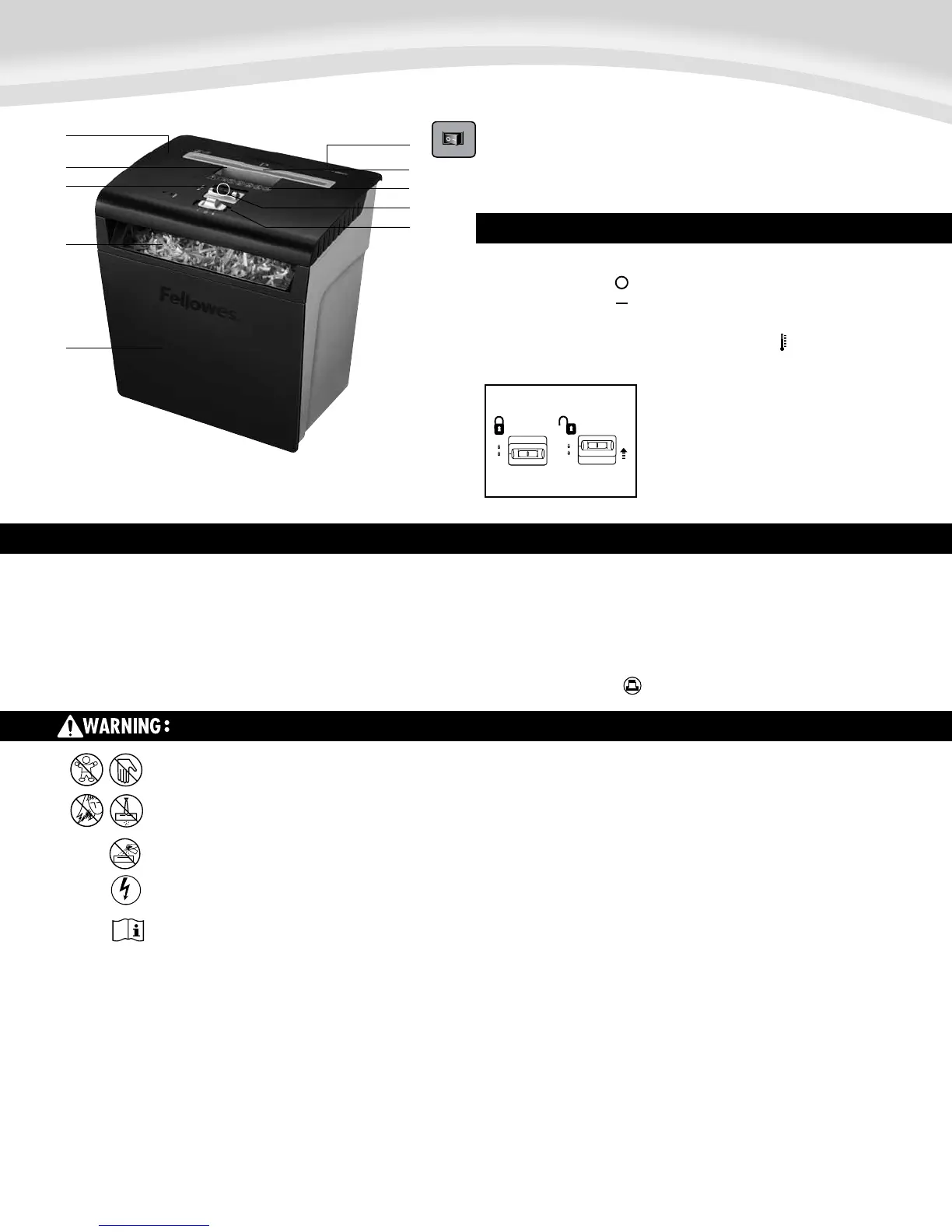
J. Control switch and LEDs
I 1. Auto-On (green)
O 2. OFF
R 3. Reverse
4. Overheat (red)
A. Shredder head
B. Handle
C. Safety Lock
D. Window
E. Bin
F. Disconnect power switch
1. OFF
2. ON
G. Paper/card entry
H. See safety instructions
I. Sheet capacity gauge
C. Safety Lock
To set lock, push down and slide
F.
G.
H.
I.
J.
B.
C.
A.
E.
D.
IMPORTANT SAFETY INSTRUCTIONS — Read Before Using!
• Keepawayfromchildrenandpets.Keephandsawayfrompaperentry.Always
set to off or unplug when not in use.
• Keepforeignobjects–gloves,jewelry,clothing,hair,etc.–awayfromshredder
openings.Ifobjectenterstopopening,switchtoReverse(R)tobackoutobject.
• Neveruseaerosolproducts,petroleumbasedlubricantsorotherflammable
products on or near shredder. Do not use canned air on shredder.
• Donotuseifdamagedordefective.Donotdisassembleshredder.
Do not place near or over heat source or water.
• Operation,maintenance,andservicerequirementsarecoveredintheinstruction
manual. Read the entire instruction manual before operating shredders.
• ThisshredderhasaDisconnectPowerSwitch(F)thatmustbeintheON(
–
)
position to operate shredder. In case of emergency, move switch to OFF (O)
position. This action will stop shredder immediately.
• Avoidtouchingexposedcuttingbladesundershredderhead.
• Shreddermustbepluggedintoaproperlygroundedwalloutletorsocketofthe
voltage and amperage designated on the label. The grounded outlet or socket
mustbeinstalledneartheequipmentandeasilyaccessible.Energyconverters,
transformers, or extension cords should not be used with this product.
• FIREHAZARD–DoNOTshredgreetingcardswithsoundchipsorbatteries.
• Forindooruseonly.
• Unplugshredderbeforecleaningorservicing.
Warning:Changesormodificationstothisunitnotexpresslyapprovedbythepartyresponsibleforcompliancecouldvoidtheuser'sauthoritytooperatetheequipment.NOTE:Thisequipment
has been tested and found to comply with the limits for a Class B digital device, pursuant to Part 15 of the FCC Rules. These limits are designed to provide reasonable protection against harmful
interferenceinaresidentialinstallation.Thisequipmentgenerates,usesandcanradiateradiofrequencyenergyand,ifnotinstalledandusedinaccordancewiththeinstructions,maycause
harmful interference to radio communications.
However,thereisnoguaranteethatinterferencewillnotoccurinaparticularinstallation.Ifthisequipmentdoescauseharmfulinterferencetoradioortelevisionreception,whichcanbe
determinedbyturningtheequipmentoffandon,theuserisencouragedtotrytocorrecttheinterferencebyoneormoreofthefollowingmeasures:
•Reorientorrelocatethereceivingantenna.
•Increasetheseparationbetweentheequipmentandreceiver.
•Connecttheequipmentintoanoutletonacircuitdifferentfromthattowhichthereceiverisconnected.
•Consultthedealeroranexperiencedradio/TVtechnicianforhelp.




 To Next Page