EasyManua.ls Logo

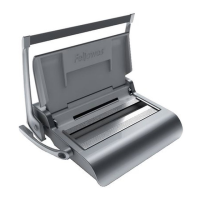
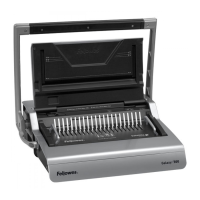
Fellowes Quasar 500 - Operational Guide; Setup and Preparation; Steps to Bind; Correcting a Bound Document

Fellowes Quasar 500
4 pages
Print Icon
To Next Page IconTo Next Page
To Previous Page IconTo Previous Page
Loading...
SET
UP
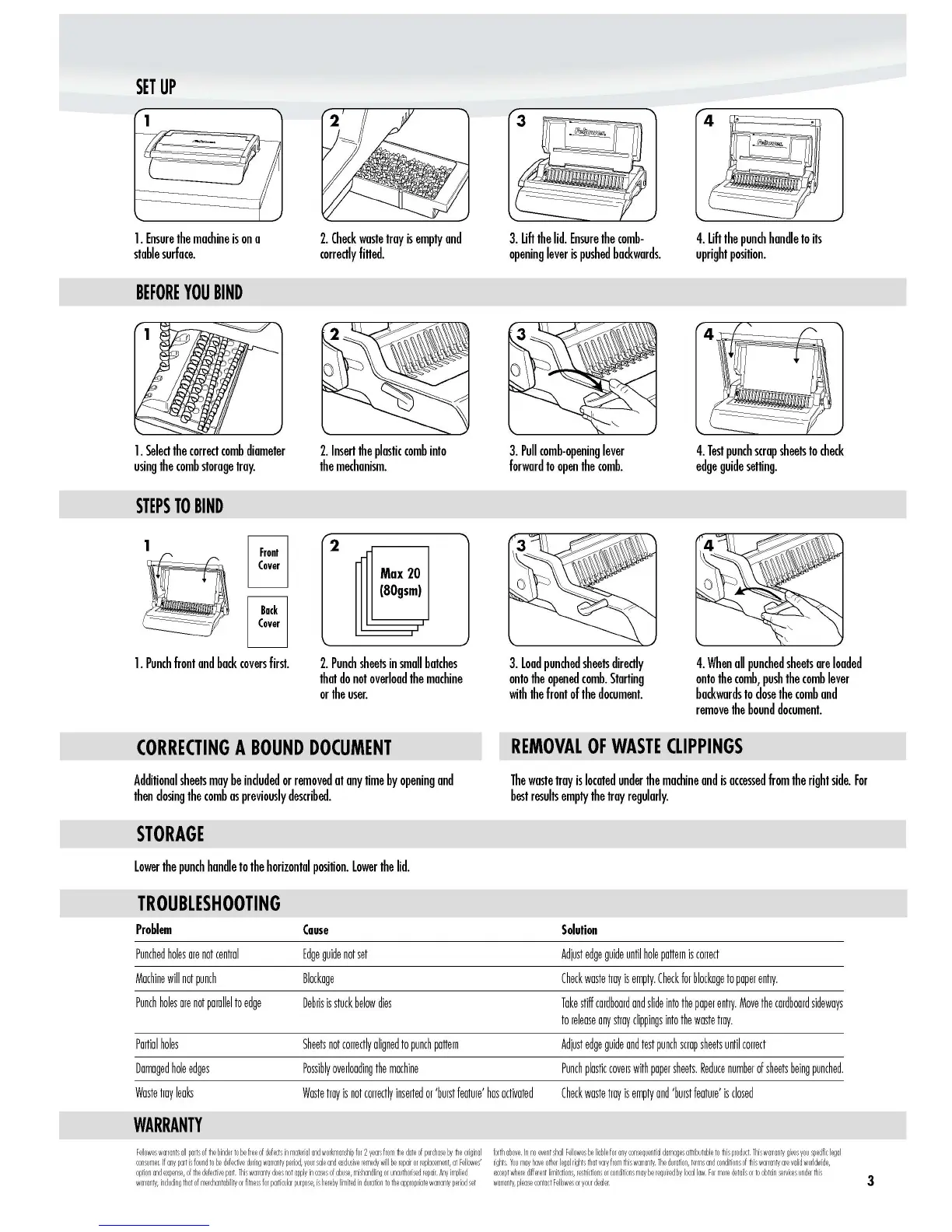
1.
Ensure
the
machine
is
on
a
stable
surface.
BEFORE
YOU
BIND
2.
Check
waste
troy
is
empty
and
correctly
filled.
3.
lift
the
lid.
Ensure
the
comb-
opening
lever
is
pushed
backwards.
4.
lift
the
punch
handle
to
its
upright
position.
3.
Pull
comb-opening
lever
forward
to
open
the
comb.
4.
Test
punch
scrap
sheets
to
check
edge
guide
selling.
1.
Select
the
correct
comb
diameter
2.
Insert
the
plastic
comb
into
using
the
comb
storoge
troy.
the
mechanism.
STEPS
TO
BIND
Front
2
(over
Max
20
(80gsm)
Buck
(over
1.
Punch
front
and
bock
covers
first.
2.
Punch
sheets
in
small
botches
that
do
not
overload
the
machine
or
the
user.
CORRECTING
A
BOUND
DOCUMENT
Additional
sheets
may
be
included
or
removed
at
any
time
by
opening
and
then
closing
the
comb
as
previously
described.
STORAGE
lower
the
punch
handle
to
the
horizontal
position.
lower
the
lid.
TROUBLESHOOTING
Problem
Couse
Punched
holes
are
not
central
fdge
gUide
not
set
Machine
will
not
punch
Blockage
Punch
holes
are
not
parallel
to
edge
Debris
is
stuck
below
dies
Partial
holes
Sheets
not
correctly
aligned
to
punch
pattern
Damaged
hole
edges
Possibly
overloading
the
machine
3.
load
punched
sheets
directly
onto
the
opened
comb.
Starting
with
the
front
of
the
document.
4.
When
all
punched
sheets
are
loaded
onto
the
comb,
push
the
comb
lever
backwards
to
close
the
comb
and
remove
the
bound
document.
REMOVAL
OF
WASTE
CLIPPINGS
The
waste
troy
is
located
under
the
machine
and
is
accessed
from
the
right
side.
For
best
results
empty
the
troy
regularly.
Solution
Adjust
edge
gUide
until
hole
pattern
is
correct
Check
waste
tray
is
empty.
Check
for
blockage
to
paper
entry.
Take
stiff
cardboard
and
slide
into
the
paper
entry.
Move
the
cardboard
sideways
to
release
any
stray
clippings
into
the
waste
tray.
Adjust
edge
gUide
and
test
punch
scrap
sheets
until
correct
Punch
plastic
cove~
with
paper
sheets.
Reduce
number
of
sheets
being
punched.
Waste
tray
leaks
Waste
tray
is
not
correctly
inserted
or
'burst
feature'
has
activated
Check
waste
tray
is
empty
and
'burst
feature'
is
closed
WARRANTY
w
arranty,please
contactF
~
lo
wes
oryourdeder.
3
http://www.monomachines.com
SET
UP
1.
Ensure
the
machine
is
on
a
stable
surface.
BEFORE
YOU
BIND
1.
Select
the
correct
comb
diameter
using
the
comb
storoge
troy.
STEPS
10
BIND
2.
Check
waste
troy
is
empty
and
correctly
filled.
2.
Insert
the
plastic
comb
into
the
mechanism.
3.
lift
the
lid.
Ensure
the
comb-
opening
lever
is
pushed
backwards.
3.
Pull
comb-opening
lever
forward
to
open
the
comb.
4.
lift
the
punch
handle
to
its
upright
position.
4
J
r
~
~
~
4.
Test
punch
scrap
sheets
to
check
edge
guide
selling.
Front
(over
BUlk
(over
2
Max
20
(80gsm)
1.
Punch
front
and
bock
covers
first.
2.
Punch
sheets
in
small
botches
that
do
not
overload
the
machine
or
the
user.
3.
load
punched
sheets
directly
onto
the
opened
comb.
Starting
with
the
front
of
the
document.
4.
When
all
punched
sheets
are
loaded
onto
the
comb,
push
the
comb
lever
backwards
to
close
the
comb
and
remove
the
bound
document.
CORRECTING
A
BOUND
DOCUMENT
Additional
sheets
may
be
included
or
removed
at
any
time
by
opening
and
then
closing
the
comb
as
previously
described.
STORAGE
lower
the
punch
handle
to
the
horizontal
position.
lower
the
lid.
TROUBLESHOOTING
REMOVAL
OF
WASTE
CLIPPINGS
The
waste
troy
is
located
under
the
machine
and
is
accessed
from
the
right
side.
For
best
results
empty
the
troy
regularly.
Problem
Punched
holes
are
not
central
Machine
will
not
punch
Punch
holes
are
not
parallel
to
edge
Partial
holes
Damaged
hole
edges
Waste
troy
leaks
WARRANTY
Couse
fdge
guide
not
set
Blockage
Debris
is
stuck
below
dies
Sheets
not
correctly
aligned
to
punch
pattern
Possibly
overloading
the
machine
Waste
tray
is
not
carrectly
inserted
or
'burst
feature'
has
activated
Solution
Adjust
edge
guide
until
hole
pattern
is
correct
Check
waste
tray
is
empty.
Check
for
blockage
to
paper
entry.
Toke
stiff
cardboard
and
slide
into
the
paper
entry.
Move
the
cardboard
sideways
to
release
any
stray
clippings
into
the
waste
tray.
Adjust
edge
guide
and
test
punch
scrap
sheets
until
correct
Punch
plastic
cove~
with
paper
sheets.
Reduce
number
of
sheets
being
punched.
Check
waste
tray
is
empty
and
'burst
feature'
is
closed
F~loweswcnantsall
consumer.
forth
above.
In
no
wentshdl
rights
warranty,please
contactF~lowesoryourdeder.
3

Other manuals for Fellowes Quasar 500

Related product manuals