1 2 3
4
5
6 7 8
9
10
11
12
14
13
15
16
1 2 3
4
5
6 7 8
9
10
11
12
14
13
15
16
1
5
6
7
8
9
10
11
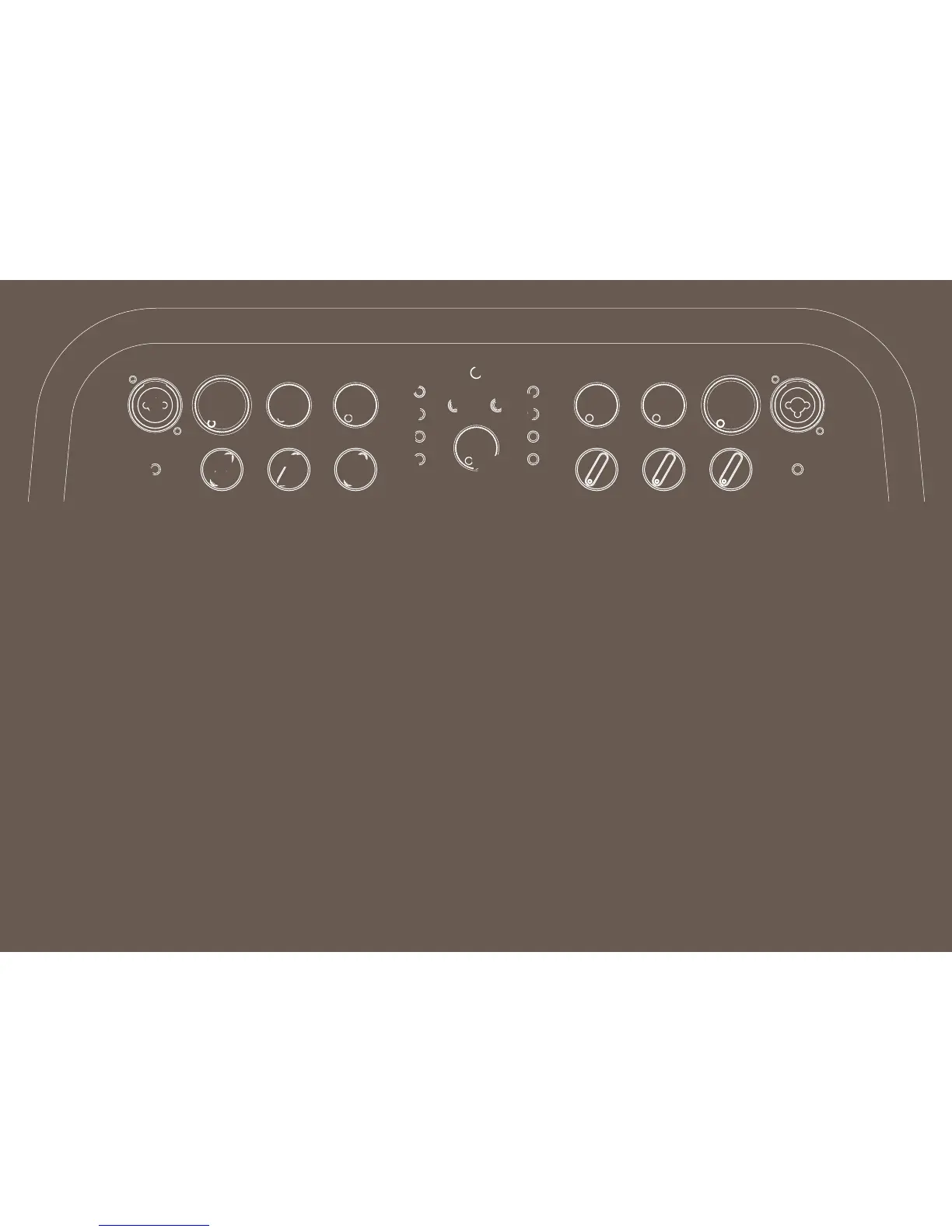
CHANNEL ONE INPUT: Combination
jack for channel one accepts ¼” or
XLR inputs. Plug in an instrument
or microphone here; XLR input
provides phantom power for
microphones that require it (do
not use ribbon mics, which can be
damaged by phantom power).*
VOLUME: Adjusts master volume of
channel one.*
REVERB: Adjusts reverb level
of channel one; reverb can be
bypassed by setting knob fully
counterclockwise (optional
footswitch does not bypass reverb).*
EFFECTS LEVEL: Adjusts eects
level for channel one in conjunction
with that channel’s four eects
selection buttons (9-12). Eects can
be bypassed by setting knob fully
counterclockwise, or by using the
optional two-button footswitch.*
PHASE: Press to reverse channel one
speaker polarity, which can help
reduce feedback.*
LOW: Adjusts bass tone of channel
one.*
MID: Adjusts midrange tone of
channel one.*
HIGH: Adjusts treble tone of channel
one.*
DLY 1: Single-repeat slapback delay
eect with 130ms default delay and
100-550ms adjustable range.*
DLY 2: Multiple-repeat delay eect
with 390ms default delay and 100-
550ms adjustable range.*
CHO: Deep-sweep chorus eect
with 1.2Hz default rate and 0.66Hz-
10Hz adjustable range.*
VIB: Fast Vibratone eect with
5.66Hz default rate and 0.66Hz-
5.66Hz adjustable range.*
NOTE: Adjust eect delay/rate
by tapping active eect button
twice at the desired interval. A
single tap sets the delay/rate to
the maximum interval. The eect
button ashes at the current
interval. If the eect is bypassed
from the optional footswitch, or
if the eects level knob is turned
fully counterclockwise (o), the
eect button light will turn o. Most
recent tap settings are saved when
amp is turned o. To reset all eects
to default values, hold down any
eect button while powering up the
Acoustic SFX®.
POWER INDICATOR: Illuminates
when the Acoustic SFX is on.
AUX IN: 1/8” input. Plug in external
audio player here; use external
device’s volume control to adjust
accompaniment volume level.
PHONES: 1/8” headphone output for
both channels automatically mutes
speaker output.
STEREO SFX: Adjusts level of the
Stereo Field Expansion (SFX) eect,
which creates a 360-degree stereo
image using Acoustic SFX’s side-
mounted speaker, reverb circuitry and
active eects (9-12). Settings of the
reverb (3) and eects level (4) controls
contribute to extent of SFX eect.
* Indicates identical channel two
feature on opposite side of top
control panel.
4
3
15
16
12
13
14
EN
3
2
Top Panel Features






 To Next Page