
 Need help?
Do you have a question about the Fender Passport mini and is the answer not in the manual?
Lists essential safety precautions for operating the amplifier, covering electrical safety, ventilation, and maintenance.
Step-by-step guide to connect power, instruments, and turn on the Passport mini amplifier.
Explains how to use the Effects knob, LEDs, and effect selections, with customization via FUSE software.
Details on selecting presets for the instrument channel and understanding preset banks.
Describes using the TAP button to set delay or modulation effect timing.
Instructions on how to use the adjustable anti-feedback feature to reduce vocal channel feedback.
Details on connecting to a computer via USB for music playback, recording, and software control.
Explanation of the battery indicator lights and their meanings.
Information on connecting external audio devices and headphones.
Guide to updating the amplifier's firmware and restoring factory settings using Fender FUSE software.
Lists key technical details including power requirements, impedance, output, dimensions, and weight.
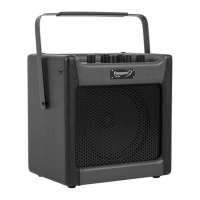
The Fender Passport Mini is a portable, compact amplifier designed for musicians who need a versatile and easy-to-use solution for practice, small gigs, or recording. It features a robust design with a convenient carrying handle, making it highly portable. The amplifier supports both instrument and vocal inputs, allowing for a complete performance setup in a single unit.
The Passport Mini serves as a personal amplifier for both acoustic and electric instruments, as well as vocals. It integrates a range of digital effects and amplifier models, providing a wide palette of sounds. The device can be powered by either an AC adapter or six C batteries, offering flexibility for use in various environments, including outdoor or remote locations where power outlets may not be available.
To begin using the Passport Mini, simply plug in the power adapter or install six C batteries. Connect your instrument to the INSTRUMENT input jack and your microphone to one of the VOCAL input jacks. Turn on the amplifier using the POWER switch and adjust the INSTRUMENT and VOCAL volume levels to your preference.
The Passport Mini offers 24 instrument channel presets, organized into three banks: AMBER, GREEN, and RED. These presets are selected using the PRESET knob. Each preset is based on one of eight amplifier types, and many include pre-programmed effects. The names and details of these presets, along with their associated amp models and effects, can be found in the manual.
The EFFECTS knob allows for temporary changes to the effects for the currently active INSTRUMENT channel preset. Each time a new preset is selected, the effects reset to their default settings. The position of the EFFECTS knob does not immediately reflect the current effect selection until the knob is turned. The three numbered LEDs below the TAP button indicate the specific effect position (1, 2, or 3) within each of the four lettered selection ranges (A, B, C, D). For example, "A-1" refers to the Small Room Reverb. The Passport Mini's effects can be fully customized and viewed using Fender FUSE™ software on Mac or Windows computers.
For the VOCAL channel, the TONE and REVERB knobs are used to adjust the respective levels.
The TAP button serves a dual purpose. It can be used to tap in the delay time or modulation rate for the active effect. When a delay effect is active, the TAP button blinks green in sync with the delay time. For modulation effects, it blinks red. If both delay and modulation effects are active, the TAP button controls only the delay effect. To adjust the effect time/rate, tap the TAP button twice in sync with the desired interval. A single tap sets the interval to its maximum value. Effect time/rate intervals can be precisely adjusted using Fender FUSE™ software.
The TAP button also activates the onboard guitar tuner. To use it, press and hold the TAP button for 2 seconds. Strike a string on your guitar, and the "A, B, C, D, E, F, G" LEDs will indicate the nearest note, with the "#" LED indicating a sharp note. The three LEDs below the TAP button provide fine tuning: red LEDs indicate a slightly flat or sharp note, while a green LED indicates the note is in tune. Press the TAP button again to exit the tuner.
The Passport Mini includes an adjustable anti-feedback feature for the VOCAL channel. To activate this, press and hold the TUNER button for two seconds. Then, rotate the EFFECTS knob to locate the anti-feedback notch frequency that most effectively reduces microphone feedback. Turning the knob counter-clockwise decreases the notch frequency, and clockwise increases it. Rotating it fully counter-clockwise turns the feature off. Press the TUNER button again to exit and save the setting. This custom anti-feedback setting is retained even after the amplifier is turned off.
The AUX jack allows you to connect an MP3 player or other audio source using a standard 1/8" mini-stereo cable. The volume control on your player manages the auxiliary input level. Stereo signals from your player are output through the PHONES jack.
The PHONES jack is designed for headphones, ear buds, or powered speakers, providing a stereo output. It can also serve as a stereo recording output. The INSTRUMENT and VOCAL channel volume controls adjust the output level of the PHONES jack. When headphones are plugged in, the amp's speaker output is muted.
The USB port connects the Passport Mini to a computer, enabling advanced functionalities. With Fender FUSE™ software, you can view details, customize presets, and edit effects. The USB port also allows for recording and editing Passport Mini audio using your preferred recording software. The INSTRUMENT and VOCAL volume controls can be used to adjust the USB audio output level.
The BATTERY indicator provides clear information about the power status:
Fender periodically releases firmware updates to improve performance or add new features to the Passport Mini. To update the firmware, connect the amplifier to a computer with an internet connection and Fender FUSE™ software installed. Hold down the TAP button while turning the unit on to initiate the update process. Fender FUSE™ software also allows you to restore your Passport Mini to its original factory settings if desired.
The Passport Mini is designed for ease of use and minimal maintenance. Regular cleaning with a dry cloth is recommended. Ensure proper ventilation by not blocking any openings and maintaining at least 6 inches (15.25 cm) of unobstructed air space behind the unit. Avoid exposing the unit to rain, moisture, or excessive heat. When replacing batteries, use only the specified type. For any servicing needs, refer to qualified service personnel, especially if the unit has been damaged or is not operating normally.
 General
| AC input voltage | 230 V |
|---|---|
| Power source type | AC |
| XLR in | Yes |
| USB 2.0 ports quantity | 1 |
| Connectivity technology | Wired |
| Impedance | 8 Ω |
| Amplifier class | - |
| RMS rated power | 7 W |
| Audio output channels | - channels |
| Product color | Black |
| Housing material | Plastic |
 Weight and Dimensions
| Depth | 170 mm |
|---|---|
| Width | 240 mm |
| Weight | 3300 g |


 To Next Page