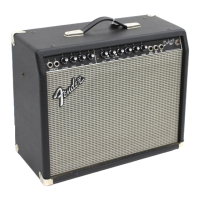
A. INPUT 1 - A high-impedance plug-in connec-
tion for guitars or other instruments.
B. INPUT 2 - A lower-impedance plug-in con-
nection for guitars or other instruments with
active pre-amps.
• NOTE: Both inputs have identical impedance
when used simultaneously.
C. VOLUME - Adjusts the overall loudness of the
amplifier when the Overdrive Mode is not
selected ( {I}DRIVE SELECT switch OUT ).
• NOTE: The Overdrive Mode must be select-
ed ( {I}DRIVE SELECT switch IN ) for controls
{D}GAIN through {J}VOLUME to function.
D. GAIN - Adjusts the amount of pre-amp gain
(distortion). Use with {J}VOLUME to control
the overall amplifier loudness.
E. MID BOOST - Activates a special pre-empha-
sis filter which accentuates mid-range fre-
quencies when this switch is pressed IN.
F. LIMITER - Adjusts the amount of compres-
sion at high {D}GAIN settings. The compres-
sion is activated by distortion in the pre-amp,
therefore is not as noticeable at low {D}GAIN
settings.
G. OVERDRIVE INDICATOR - This LED illumi-
nates when the amplifier is in the Overdrive
Mode.
H. PRESENCE - Adjusts the the post-distortion
ultra-high frequency range.
I. DRIVE SELECT - Activates the Overdrive
M o d e when this switch is pressed IN.
NOTE: Both {C}VOLUME and the Channel-
Select FOOTSWITCH are disabled when this
switch is pressed IN.
J. VOLUME - Adjusts the post-distortion vol-
ume. Use with {D}GAIN to control overall
amplifier loudness.
K. TREBLE - Adjusts the high-frequency range.
L. MID - Adjusts the mid-frequency range.
M. BASS - Adjusts the low-frequency range.
N. DEFEAT - Mutes the REVERB/DELAY type
DSP Effects when this switch is pressed IN.
This switch must be OUT to enable remote
switching from the FOOTSWITCH.
O. L E V E L - Adjusts the amount of
REVERB/DELAY type DSP Effects to be mixed
in with the original dry signal.
P. TYPE - This control selects one of sixteen var-
ious REVERB/DELAY DSP Effects. The
{N } D E F E AT switch must be OUT, the
{O}LEVEL control must be above “1,” and
R E V E R B / D E L AY on the re m o t e
FOOTSWITCH (if used) must be active for this
DSP Effect to be heard. NOTE: See “DSP
STEREO EFFECTS - CONTROLS,” page 5.
Q. DEFEAT - Mutes the CHORUS/MODULATION
type DSP Effects when this switch is pressed
IN. This switch must be OUT to enable remote
switching from the FOOTSWITCH.
R. L E V E L - Adjusts the amount of
CHORUS/MODULATION type DSP Effects to
be mixed in with the original dry signal.
S. TYPE - This control selects one of sixteen var-
ious CHORUS/MODULATION DSP Eff e c t s .
The {Q}DEFEAT switch must be OUT, the
{R}LEVEL control must be above “1,” and
C H O R U S / M O D U L ATION on the re m o t e
FOOTSWITCH (if used) must be active for this
DSP Effect to be heard. NOTE: See “DSP
STEREO EFFECTS - CONTROLS,” page 5.
T. R AT E - Adjusts the sweep rate of
CHORUS/MODULATION type DSP Effects. A
lower number corresponds to a slower rate of
sweep.
U. DSP PEAK - Flashing of this LED indicates
possible clipping (distortion) in either of the
DSP Effects circuits. Periodic flashing is nor-
mal. If the LED stays on and undesirable dis-
t o rtion is heard, try reducing: {O } L E V E L ,
{R}LEVEL or the amplifier VOLUME controls.
V. POWER INDICATOR - This LED illuminates
when the amplifier is ON.
W. POWER SWITCH - Press IN the bottom of this
switch to turn the amplifier ON. Press IN the
top of this switch to turn the amplifier OFF.
6
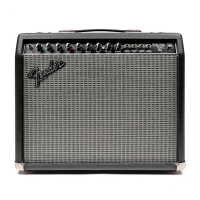
PRINCETON CHORUS DSP - FRONT PANEL


 To Next Page
 Loading...