EasyManua.ls Logo

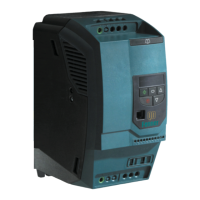
Fenner QD:E 572B41P5 - User Manual

Default Icon
12 pages
Print Icon
To Next Page IconTo Next Page
Loading...
Installation
and
Operating
Instructions
Fenner QDE User Guide 9/5/08 9:23 AM Page 1
Question and Answer IconNeed help?

Do you have a question about the Fenner QD:E 572B41P5 and is the answer not in the manual?

Summary

1. Introduction

1.1. Important Safety Information

Crucial safety guidelines for operating the Fenner QD:E drive.

3. Mechanical Installation

4. Power Wiring

4.1. Grounding the Drive

Detailed instructions and guidelines for properly grounding the Fenner QD:E drive.

4.1.1. Grounding Guidelines

Specific rules and best practices for grounding the drive and its components.

4.2. Wiring Precautions

Important precautions to follow when wiring the Fenner QD:E drive.

5. Control Wiring

5.1. Control Terminal Connections

Details the default and signal assignments for control terminal connections.

6. Operation

6.1.1. Changing Parameters

Step-by-step guide on how to modify parameter values on the drive.

7. Parameters

7.1. Standard Parameters

Detailed explanation of standard drive parameters and their functions.

8. Analog and Digital Input Configurations

8.1. Terminal Mode (P-12 =0)

Configuration details for terminal mode input settings.

9. Troubleshooting

9.1. Fault Messages

Lists and explains common fault messages and their causes.

Fenner QD:E Easy Start-Up Guide

Fenner QD:E 572B41P5 Specifications

General IconGeneral
BrandFenner
ModelQD:E 572B41P5
CategoryInverter
LanguageEnglish

Related product manuals