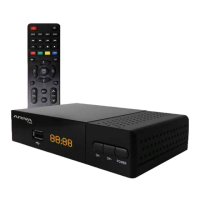
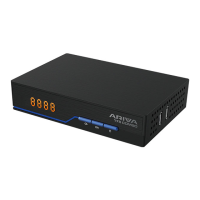
This document serves as a user manual for the Ferguson ARIVA T75 DVB-T/T2 receiver, providing essential information for its safe and effective operation. It covers warnings, safety measures, device description, installation, settings, and troubleshooting.
Function Description
The Ferguson ARIVA T75 is a terrestrial television receiver compatible with DVB-T/T2 systems, supporting MPEG-2, MPEG-4, MPEG-4 AVC/H.264, and HEVC/H.265 standards. It is designed to receive high-definition channels and can scale PAL signals to resolutions of 720p or 1080p. The device includes programmable timers, separate lists for favorite, TV, and Radio channels, and a QuickFind function for fast channel searching. Teletext and on-screen captions are also supported.
The receiver features a USB 2.0 port for connecting external memory devices such as HDDs and flash drives, enabling recording and playback functionalities. For stable recording, the connected memory must have a recording speed of 9.0 MB/s or greater. It supports disks with a single basic NTFS or FAT32 partition, with NTFS being the recommended format. The device's USB port may not provide sufficient power for all external hard drives, so autonomously powered HDDs are recommended.
The ARIVA T75 is controlled via a remote control unit (RCU) with an intuitive on-screen display (OSD) menu. The RCU includes buttons for sound muting, record/playback/multimedia/time-shift control, subtitle and teletext activation, channel recall, audio track selection, program information display, menu navigation, volume adjustment, channel switching, and direct number input for channel selection. The RCU needs to be paired with the STB for operation, a process involving unplugging and re-plugging the set-top box while holding down a specific function button on the RCU.
Usage Features
Upon first installation or restoration of factory settings, the receiver guides the user through an initial setup menu. This menu allows configuration of language, country (which affects scanning parameters), TV system (PAL/NTSC), video resolution, aspect mode (4:3 Letterbox, 4:3 Pan scan, 16:9), antenna power (for powered or passive antennas), summer time toggle, channel search type (terrestrial TV/cable), LCN (Logical Channel Numbering) sorting, and FTA Only filtering for free-to-air channels.
The main "MENU" provides access to various settings, organized into categories such as Channel list, Language, AV settings, System, Media Center, and Network.
The "Channel list" allows users to edit TV and radio channel lists, including deleting, reordering, creating favorite lists, and renaming channels. Parental Lock functionality is available to set a lock code and customize service access.
"Channel search" enables terrestrial TV and cable TV scanning, with options for auto/manual scan, antenna power settings, and country selection.
"Language" settings cover OSD language, default audio tracks (First/Second audio language), subtitle language, and teletext language.
"AV settings" allow configuration of the TV system, video resolution for HDMI output, aspect ratio, SCART output signal, audio output type, and audio description settings (enable/disable and volume difference).
The "System" menu provides information about firmware, factory reset options, timer settings for events, OSD display adjustments, software updates, standby settings (automatic standby, mode, and clock display), and HDMI CEC switch control.
The "Media Center" allows viewing of supported file formats from external media, managing recorded TV programs, configuring DVR settings (TimeShift), and formatting external storage.
"Network" settings facilitate WiFi configuration (with a connected WiFi card) and access to network applications.
Maintenance Features
The manual emphasizes several safety measures for maintaining the device. To avoid electric shock, the housing should never be opened, and the warranty seal should remain intact. The device should be disconnected from the mains during thunderstorms or extended periods of non-use to prevent damage, as lightning strike damage is not covered by warranty.
Proper placement is crucial: away from direct sunlight, heat, and humidity, and with ventilation ducts uncovered to ensure adequate airflow. The device should be placed horizontally on a flat, stable surface.
When moving the device between rooms with significant temperature differences, it's recommended to wait at least one hour before connecting it to the mains to prevent potential problems.
The device should be kept away from liquids, and the mains plug should not be touched with wet hands. Objects should not be placed on the housing to prevent overheating and reception issues.
Before any maintenance or installation, the receiver must be disconnected from the mains. Cleaning should be done with a soft, lint-free cloth wetted with a gentle solution of water and soap, avoiding alcohol or ammonia-containing liquids. Cables should not be connected while the mains plug is in the socket, and damaged cables should be replaced to prevent fire hazards.
The manual also advises regular visits to the Ferguson website for the latest software updates, as the company reserves the right to amend or modify the software without prior notification.
Troubleshooting guidance is provided for common issues such as no picture (check power, power strip, antenna cable, settings), no signal (check antenna cable, settings), no sound (check audio cable, mute status, soundtrack), audio only (check video cable, TV/RADIO mode, channel selection), remote control not working (replace batteries), and image freezes/artifacts (strengthen signal).


 To Next Page
 General