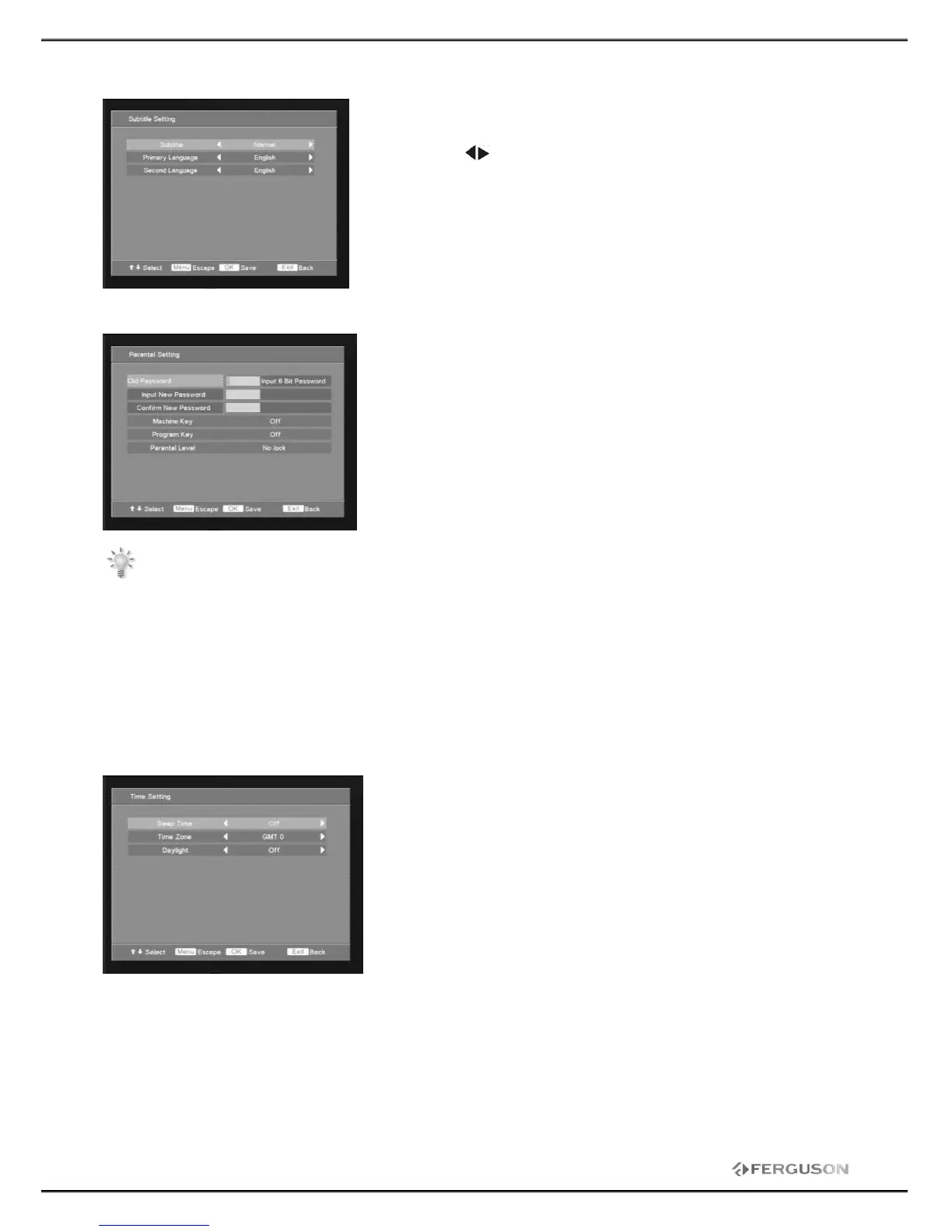
2.3 Subtitle Setting
User can choose below options of Subtitle control:
Subtitle: Off, Normal or Hard of Hearing.
Language choose: Primary language and Second language.
You can press to choose the item, then to press<OK>to save
settings.
Press <MENU> to escape from current OSD menu.
Press <EXIT> to exit current operation.
2.4 Parental Setting
User can choose below options of Parental control: When you
enter into this menu, you should input the old password first (the
factory default value is 888888), then you can modify and proceed
next steps. Press numeric key <0-9> to input password, <OK> to
confirm.
Machine Key: On or Off
Program Key: On or Off.
Parental Level: No lock, Lock All/G/PG/M/MA/AV/R
Note: The operation of this feature depends on whether the station gives the correct
information!
G: Block 8-years old people
PG: Block 10-years old people
M: Block 12-years old people
MA: Block 14-years old people
AV: Block 16-years old people
R: Block 17-years old people
2.5 Time Setting
User can choose below options of Time set control:
Sleep time: Off , 15minutes…
Time Zone: GMT 0, GMT+1…
Daylight: On or Off.







 To Next Page