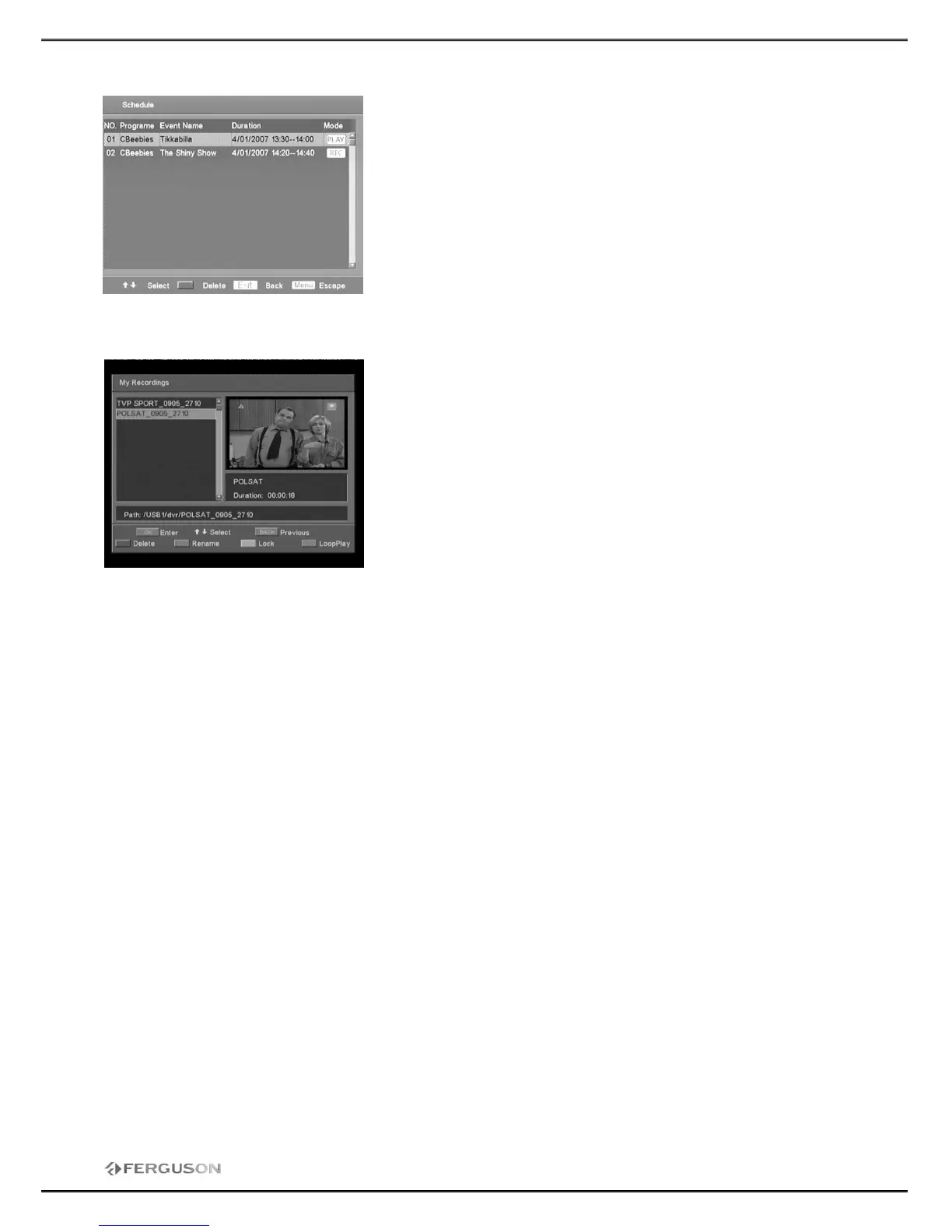
4.2 Schedule
In the EPG OSD, Press < Green> key to list the reserved
programs schedule. You can delete or modify the reserved
schedule in the list.
You can use direct button OPT to see this list.
<PLAY>: A reservation program to play
<REC>: A reservation program to record
<RED>: Delete the reservation program the cursor is on.
<OK>: Modify reserved programs.
5. My recordings
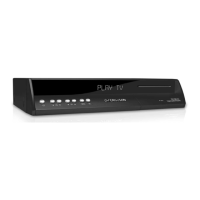
This OSD will list the recorded programs that saved in USB HDD.
OK: To enter the sub-folder or play current file in full-screen
mode.
Recall: Back to previous folder.
Delete: Move cursor onto the file that you want to delete, and
press <RED> key to implement.
Rename: Move cursor onto the file that you want to rename, and
press <Green> key to display the keyboard dialog. Using the
arrow keys to select desired letters to edit the file name.
Lock: Press <Yellow> key on the selected file name, the
selected file will be marked by a symbol. If you want to cancel
this operation, please press <Yellow> key again.
Loop Play: Play all the files in current folder one by one.
If you want to play recorded programs , please move the cursor onto the the folder which contains the
media file you want to play , select the file and press the <OK> key to enjoy it.
Press the <REW> or <FF> key to change the file palyback speed in the following speeds: ×1/2, ×2,
×4,×8,×16,×32.
If you want to exit, please press the <EXIT> key.



 To Next Page