Pag 27
VDS - BVDS - B
VDS - BVDS - B
VDS - B
US2US2
US2US2
US2
VDS - BVDS - B
VDS - BVDS - B
VDS - B
US2US2
US2US2
US2
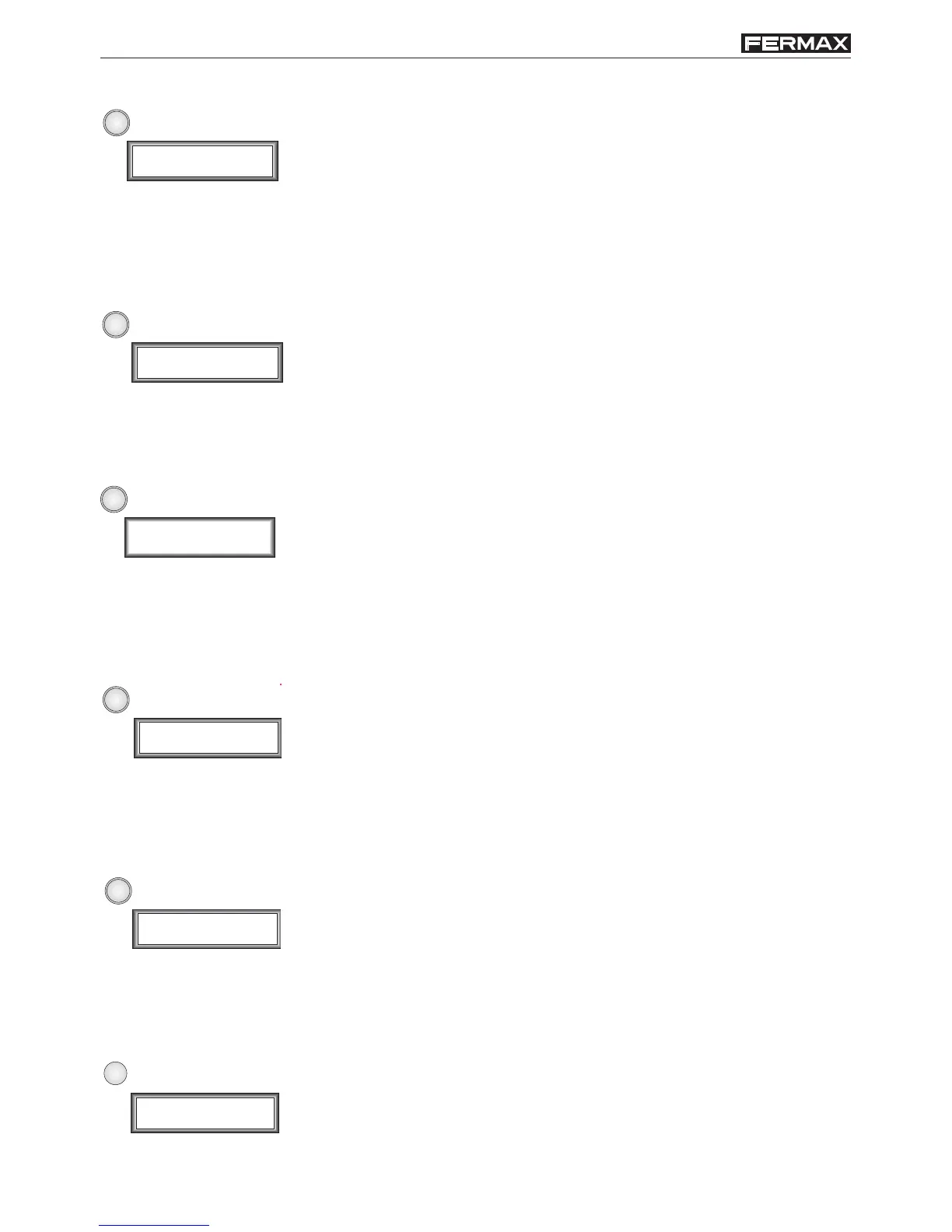
2
Name
_
3
Name
_
4
Total Codes
0002
5
Reset Codes
Confirm (A=Yes)
6
Compress users
Confirm (A=Yes)
7
Sort users
Confirm (A=Yes)
This function must be used to erase a single user record from
memory. Changes cannot be reversed, so use it carefully.
Use navigation arrows to select the user record to erase and dial ‘A’
to do it. Dial ‘B’ to exit without saving changes.
A void space will appear after erasing a user record.
(-) ERASE USER
(T) MEMORY USAGE
Use this option to display the total number of user records stored in
memory (up to 350 user maximum).
(R) RESET MEMORY
Use this option to erase all information stored in user list.
Dial ‘A’ to confirm or ‘B’ to cancel the action.
(C) COMPACT MEMORY
This option removes void spaces created after erasing single user
records.
List will be unsorted after this function execution. Use the following
function to sort the list again.
(O) SORT LIST
This function sorts the whole user list (alphabetically) using the
data stored in NAME field.
(M) MODIFY USER
Use this function to modify data stored of a single user. Use navigation
arrows to select the user record to modify and dial ‘A’ to do it. Dial ‘B’
to exit.




 To Next Page