4. ERCO OVERVIEW
5
user’s manual
ERCO by Ferrum
A.
B.
C.
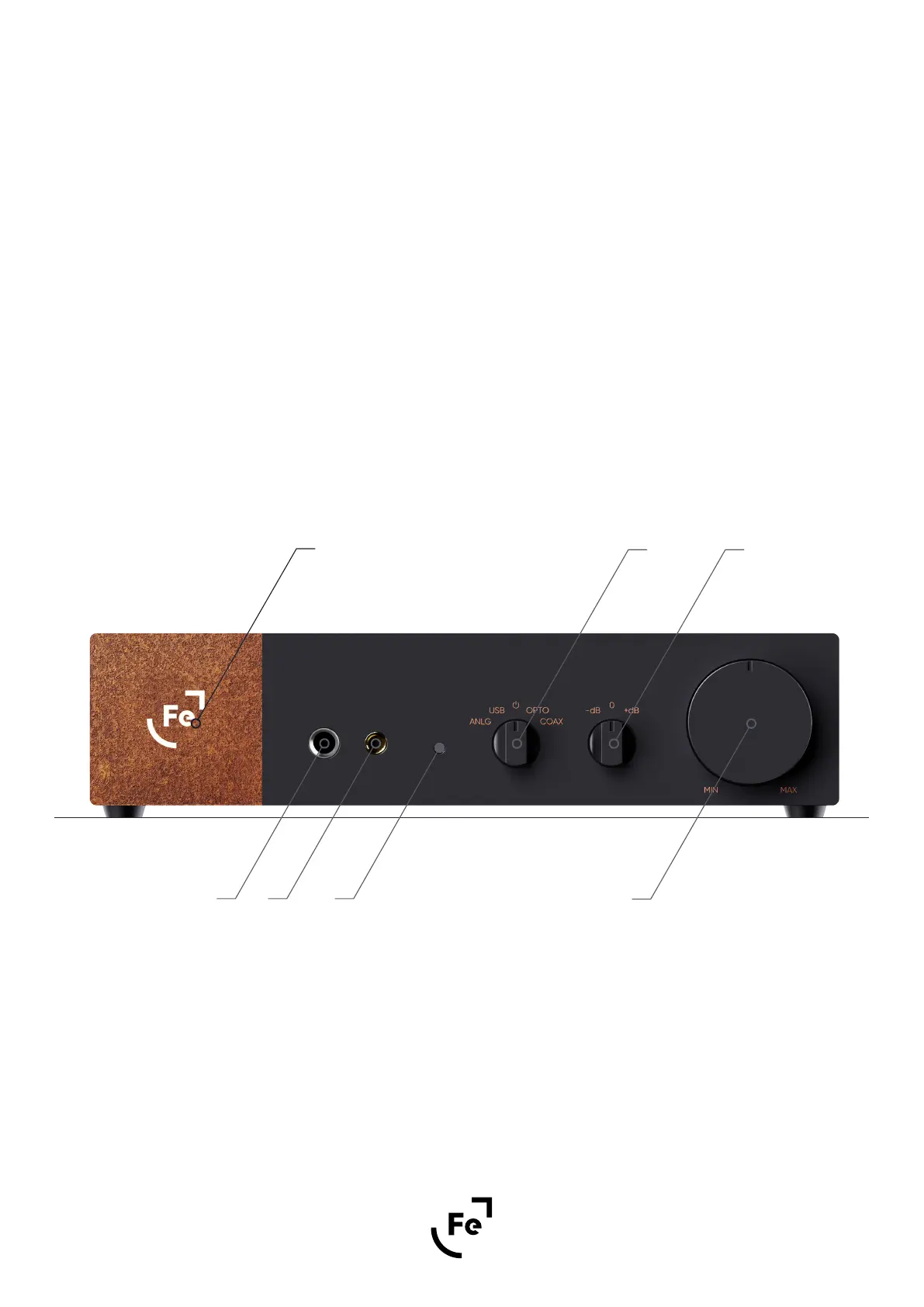
4.1. Front Panel Overview
A E F
B
G
C D
Ferrum logo - brightness adjustable
4.4 mm jack, TRRRS headphones output
6.35 mm jack, TRS headphones output
D.
F.
Rotary gain selector - allows you to match a gain level to your headphones:
- for single ended headphones (6.35 mm jack) you can choose (from left to right): -11.8 dB, 0 dB and +11.8 dB;
- for balanced output (4.4 pin mm jack) you can choose (from left to right): -5.8 dB, +6 dB, +17.8 dB.
LED indicator (more about LED indicator in paragraph 6.4)
E.
Rotary input selector and standby switch
G.
Volume knob
Figure 1.


 To Next Page