6
HEPA HF-CT MINI/MIDI-2/CT15
204 201
NF-CT MINI/MIDI-2/CT15
204 202
12.7 After finishing work
► Switch off the cordless mobile dust extrac
tor.
► Remove the battery pack.
Note: Keep the unused battery pack away
from metal objects (e.g. nails, screws, keys,
paper clips, etc.) as these may cause bridg
ing of the contacts.
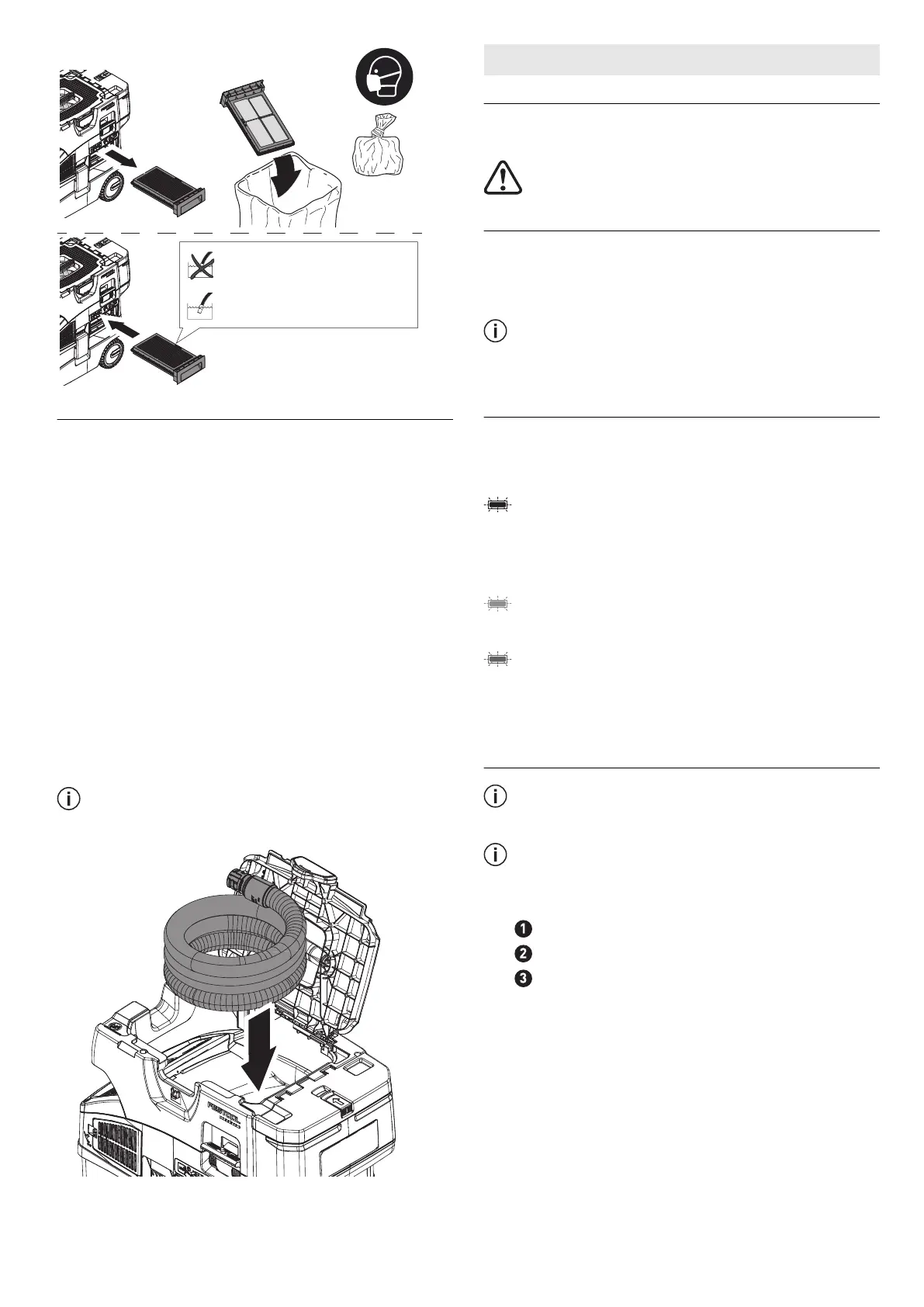
► Empty the dirt trap.
► Place the suction hose in the sealable hose
holder [7].
► Vacuum and wipe the inside and outside of
the cordless mobile dust extractor to clean
it.
► Place the cordless mobile dust extractor in
a dry room inaccessible to unauthorised
users.
The lid of the hose holder [1-3] also serves
as a storage area for tools.
13 Remote control
13.1 Intended use of remote control CT-F I
The remote control can manually start / stop a
connected cordless mobile dust extractor.
The user is liable for improper or non-in
tended use.
13.2 Assembly
Attach the remote control [1-18] to the suction
hose
using the corresponding fastening
strap [1-23].
To connect the remote control and the
cordless mobile dust extractor, see sec
tion 10.2.
13.3 LED indicator [1-20]
The remote control's LED indicator displays,
the charge status of the remote control in addi
tion to the Bluetooth
®
functionality:
Flashes blue once
Confirmation of the connection button
[1-19] or MAN button [1-21] having been
pressed.
Flashes purple once
The remote control has been reset.
Flashes red
The remote control's battery is nearly
empty and must be replaced.
13.4 Changing the remote control's
battery [8]
The remote control is operated using a CR
2032 battery.
If the battery compartment is opened, we
recommend that you replace the seal (20 x
1.3 mm).
► Open the battery compartment closure.
► Replace the battery.
► Close the battery compartment.
English
17


 To Next Page