9 Settings
WARNING
Risk of injury
► Remove the battery pack from the power
tool before performing any work on the
power tool.
9.1 Speed control
You can regulate the speed steplessly within
the speed range using the adjusting wheel (see
section Technical data). This enables you to op
timise the speed to suit the respective material.
Please also note the specifications on the tools.
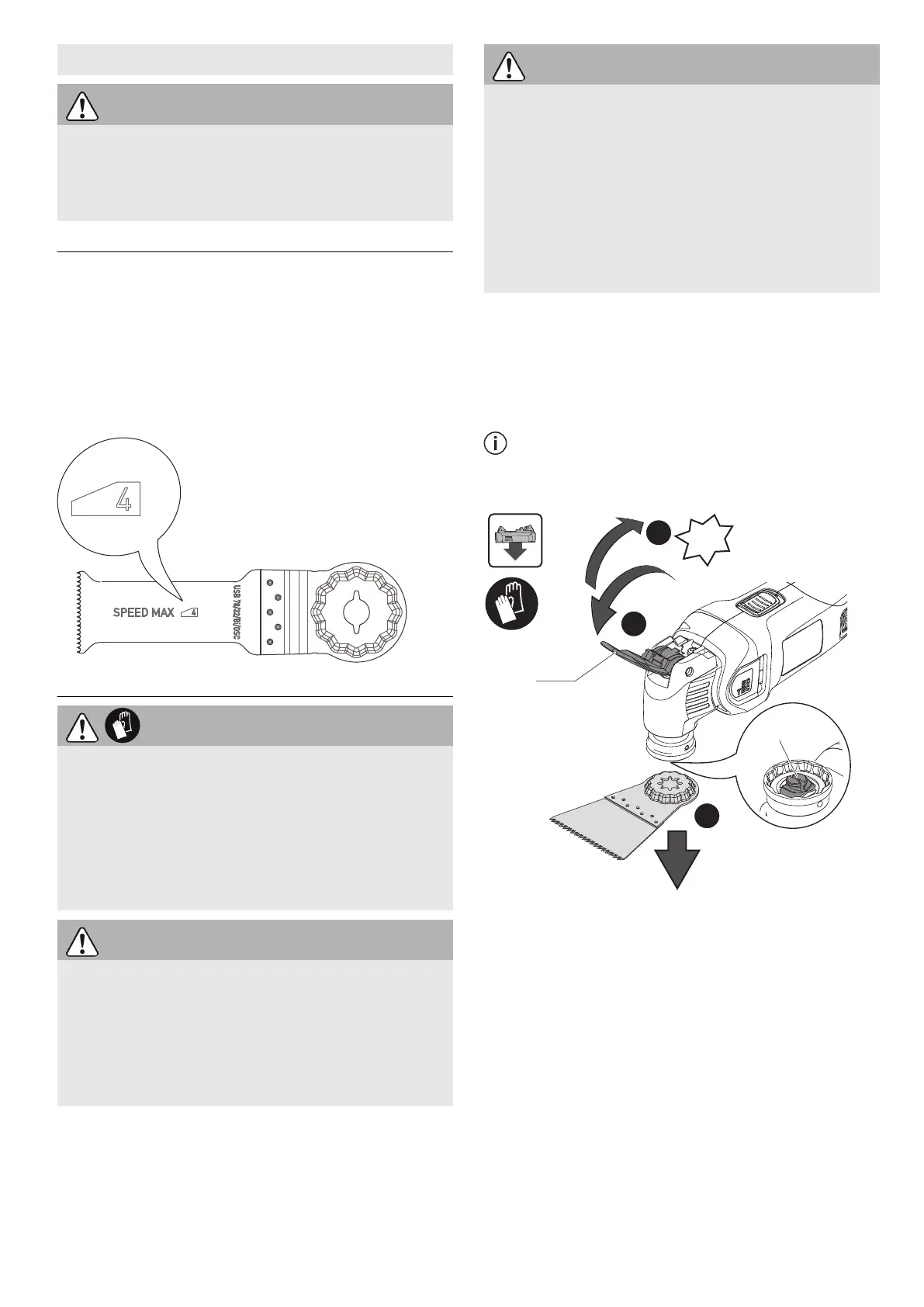
If an insertion tool is only suitable up to a maxi
mum speed, the maximum speed is marked on
the insertion tool (see Figure).
9.2 Changing tools
CAUTION
Hot and sharp tools
Risk of injury
► Do not use any blunt or faulty insertion
tools.
► Wear protective gloves.
► Carefully remove the protective resin from
the cutting edge of new tools.
CAUTION
Tools that are not supplied or recommended
by Festool.
Damage to machine caused by increased vi
bration load
Risk of injury and harm to health
► Always use original Festool tools.
CAUTION
Risk of crushing hands and fingers
If you switch on the insertion tool when the
clamping lever is open, the clamping lever is
closed by a spring force. Open clamping jaws
are spring-loaded.
► Never switch on the power tool with the
clamping lever open.
► Never reach into the area around the
clamping jaws.
Removing the insertion tool [3a]
► Open the clamping lever [3-1].
The insertion tool drops down.
► Close the clamping lever until it clicks into
place.
If the power tool switches on without the
insertion tool, the clamping jaws [3-2] may
open. This makes a popping sound.
Inserting the insertion tool [3b]
If the clamping jaws [3-2] are open, open and
close the clamping lever [3-1].
► Close the clamping lever until it clicks into
place.
► Push the device onto the tool until it clicks
into place.
English
11






 To Next Page