5
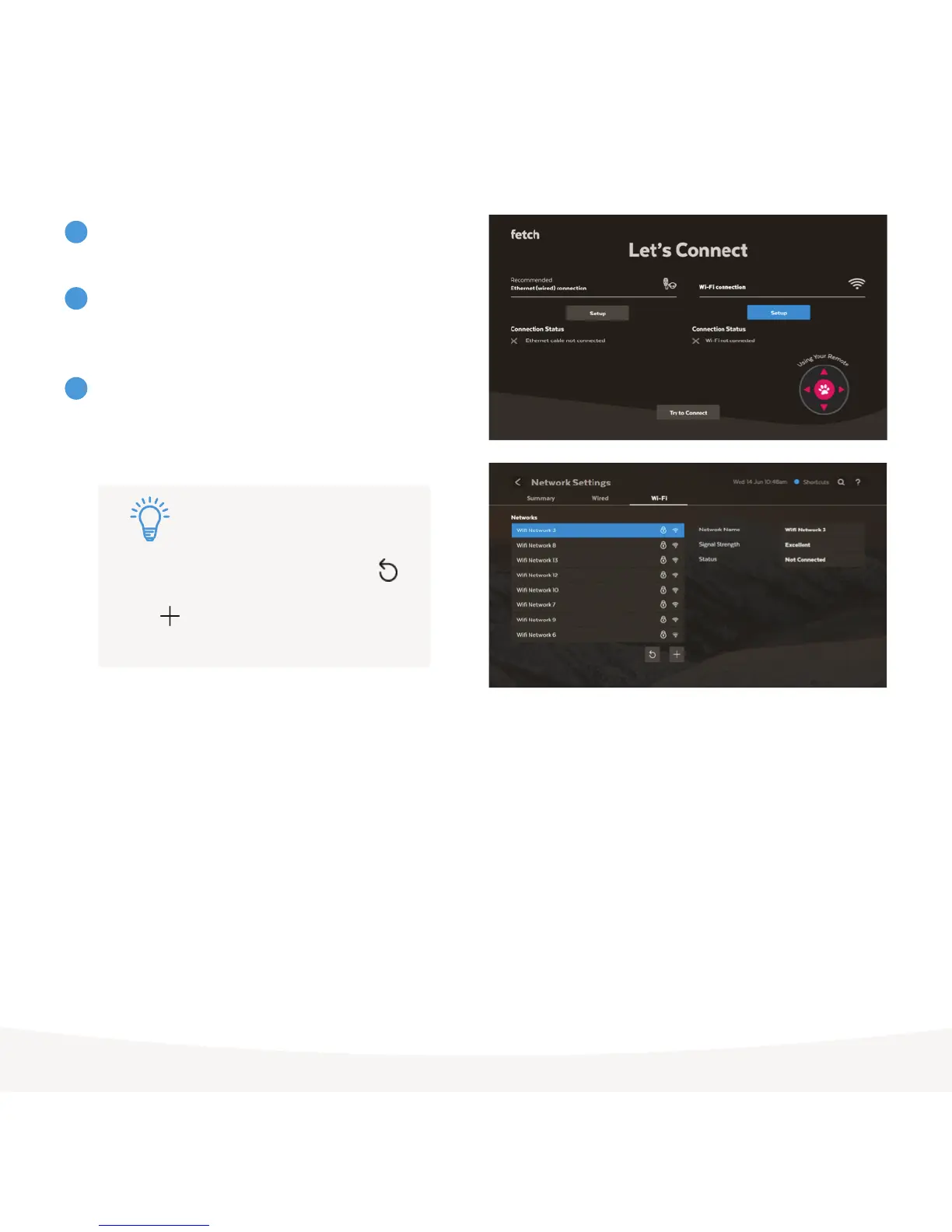
To set up Wi-Fi, follow the prompts and use your remote
to choose the Wi-Fi connection option.
Select your home Wi-Fi network from the list of networks.
If needed, confirm the security settings (passwords are
case-sensitive).
Your Fetch box will let you know once you’re connected
and continue to start up. If prompted, enter the Activation
Code for your Fetch box in the Welcome Screen and
follow the on screen prompts to complete your set up.
3
4
5
Don’t turn off your Fetch box during any System Updates or
Software Updates. These can take a few minutes and your box
may restart automatically after an update
If you don’t see your Wi-Fi network, select
to refresh the list. If your Wi-Fi network is hidden
select to add it manually (you’ll need the
network name, password, and encryption info).
Tip:



 To Next Page