17
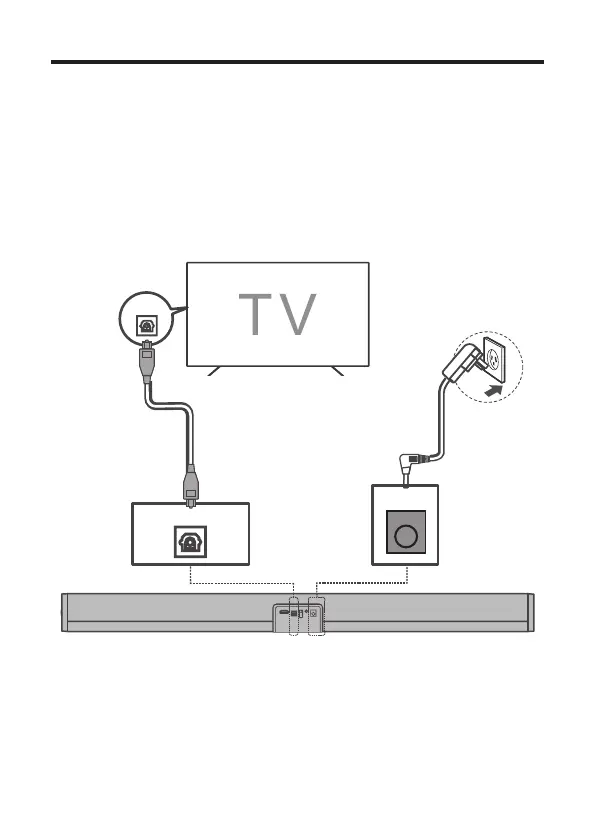
Connect with the optical cable
1. Remove the protective caps from the optical cable when
necessary.
2. Connect one end of the optical cable to the optical input
connector on your Sound Bar and another end to the optical
output connector of your TV or device.
ARCO PT USBAUX DC IN
DC IN
OPT
Note
• If there is no sound output from the Sound Bar, try to
activate the PCM signal output on your TV or device. For
more information of how to activate the PCM signal output,


 To Next Page