Page 18
The green and amber LEDs may flash if the detector needs to perform an initial power adjustment.
Once they have stopped flashing, move on to step (3).
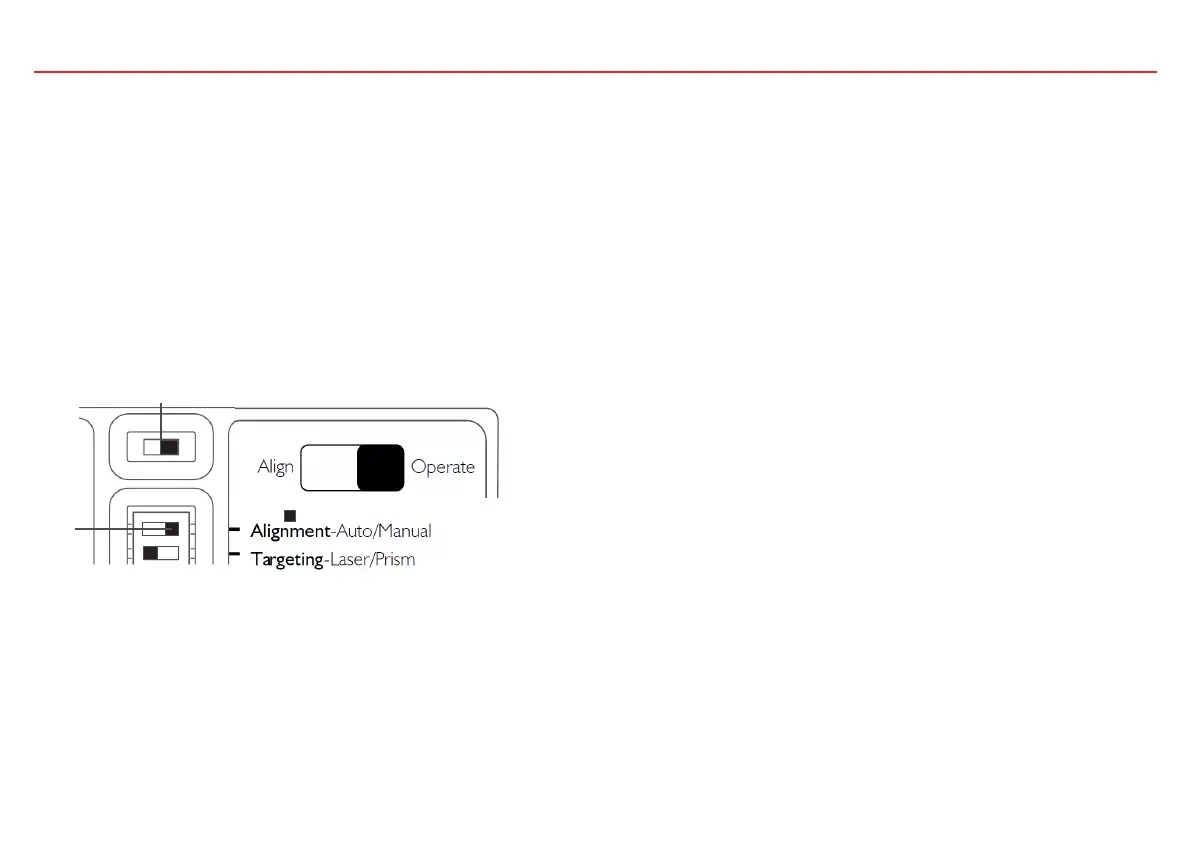
2. Move the Slide Switch (2) to the right-hand position (“Operate”). The right-hand green LED flashes twice every 3 seconds to indicate
the system is in alignment mode.
Manual Alignment
Manual alignment should only be used when Automatic alignment has failed even after it has been verified that the correct number of reflectors
have been installed and the correct clearance around the beam path has been given.
Perform targeting as previously described, and then do the following:
1. On the Settings Switch set the Alignment switch (1) to the right-hand position (“Manual”).
a
3. Use the direction buttons to move the detector in the up-down axis. Press the down button once, and wait to see what the LED indication
shows.
If both amber and green LEDs flash, the signal has not changed so no further movement in that axis is needed.
a
If the amber LED flashes, the signal is smaller and the detector is moved away from the reflector.
Using the direction buttons, reverse direction for 2 steps. This time there should be a green flash.
a
1
2



 To Next Page