Page 20
Realignment of a previously aligned FDL242
If a previously aligned FDL242 is to be reused in a new mounting situation it must be realigned. If the FDL242 is started up in the new mount-
ing situation for the first time it will apply the previous alignment data and the FDL242 will most likely generate an alarm immediately after
startup.
When the realignment process is to be done by means of a Line Tester FDUL221 or a 24 V DC power supply the alarm will not have any
impact and the Targeting and Alignment process described above can be applied without changes.
However, when the realignment is to be done by means of a Siemens Fire Control Panel an alarm generated by the FDL242 inhibits the
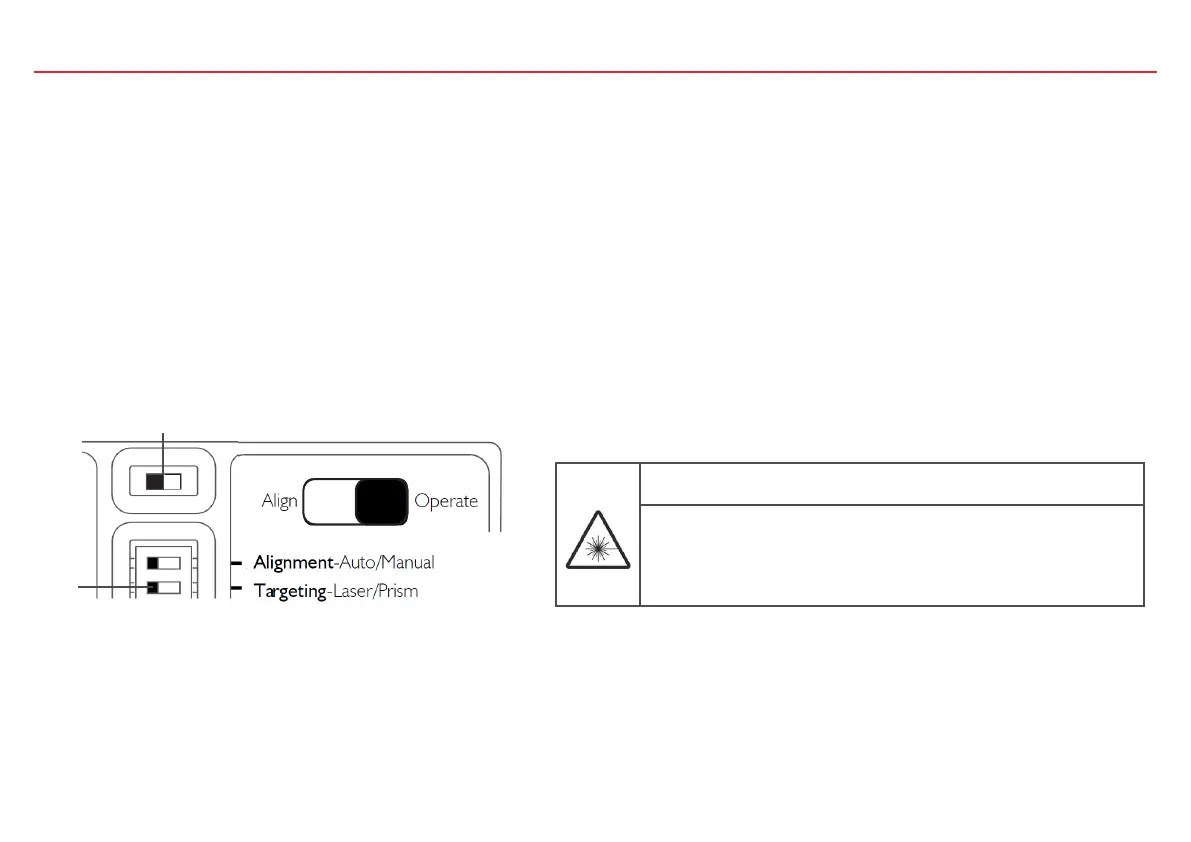
activation of the Device Test Mode. In order to enable realignment with a Siemens Fire Control Panel the Slide Switch needs to be set to Align
before the startup of the fieldbus line.
DANGER
Laser radiation class 3R 5 mW, Wavelength 630…680 nm
Severe eye injury
• Avoid direct eye exposure to laser beam.
• Follow local regulations for use of products with Class 3R lasers
WARNING: The laser can become activated at any time as long as switch 2 is in
the left position (Align).
If the FDL242 is powered up with the Slide Switch on “Align” it will directly enter Targeting mode. The FDL242 will then block the alarm and
issue a fault message instead. The Targeting and Alignment process steps described above can then be executed. After successful completion of
the Targeting and Alignment process the fault message will be retracted and the FDL242 will enter normal operation.
1
2



 To Next Page