Sidus F1B – free flight electronic timer
7/11
JUMP2
JUMP2 JUMP2
JUMP2
Exit
Exit Exit
Exit Servo
ServoServo
Servo
Enable or Disable the Programmer buzzer
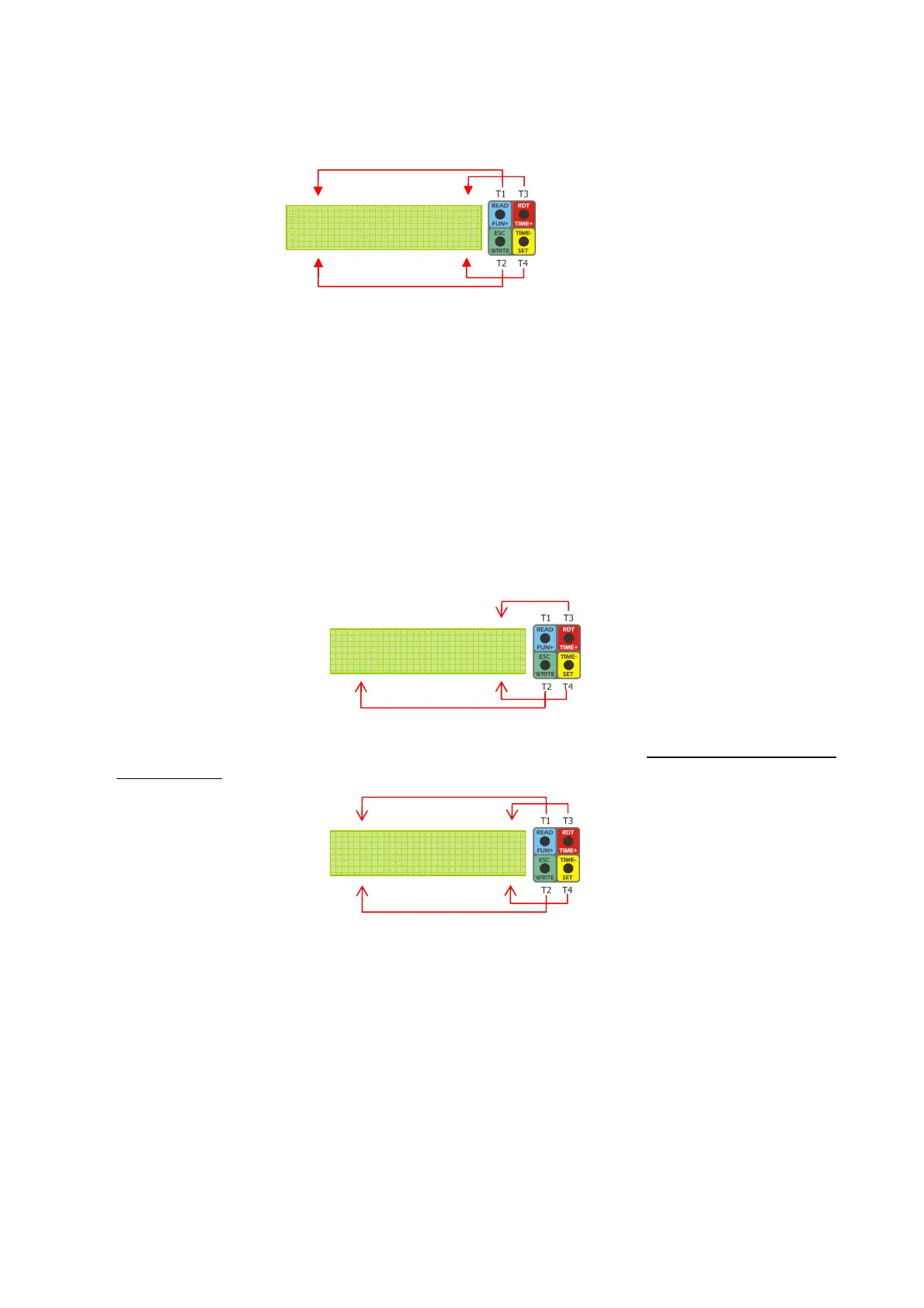
1. From the Set menu press and release T3 (Buzz) to enter the Buzz menu:
2. Press and release T3 (On) to enable the buzzer. Press and release T4 (Off) to disable
the buzzer
3. When finished press and release T2 (ESC) to go back to the Set menu and press and
release again T2 (ESC) to end modifications
Modify the disc positioning defaults
The Timer comes with default settings that usually do not need to be modified, however
the Programmer allows changing the positioning of the disc, should it become necessary
(e.g. micro servo replacement).
1. aim the Programmer at the Timer (make sure it is ON)
2. from the Set menu press and hold T2 (> 3 sec) until entering the SET2 submenu:
3. press and release T4 (Servo) to enter the FUNCTION menu. The disc moves to the
start position
4. Press and release T3 (func+) or T4 (func-) to increase or decrease the current
function and step the disc to the related position. The disc steps to 7 different positions
(START → FUNC1 → FUNC2 → FUNC3 → FUNC4 → FUNC5 → DT). The positions
for START and DT correspond to the initial and final disc position respectively
Buzz = * On
Buzz = * OnBuzz = * On
Buzz = * On
ESC Off
ESC OffESC Off
ESC Off
START
START START
START f
ff
func+
unc+unc+
unc+
Exit
Exit Exit
Exit f
ff
func
uncunc
unc-
--
-
FUNCTION menu
SET2 submenu
Buzz
menu


 To Next Page