Sidus F1B – free flight electronic timer
6/11
modified, then press and hold T1 until the asterisk turns into ‘w
ww
w’ (write): the function is
ready to be modified
4. press and release T3/T4 to increase/decrease the time of one step or press and hold
T3/T4 to have faster increments/decrements. When the wished value is reached, press
and release T2 (ESC) to end modifications or press and release again T1 to choose
another function to modify
5. The modified values must now be written onto the Timer for permanent storing. Press
and hold T2 (WRITE) until the message “Writing
WritingWriting
Writing” is displayed. The modified values
are then read back from the Timer and shown again on the display
Remote dethermalization (RDT)
Press and hold T3 (RDT) (> 1 sec) while the timing is in progress to dethermalize the
model (RDT). The message ‘RDT/RMC Transmitting
RDT/RMC TransmittingRDT/RMC Transmitting
RDT/RMC Transmitting…’ will be displayed.
The effect of the command depends on the value chosen for the intermediate
JUMP2 function (see following).
• if the JUMP2 function is not yet executed, the Timer will jump to it. By pressing and
holding T3 again (RDT) the Timer will dethermalize the model
• if the JUMP2 function is already executed, the command will produce immediate
model dethermalization
Advanced settings
All the advanced settings are accessible under the Set menu. From the MAIN
press and hold T4 (Set) (> 3 sec) until entering the Set menu
Change the timing visualization: Absolute or Relative
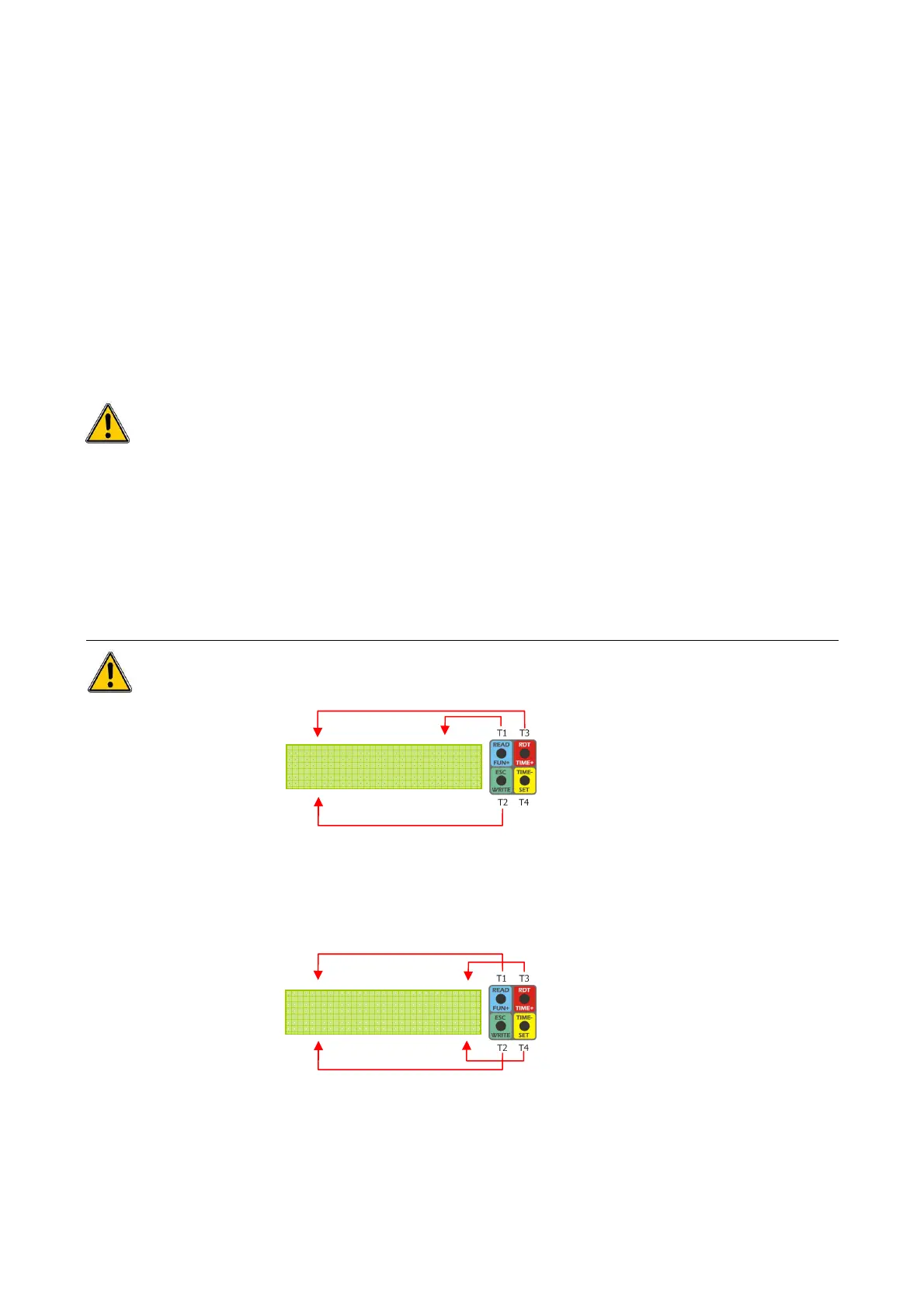
1. Press and release T1 (TView) to enter the TView menu:
2. Press and release T3 (Abs) for absolute visualization. Press and release T4 (Rel) for
relative visualization
3. When finished press and release T2 (ESC) to go back to the Set menu and press and
release again T2 (ESC) to end modifications
T
TT
TV
VV
View = Abs
iew = Absiew = Abs
iew = Abs
ESC * Rel
ESC * RelESC * Rel
ESC * Rel
TView Buzz
TView BuzzTView Buzz
TView Buzz
MORE/Exit
MORE/ExitMORE/Exit
MORE/Exit
SET
menu
TView
menu


 To Next Page
 Loading...