23
Adjust the ringing melody
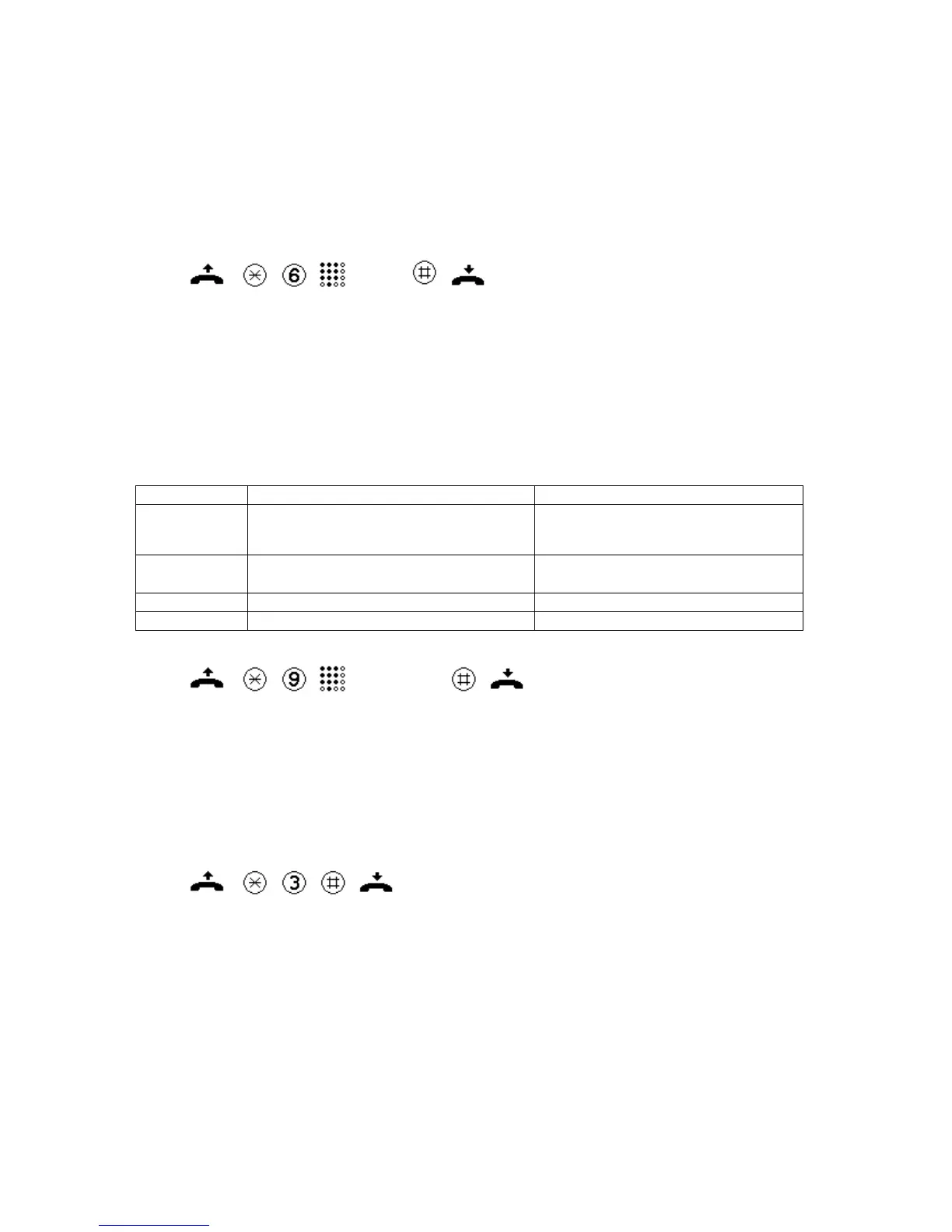
- Lift the handset.
- Press the * key.
- Press key 6 (the set melody is played back)
- Set the desired melody using the keys 1 to 9.
- Press the # key to store the selected melody.
- Replace the handset.
(1…9)
Set dialling mode
- Lift the handset.
- Press the * key.
- Press key 9.
- Enter the code for the desired dialling mode.
- Press the # key to store the selected dialling mode.
- Replace the handset.
Code / Key Dialling mode Comment
1 Dual-tone multifrequency (DTMF),
unlimited tone duration
The DTMF tone is being generated as
long as the associated key is being
pressed.
2 Dual-tone multifrequency (DTMF),
tone duration 90 ms
As-delivered condition
3 Pulse dialling (PD), 1.5:1
4 Pulse dialling (PD), 2:1
(1, 2, 3, 4)
Restore to as-delivered condition
- Lift the handset.
- Press the * key.
- Press key 3.
- Press the # key to reset the as-delivered condition.
- Replace the handset.
Signalling tones during programming
Tone Number Significance
Acknowledgement tone 1 long tone Completion of a correctly performed
procedure.
Error tone 4 short tones An error occurred within a procedure. The
procedure is cancelled.


 To Next Page