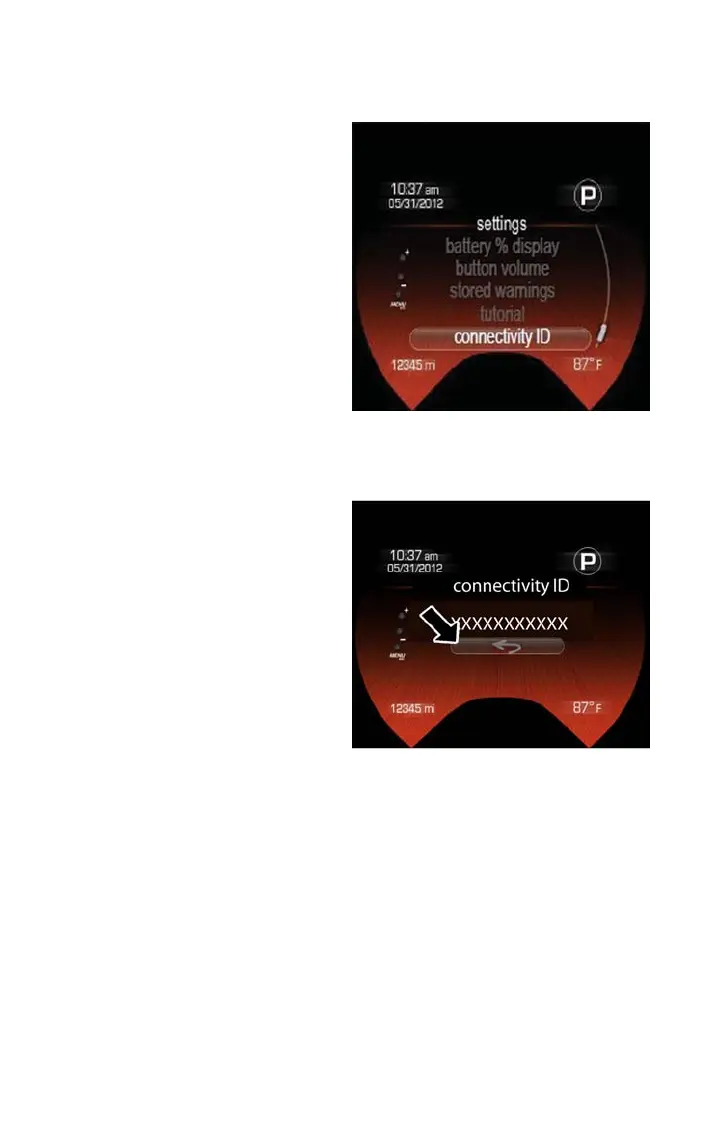
2. Choose “Settings” and scroll down and select “Connectivity ID”.
After obtaining the connectivity ID and VIN
number return to the vehicle registration
website and perform the following:
1. After entering the VIN, Connectivity ID
and your email address, click “submit”.
2. You will now be asked to fill in your
contact information and a user name
and password.
3. Once finished with registration you will
be directed to your 500e owner’s site.
4. From the owner’s site you will be able
to download the 500e Uconnect Access
mobile application and learn how to use
your connected features.
5. Use your owner’s site username and
password for logging into the 500e
Uconnect Access mobile application.
NOTE:
Your smartphone must have a valid data
connection to use the 500e mobile applica-
tion.
Need Help With Registration?
Please call the Uconnect Call Center Toll
Free number below:
(855) 792-4241
Settings
Connectivity ID
GETTING STARTED
12



 To Next Page