3. Make your selection highlighting the button.
Depending on the vehicles options, the following feature settings are available:
• Display • Audio
• Clock & Date • Phone/Bluetooth
• Safety/Assistance • SiriusXM Setup
• Lights • Voice
• Doors & Locks • Res tore Settings
• Engine Off Options • Units
• Clear Personal Data • Charging Schedule
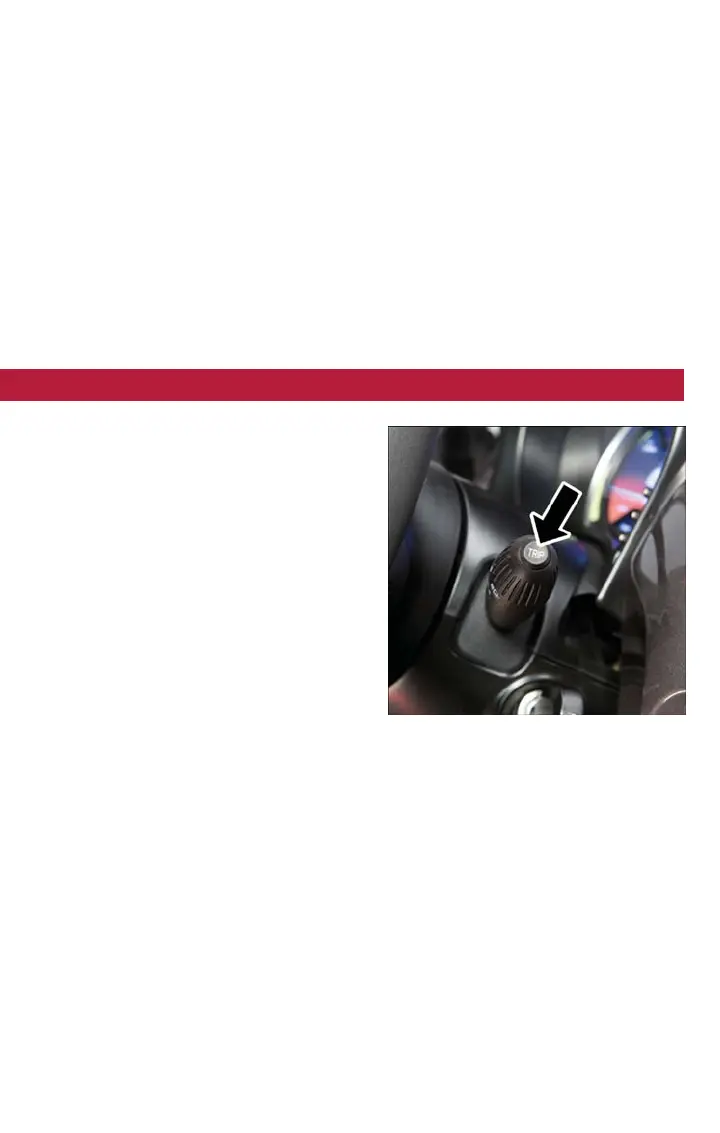
TRIP BUTTON
The Trip button is located on the end of
the wiper lever to the right of the steering
column. The trip button can be used to
display and reset the following functions:
• Motor Power (Kilowatts)
• Trip A
• Trip B
• Tire Pressure
• Short push (less than 1 second) to dis-
play different functions.
• Long push (more than 1 second) to re-
set and start a new trip.
New Trip
• A new trip can be reset or restarted by:
• “Manual” resetting by the user, by pushing the Trip button
• “Automatically” resetting, when the “Trip distance” reaches 999.9 miles or when the
“Travel time” reaches 29 (29 hours and 59 minutes)
Start Of Trip Procedure
• With the ignition key on, push and hold the TRIP button for over one second to reset
Trip A or Trip B.
Exit Trip
• The Trip function is over when all the values have been displayed or by pushing the
TRIP button until exit.
• Menu button does not exit the Trip.
Trip Button
ELECTRONICS
79



 To Next Page