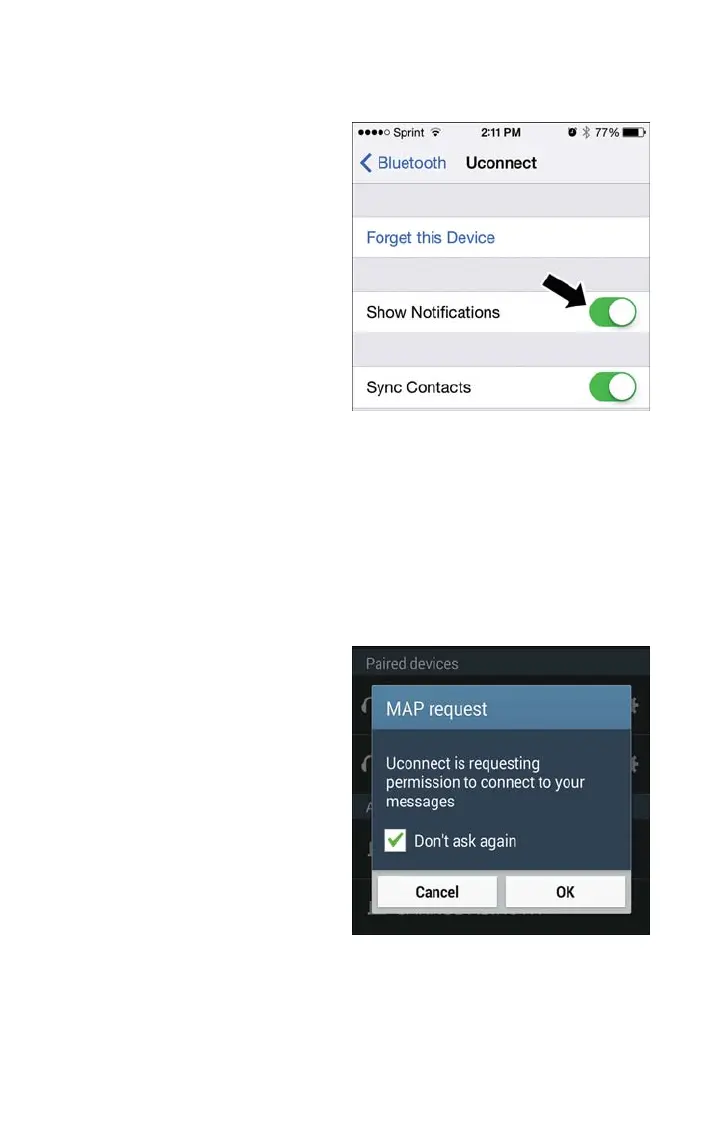
4. Turn “Show Notifications” to On.
Android Devices
1. Push the Menu button on the mobile phone.
2. Select Settings.
3. Select Connections.
4. Turn “Show Notifications” to On.
• A pop up will appear asking you to accept a request for permission to connect to
your messages. Select “Don’t ask again” and press OK.
NOTE:
All incoming text messages received during
the current ignition cycle will be deleted
from the Uconnect system when the igni-
tion is turned to the Off position.
Enable iPhone Incoming Text Messages
Enable Android Device Incoming Text
Messages
ELECTRONICS
74



 To Next Page