MULTIMEDIA 179
ANDROID AUTO™ AND APPLE
C
ARPLAY® TIPS AND TRICKS
Android Auto™ And Apple CarPlay® Automatic
Bluetooth® Pairing
After connecting to Android Auto™ or Apple
CarPlay® for the first time and undergoing the
setup procedure, the smartphone pairs to the
Uconnect system via Bluetooth® without any
setup required every time it is within range, if
Bluetooth® is turned on.
NOTE:
Apple CarPlay® uses a USB connection while
Android Auto™ uses both USB and Bluetooth®
connections to function. The connected device
is unavailable to other devices when connected
using Android Auto™ or Apple CarPlay®.
Multiple Devices Connecting To The Uconnect
System — If Equipped
It is possible to have multiple devices
connected to the Uconnect system. For
example, if using Android Auto™/Apple
CarPlay®, the connected device will be used to
place hands-free phone calls or send
hands-free text messages. However, another
device can also be paired to the Uconnect
system, via Bluetooth®, as an audio source, so
the passenger can stream music.
NOTE:
Apple CarPlay® and Android Auto™ can only be
launched from the front and center console
USB ports only.
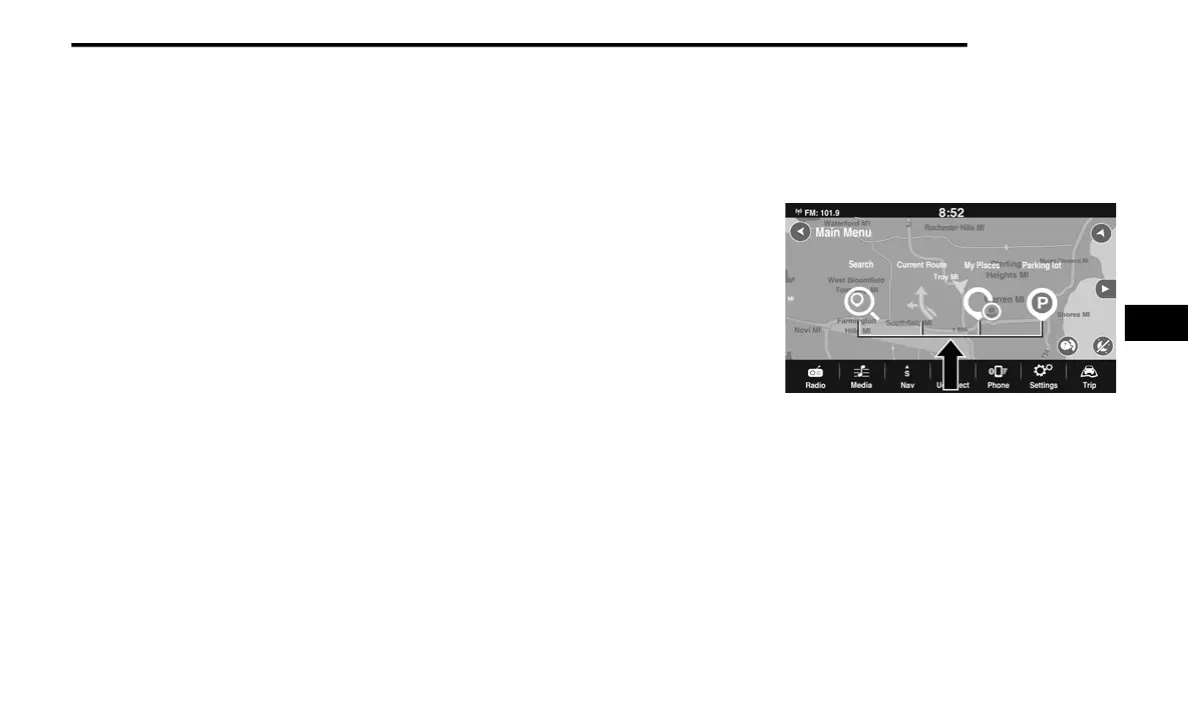
NAVIGATION MODE — IF EQUIPPED
NAVIGATION MAIN MENU
To access the Navigation system, press the Nav
button on the touchscreen.
Navigation Main Menu
5
21_FD_OM_EN_USC_t.book Page 179



 To Next Page