DIRECTION INDICATORS
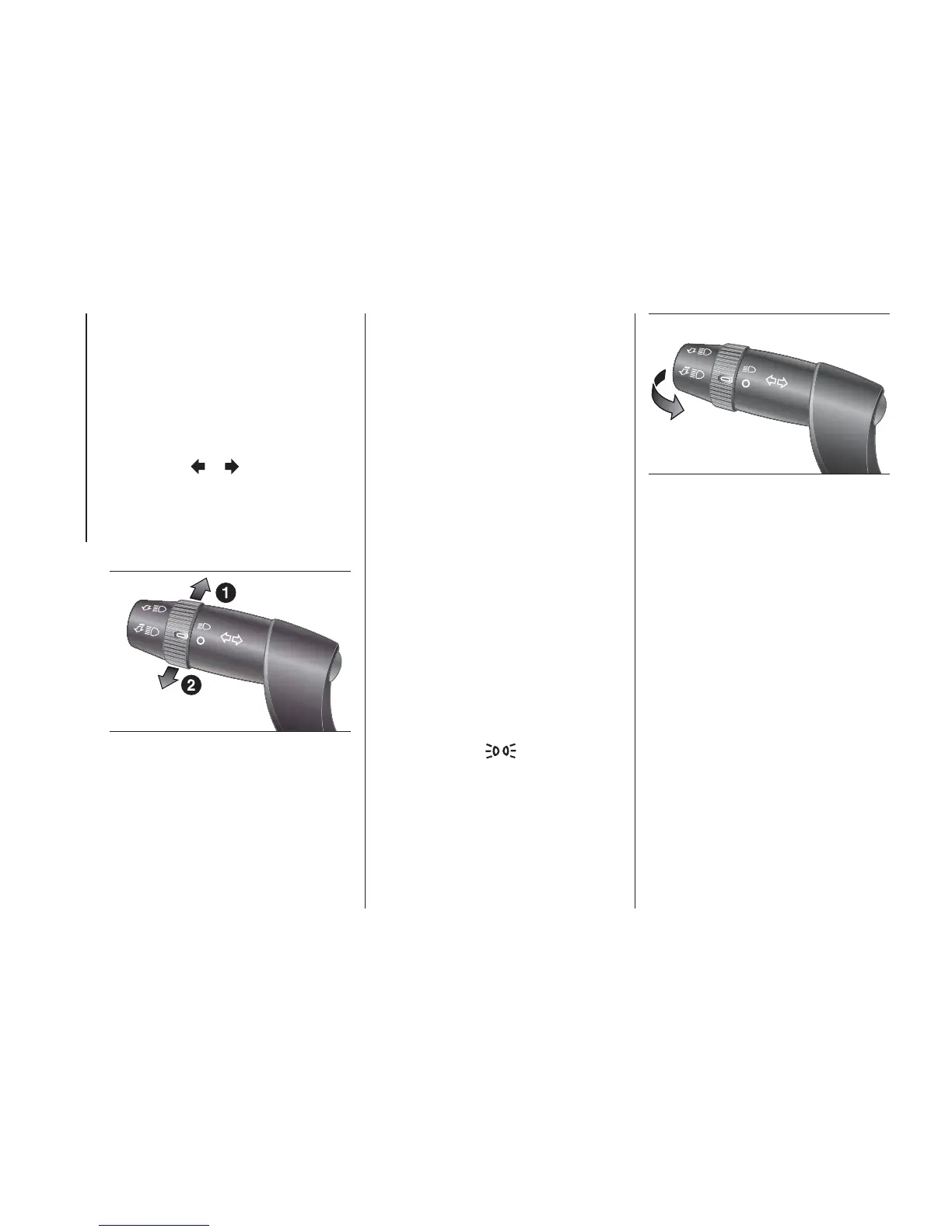
Bring the stalk into (stable) position fig.
61:
❒ up (position 1): to activate the right
direction indicator;
❒ down (position 2): to activate the left
direction indicator.
Warning light
or will blink on the
instrument panel.
Direction indicators switch off
automatically when the vehicle is back
in a straight line.
Lane change function
If you wish to signal a lane change,
place the left stalk in the unstable
position for less than half a second. The
direction indicator on the side selected
will flash five times and then switch
off automatically.
“FOLLOW ME HOME”
DEVICE
This device allows the illumination of the
space in front of the vehicle for a preset
time.
Activation
With ignition key at OFF or removed,
pull the stalk towards the steering
wheel fig. 62 and move it within
2 minutes after the engine stops.
Each time the stalk is moved, the lights
stay on for an extra 30 seconds up to
a maximum of 210 seconds; then
the lights are switched off automatically.
The warning light
on the
instrument panel will light up and the
corresponding message will appear in
the display (see “Warning lights and
messages” section) for as long as the
function is activated.
The warning light comes on when the
stalk is operated and stays on until
the function is automatically
deactivated.
Each movement of the stalk only
increases the amount of time the lights
stay on.
Deactivation
Keep the stalk pulled towards the
steering wheel fig. 62 for more than two
seconds.
61
F1A0068
62
F1A0069
50
KNOW YOUR VEHICLE













 To Next Page